EasyManua.ls Logo

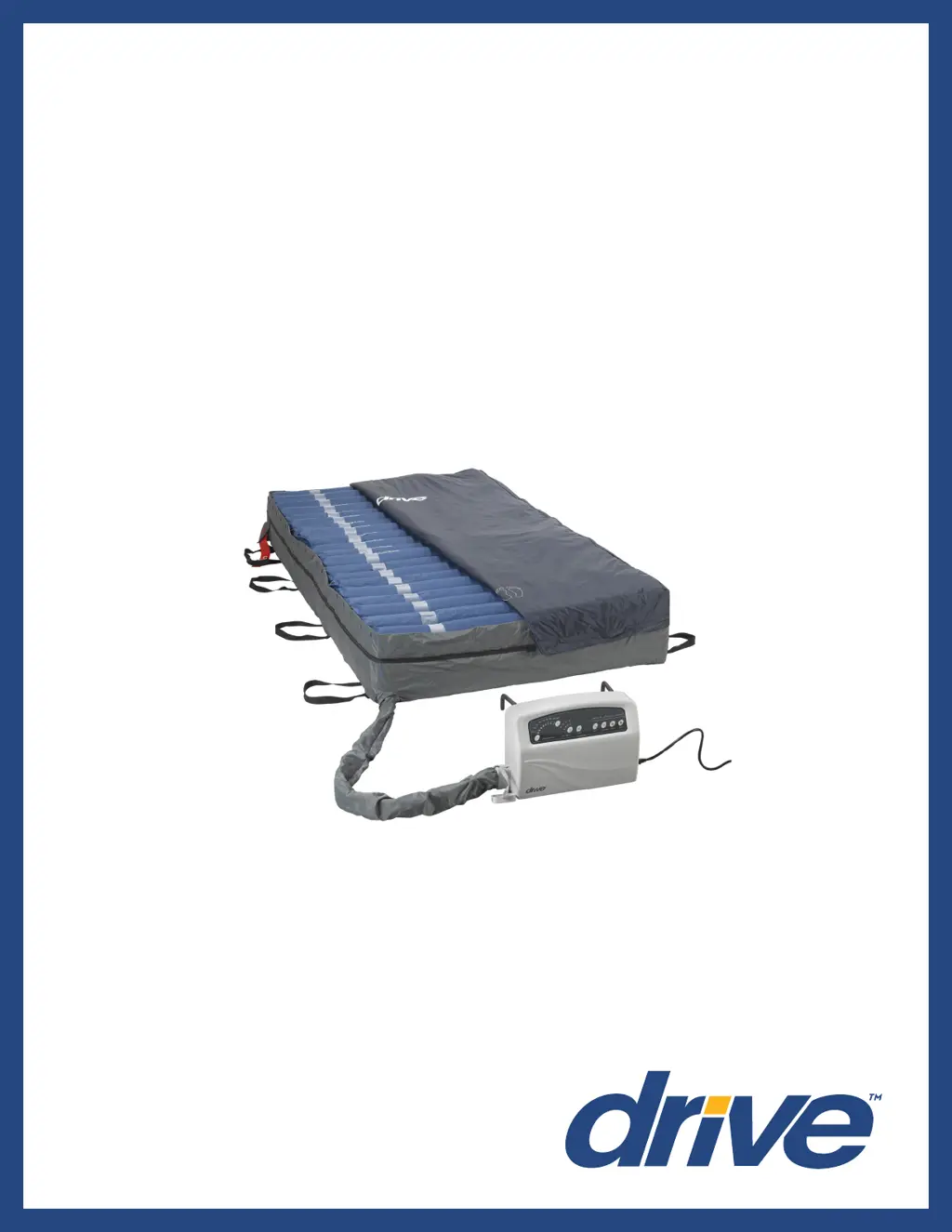
Drive Med Aire Plus 10” - User Manual

Drive Med Aire Plus 10”
20 pages
Print Icon
To Next Page IconTo Next Page
Loading...
Med Aire Plus 10”
Alternating Pressure and
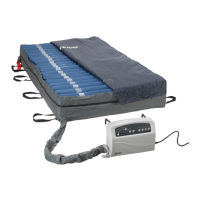
Low Air Loss Bariatric Mattress
Replacement System
www.drivemedical.com
USER MANUAL
Item #s 14030, 14048, 14054, 14060
(Control unit 14030XP)

Questions and Answers

  • K
    Kristen WilsonAug 14, 2025
    What to do if my Drive Med Aire Plus 10” mattress fails to inflate or doesn't inflate completely?
    • H
      Holly WintersAug 14, 2025
      First, ensure the power cord is correctly plugged into an appropriate voltage AC outlet and that the LED light turns on after powering on the pump. Also, check that the quick connector on the mattress is well connected to the pump, and the T/L connector and air valve are properly connected with the CPR connector capped. If issues persist, changing the air cell might help. If problems continue, contact your provider for a possible warranty claim.
  • A
    Anthony MorrisonAug 17, 2025
    What to do if the Drive Medical Equipment pump is working but the synchronous motor doesn't, causing the mattress not to alternate and triggering an alternate failure alarm?
    • H
      Heather JohnsonAug 17, 2025
      If the synchronous motor is out of order or the wires inside are not well connected, or if the lower PCB is out of order, contact your provider for a possible warranty claim.
  • K
    Kevin PearsonAug 21, 2025
    What to do if the Drive Med Aire Plus 10” Medical Equipment pump and motor keep working, but the cycle time is incorrect and the alternate failure alarm is activated?
    • B
      Brian ChapmanAug 21, 2025
      If the micro switch on the exchanger is out of order, or the lower PCB is out of order, contact your provider for a possible warranty claim.
  • J
    jillhernandezAug 25, 2025
    What to do if the Drive Medical Equipment push button on the panel isn't working well, and the LED indicator doesn't light up?
    • S
      sandrasmithAug 25, 2025
      If the push button is not working well, or the LED is out of order, contact your provider for a possible warranty claim.
  • O
    owalshAug 27, 2025
    Why does my Drive Med Aire Plus 10” mattress have low pressure but the alarm isn't activated?
    • M
      michellebryantAug 27, 2025
      If the pressure detector is out of order, contact your provider for a possible warranty claim.
  • B
    Brittany ChapmanAug 31, 2025
    What to do if the Drive Medical Equipment mattress pressure is too high or too low?
    • C
      Catherine DukeAug 31, 2025
      If the pressure sensor is out of order, contact your provider for a possible warranty claim.
  • B
    Bobby GarciaSep 3, 2025
    What to do if the Drive Medical Equipment compressor stops after working some time, but the exchanger keeps rotary when powered on?
    • J
      Jacqueline DiazSep 3, 2025
      If the pressure detector is out of order, contact your provider for a possible warranty claim.
  • R
    richard67Sep 6, 2025
    Why does the power failure alarm on my Drive Med Aire Plus 10” not activate after a power failure?
    • V
      victoriarochaSep 7, 2025
      If the battery is out of order, contact your provider for a possible warranty claim.
  • B
    Brandi MyersSep 10, 2025
    Why do the air cells on the pillow function of my Drive Med Aire Plus 10” mattress fail to inflate?
    • C
      Curtis JacksonSep 10, 2025
      If the one way valve is assembled reversely, assemble it in the correct direction.

Summary

Important Precautions

Document Symbols

Explains symbols used in the manual for safety and information.

Introduction

Indications for Use

Details patient conditions and needs for using the Med Aire Plus system.

Unpacking Your Med Aire Plus 10

Contraindications

Lists patient conditions where pressure relieving therapy is not advised.

Product Features

Control Unit Overview

Overview of the digital control unit and its capabilities.

Mattress Overview

Describes the air cell mattress, its design, and key features.

Product Function

Control Unit Functions

Details functions like Cycle Time, Weight Settings, Mute, Alternate, Static, Auto Firm, Seat Inflate.

Control Unit Lock Button

Explains automatic and manual locking mechanisms for the control panel.

Mattress Components

Describes CPR deflation valve and quick connectors on the mattress.

System Setup Procedure

Step-by-step guide for setting up the mattress and control unit.

Operation

CPR Function

Procedure to quickly deflate the mattress for emergency CPR.

Pressure Range Selection

How to adjust mattress pressure for patient comfort and weight.

Low Pressure Indicator

Explains the low pressure warning signal and troubleshooting.

Patient Positioning and Comfort

General Repositioning

Guidelines for turning and repositioning patients on the support surface.

Hand Check Procedure

Method to verify proper patient support and prevent bottoming out.

Cleaning & Maintenance

Recommended Linen

Advice on suitable linens for use with the mattress system.

Incontinence Management

How incontinence affects skin and the use of barrier pads.

Control Unit Cleaning

Instructions for safe and effective cleaning of the control unit.

Mattress Cleaning

Detailed steps for cleaning and disinfecting the mattress.

Handling and Storage

Guidelines for properly handling and storing the mattress.

General Maintenance

Checks for power cord, mattress cover, tubes, and airflow.

Troubleshooting

Specification

Warranty

Drive Med Aire Plus 10” Specifications

General IconGeneral
Product NameDrive Med Aire Plus 10”
CategoryMedical Equipment
Size10 inches
UsagePressure Ulcer Prevention and Treatment
Weight Capacity350 lbs
Power SourceElectric
TypeAlternating Pressure Mattress
FeaturesAdjustable comfort settings
Mattress Dimensions80" x 36" x 10"
Power110-120V/60 Hz
Cycle Time10 minutes
Number of Cells20
MaterialNylon with PU coating

Related product manuals