EasyManua.ls Logo

Drive Med-Aire Edge - User Manual

Drive Med-Aire Edge
20 pages
Print Icon
To Next Page IconTo Next Page
Loading...
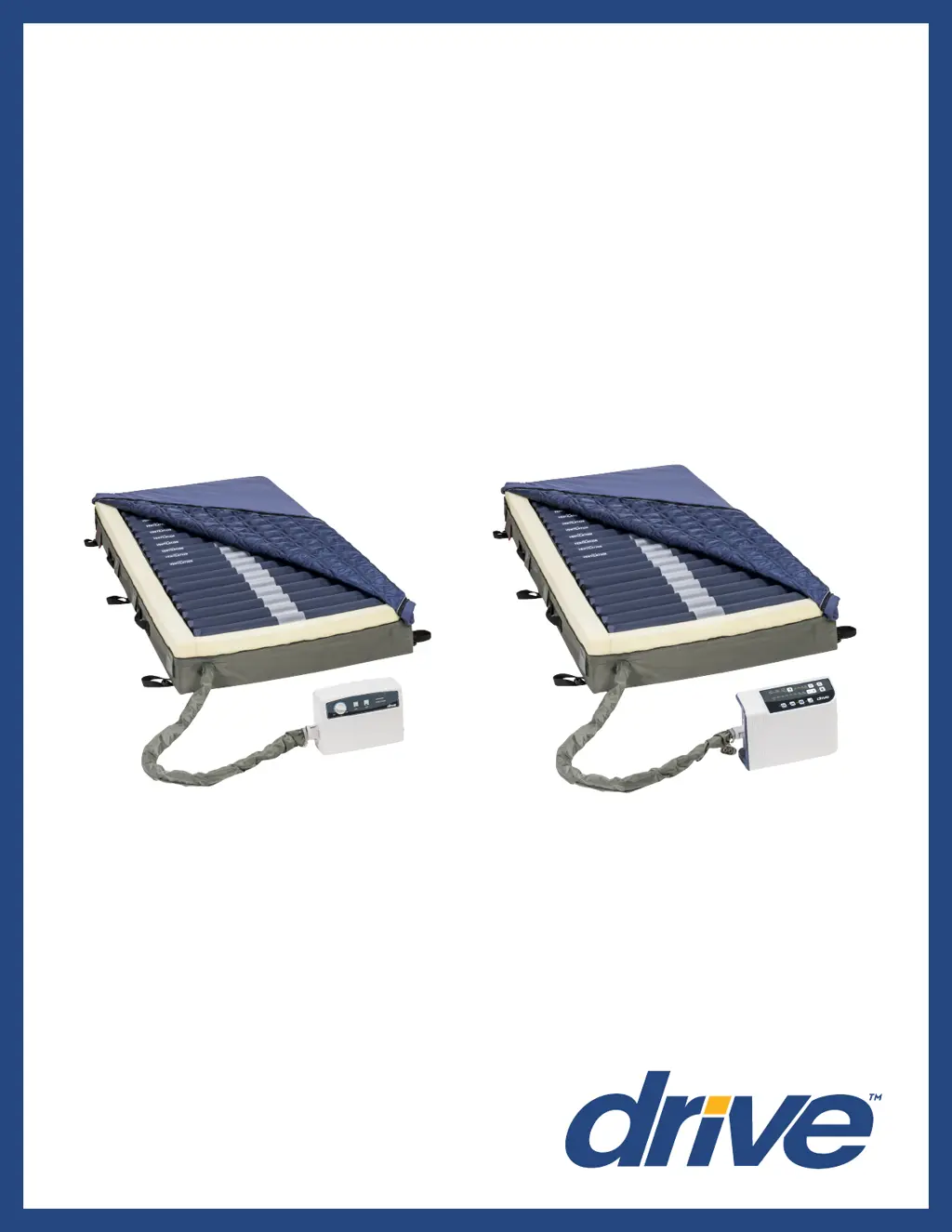
Med-Aire Edge
Alternating Pressure & Low Air Loss
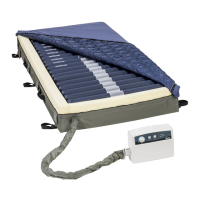
Mattress Replacement System
Item # 14360-B
www.drivemedical.com
USER MANUAL
Item # 14360-P

Questions and Answers

  • Y
    yunderwoodAug 15, 2025
    What to do if my Drive Medical Equipment mattress won't inflate?
    • D
      Daniel Lawrence DDSAug 15, 2025
      If your Drive mattress isn't inflating, first ensure the pump is working by checking if the LED light turns on after powering it on. If not, verify the power cord is plugged into an appropriate voltage AC outlet. Also, ensure the quick connector on the mattress connects well with the pump, and that the T/L connector and air valve are securely connected, and the CPR connector is properly capped. If problems persist, consider whether an air cell may be leaking or whether the air pressure from pump is too low.
  • S
    Suzanne GrayAug 18, 2025
    Why is the alternating function not working on my Drive Medical Equipment mattress?
    • N
      ncainAug 18, 2025
      The alternating function may not be working because the synchronous motor is out of order, or wires inside synchronous motor not connect well, or the lower PCB is out of order. In such cases, you should contact your provider for a warranty claim.
  • N
    Nicholas RobbinsAug 21, 2025
    What to do if the cycle time is incorrect on my Drive Medical Equipment pump?
    • A
      Amy WilliamsAug 22, 2025
      An incorrect cycle time, with the alternate failure alarm activated, may be due to a micro switch on the exchanger being out of order or the lower PCB being out of order. In such cases, you should contact your provider for a warranty claim.
  • J
    jon07Aug 26, 2025
    Why is the pressure on my Drive Med-Aire Edge Medical Equipment mattress too high or too low?
    • D
      Derek HernandezAug 26, 2025
      If the pressure of your Drive mattress is too high or too low, the pressure sensor may be out of order. In such cases, you should contact your provider for a warranty claim.
  • B
    Brett AlvaradoAug 28, 2025
    Why does the compressor on my Drive Med-Aire Edge stop after some time?
    • D
      David StevensonAug 28, 2025
      If the compressor stops after working for a while but the exchanger continues to rotate, the pressure detector may be out of order. In such cases, you should contact your provider for a warranty claim.
  • B
    benjamin67Sep 1, 2025
    What to do if the pressure is low on my Drive Medical Equipment mattress but the alarm isn't on?
    • R
      rodriguezraymondSep 1, 2025
      If the mattress pressure is low but the alarm is not activated, the pressure detector may be out of order. In such cases, you should contact your provider for a warranty claim.
  • J
    Jeremy DanielsSep 4, 2025
    Why isn't the push button working on my Drive Medical Equipment, and the LED is off?
    • S
      schneiderluisSep 4, 2025
      If the push button on the panel isn't working well and the LED indicator isn't lighting up, it could be that the push button itself is faulty or the LED is out of order. In such cases, you should contact your provider for a warranty claim.
  • W
    Wayne BaldwinSep 7, 2025
    How to fix air cells not inflating in the pillow function of my Drive Med-Aire Edge Medical Equipment mattress?
    • D
      David BlairSep 7, 2025
      If the air cells in the pillow function of your Drive mattress fail to inflate, check if the one-way valve is assembled correctly. If it's assembled reversely, assemble it in the correct direction.
  • V
    Valerie LinSep 12, 2025
    Why doesn't the power failure alarm activate on my Drive Medical Equipment?
    • R
      Rebecca RiceSep 12, 2025
      If the power failure alarm doesn’t activate after a power failure, the battery may be out of order. In such cases, you should contact your provider for a warranty claim.

Summary

Document Symbols and Precautions

Symbol Definitions

Explains the meaning of operating instructions, notes, cautions, warnings, and dangers.

Key Safety Warnings

Covers risks related to flammable anesthetics, electrocution, and misuse.

Important Precautions

Mattress Securing Guidance

Guidance on how to properly secure the mattress to the bed frame, avoiding side rails.

General Usage and Safety

Covers intended use, accessories, cord safety, opening blockage, and outdoor use.

Entrapment Prevention

Addresses entrapment risks due to ill-fitting bed frames and user responsibilities.

Introduction and Indications

Indications for Use

Effective pressure redistribution, wound management, and device selection for pressure injuries.

Note on Pressure Management

Pressure prevention devices are one component; not substitutes for turning or repositioning.

Introduction, Contraindications, and Unpacking

Contraindications

Conditions where pressure relieving therapy on an alternation system is contraindicated.

Component Inspection and Handling

Carefully remove, confirm, and check all components for damage before use.

Product Features Overview

Control Unit 14530 P (Analog)

Details of the analog control unit and its key features and indicators.

Control Unit 14360 XP (Digital)

Details of the digital control unit and its key features and controls.

Mattress Features and Warnings

Mattress Features

Describes mattress features: air cells, foam perimeter, breathable cover, CPR valve.

Mattress Warnings and Notes

Important warnings about patient positioning and notes for setup.

Product Functionality

Analog Control Unit Functions

Explains analog unit features: power switch, pressure dial, static, and mute buttons.

Digital Control Unit Functions

Explains digital unit features: power, cycle time, weight settings, mute, alternate mode.

Control Unit Modes and Mattress Details

Specific Control Unit Modes

Details on static, auto firm, seat inflate, and lock button functions.

Mattress Components and CPR

Describes mattress construction, CPR valve, and quick connectors.

Setup Procedures and Warnings

Setup Warnings and Cautions

Warnings about usage and cautions regarding control unit placement and cleaning.

System Setup Procedure

Step-by-step guide for setting up the mattress system, including connections and power.

Operation Guide

General Operation Guidance

General guidance on operating the system for pressure redistribution and patient comfort.

Operating the 14530 P (Analog)

Step-by-step guide for operating the analog control unit.

Operating the 14360 XP (Digital)

Step-by-step guide for operating the digital control unit.

Advanced Operation and CPR

Advanced Operation Features

Details on Auto Firm, cycle time selection, and low pressure indicator.

CPR Function

Instructions for using the CPR strap for rapid mattress deflation.

Pressure Range Adjustment

How to adjust the pressure level using (+) and (-) buttons for desired firmness.

Patient Positioning and Comfort

General Repositioning Guidelines

Patients should be turned/repositioned per schedule; support surfaces are not substitutes.

Hand Check Procedure

Steps to verify patient is not bottoming out by checking pressure and comfort.

Linen and Incontinence Management

Recommended linens and managing incontinence to protect skin integrity.

Cleaning and Maintenance

Maintenance Warnings and Notes

Warnings about specialty surfaces and notes on following procedures.

Control Unit Cleaning Instructions

Detailed instructions for cleaning the control unit, including cautions.

Mattress Cleaning and Disinfection

Instructions for cleaning and disinfecting the mattress cover and air cells.

Maintenance, Storage, and Troubleshooting

Handling and Storage

Guidelines for proper handling and storage of the mattress to prevent damage.

General Maintenance Checks

Routine checks for power cord, cover, tubes, and connections.

Troubleshooting Low Pressure

Steps to diagnose and resolve low pressure issues by checking connections and leaks.

Troubleshooting

Inflation and Pump Issues

Troubleshooting mattress inflation failures and pump malfunctions.

Air Cell and Alternation Problems

Addressing issues with air cells not inflating and motor/alternation failures.

Control Panel and Pressure Errors

Resolving control panel malfunctions and incorrect pressure level readings.

Alarm and Power Issues

Troubleshooting alarm activations, incorrect cycle times, and power failure alarm faults.

Specifications

Control Unit Specifications

Technical specifications for both the 14530P and 14360XP control units.

Mattress Specifications

Technical specifications for the mattress, including dimensions, materials, and capacity.

Warranty Information

14360-B Warranty Details

Warranty information for the 14360-B model, covering defects for 18 months.

14360-P Warranty Details

Warranty information for the 14360-P model, covering defects for 18 months.

Drive Med-Aire Edge Specifications

General IconGeneral
BrandDrive
ModelMed-Aire Edge
CategoryMedical Equipment
LanguageEnglish

Related product manuals