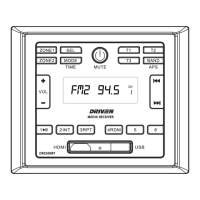
Note: DR3200BT supports NFC pairing. The NFC detection area is on the right of the
Power button.
1. Click the MODE button on the DR3200BT front panel to go to Bluetooth mode.
2. You should see NOT PAIR displayed on the LCD. If you see BT LINK and the Bluetooth icon is on, that
means DR3200BT is already connected to another device. You can clear it by pressing and holding the
BT button for ~2 seconds until NO LINK is shown, then continue with the rest of the steps below.
3. Go to the Bluetooth menu of your device.
4. Ensure Bluetooth is turned On.
5. Select the device named DRIVEN.
6. If the pairing and connection is successful, the mobile will show connected while DR3200 will show BT
LINK and the Bluetooth icon on LCD.
Bluetooth Operation
Pair and Connect
6. To repeat track(s)
- During playback, press 3/RPT button briey to play the current track repeatedly. RPT ONE will be
displayed on LCD.
- Press RPT button twice to play the track(s) in the album repeatedly. RPT DIR will be displayed on LCD.
- Press RPT button three times to repeat all tracks. RPT ALL will be displayed on LCD.
- Press RPT button four times to cancel the RPT function, RPT OFF will be displayed on LCD.
7. To play tracks at random
During playback, press RDM button to play all tracks at random. Press it again to cancel.
8. To search a track
Press USB button, TRK 0/00/000 (depending on the total tracks that are saved in the USB disk) will be
displayed on the LCD and the place marker in the 0 position will begin ashing.
After inputing your desired track, press 1/PLAY/PAUSE button to play the track to be selected.
8


 To Next Page