Copyright 2019 Baker Hughes, a GE company, LLC (“BHGE”) — All rights reserved.
137M7122 DPI 705E / DPI 705E IS User Manual–English | 25
3.2.1 Full-scale Value
This setting allows the full-scale value of the pressure sensor to be viewed. This is a display only
setting, the value cannot be changed.
To see the full-scale value:
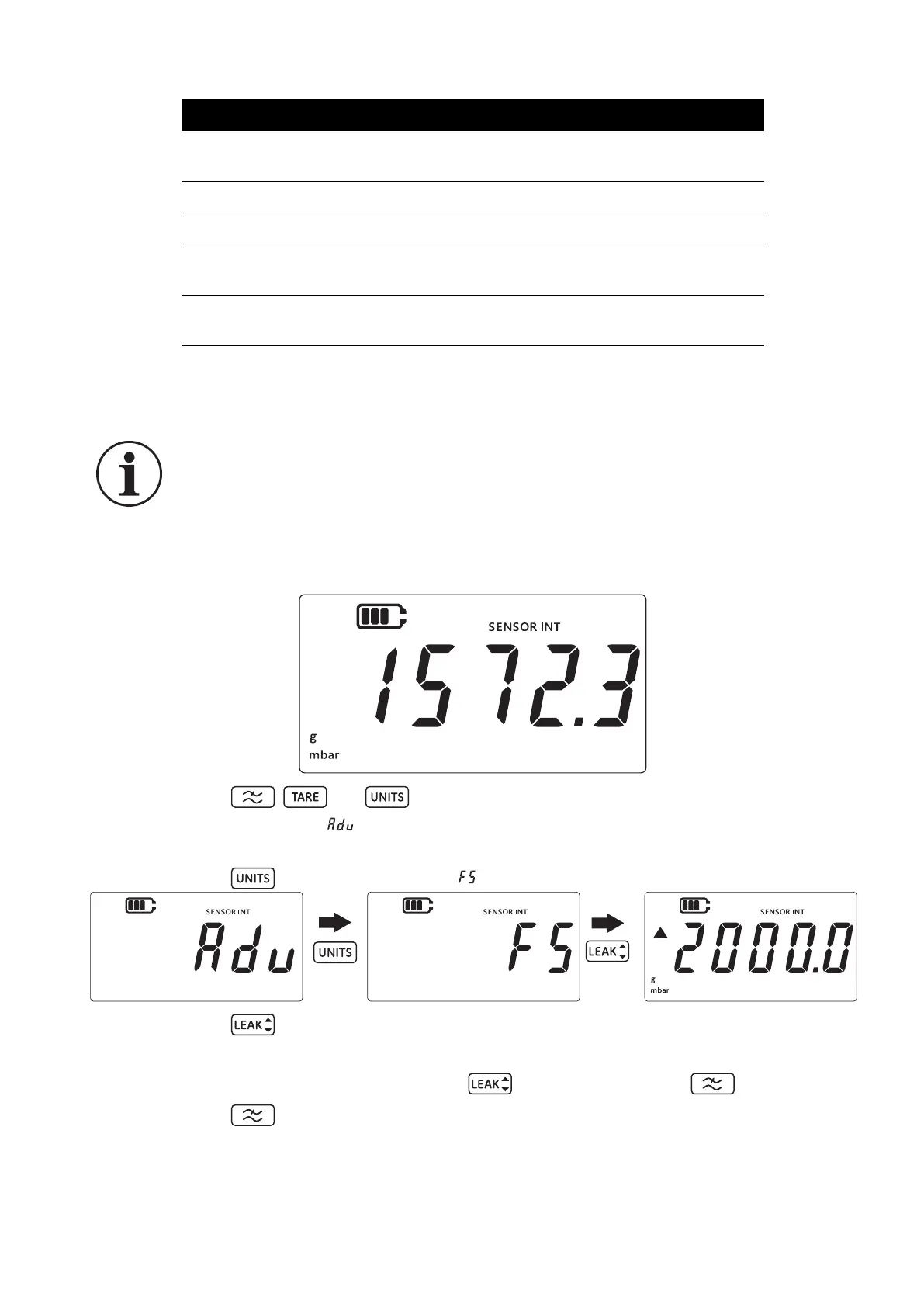
1. Ensure that the sensor reading screen is shown as below.
2. Press the , and keys simultaneously.
3. The display will show “ ” (Advanced) which indicates that the unit is now in the Settings
option.
4. Press the key to navigate to the “ ” (full-scale) screen as shown below.
5. Press the key to view the full-scale value.
6. The full-scale value will be shown as seen in above example, 2000 mbarg.
7. To exit from this screen either press the key again or press the key.
8. Press the key to return to the sensor reading screen.
3.2.2 Calibration Due Date
The calibration due date is the date when the sensor is next due for calibration.
Battery Type Allows setting the battery type to get maximum usage and
accurate capacity readings
Date Allows setting of system date
Time Allows setting of system time
Custom Unit Allows configuration of a custom scaling factor against
predefined units
Software Version Displays the application software version of the
instrument
INFORMATION To display the full-scale value, the appropriate units must be
selected. For example, if the full-scale value is 200 bar and mbar units are selected
(Full-scale 200,000 mbar), then the full-scale screen will show ‘-----’ because there
are insufficient digits to display 200,000.
Setting Description


 To Next Page