Copyright 2019 Baker Hughes, a GE company, LLC (“BHGE”) — All rights reserved.
137M7122 DPI 705E / DPI 705E IS User Manual–English | 35
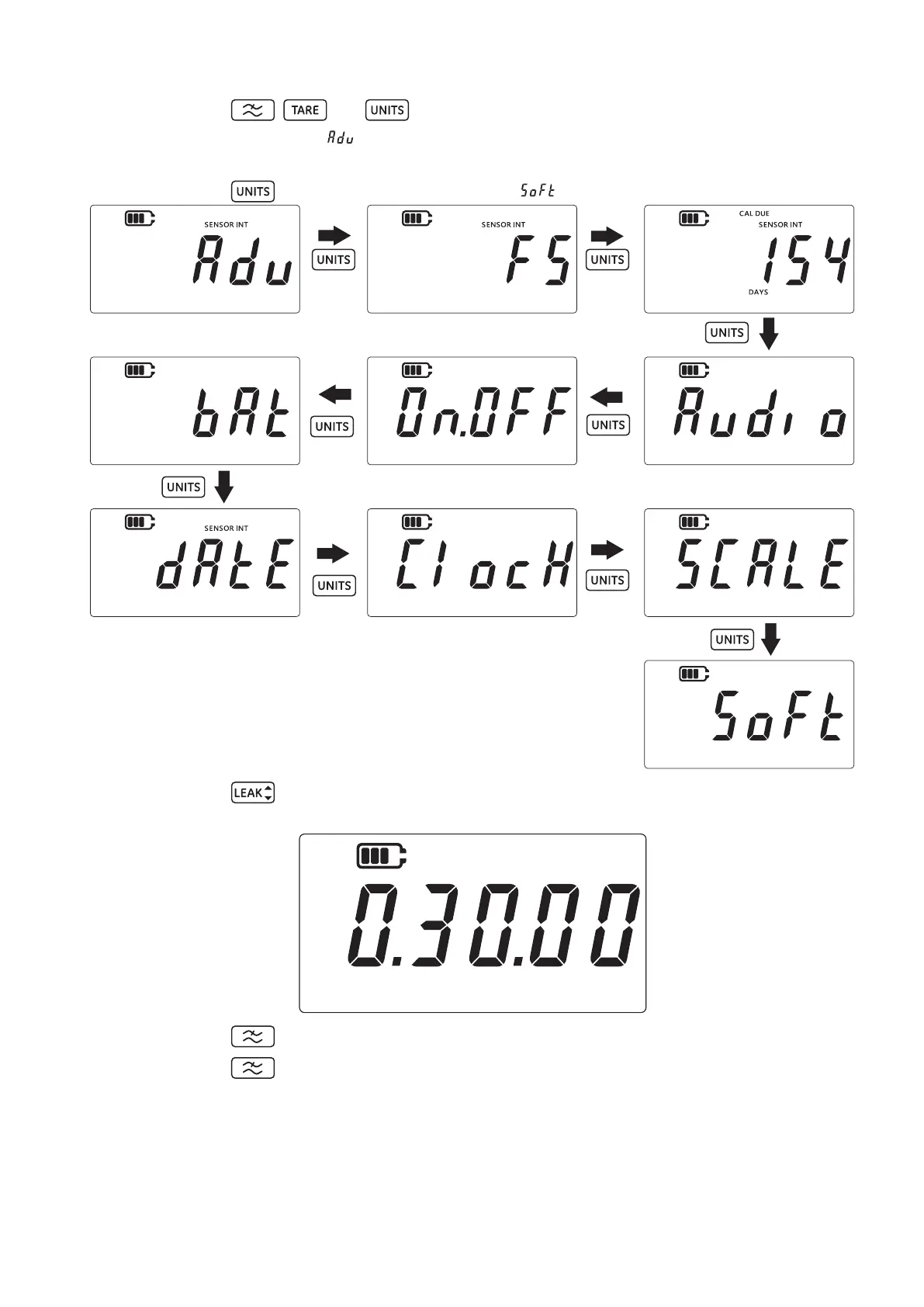
2. Press the , and keys simultaneously.
3. The display will show “ ” (Advanced) which indicates that the unit is now in the Settings
option.
4. Press the key 9 times to navigate to the “ ” (Software) screen as shown below.
5. Press the key to enter the software option.
6. The current software version will be displayed as shown below.
7. Press the key to go back to the previous screen.
8. Press the key again to return to the sensor reading screen.


 To Next Page