EasyManua.ls Logo

DS18 RYDERBT - User Manual

DS18 RYDERBT
15 pages
Print Icon
To Next Page IconTo Next Page
Loading...
OWNER’S MANUAL
MANUAL DEL USUARIO
ENGLISH | ESPAÑOL
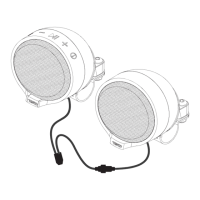
MOTORCYCLE HANDLEBAR MOUNTED
BLUETOOTH SPEAKER SYSTEM
SISTEMA DE ALTAVOCES BLUETOOTH MONTADO
EN EL MANILLAR DE LA MOTOCICLETA
RYDERBT
PERFECT FOR MOTORCYCLES

Questions and Answers

  • C
    cynthia81Jul 30, 2025
    What to do if there is no sound from my DS18 RYDERBT?
    • D
      Debbie BurkeJul 30, 2025
      If you can't hear any sound from your DS18 Speakers, first, ensure that the volume on your device isn't set too low or muted. If the volume is adequate, check if your device is paused or muted. Adjust the volume and playback settings on your device as needed.
  • M
    Melanie CoffeyAug 7, 2025
    How to fix DS18 Speakers when the unit will not turn on?
    • G
      gibsonalexanderAug 7, 2025
      If your DS18 Speakers won't turn on, the first thing to check is the fuse. If the fuse is blown, replace it. Also, make sure the main access switch is in the 'on' position.
  • M
    Morgan HillAug 14, 2025
    What to do if my DS18 RYDERBT Speakers unit has become unresponsive?
    • K
      Kurt CharlesAug 14, 2025
      If your DS18 Speakers become unresponsive, it might be due to a power glitch or interference. To reset the unit, disconnect the power for 10 seconds, and then reconnect it.
  • D
    Dr. Timothy NguyenAug 21, 2025
    Why is the audio quality poor on my DS18 RYDERBT after Bluetooth connection?
    • W
      whitecindyAug 21, 2025
      If the audio quality from your DS18 Speakers is poor after connecting via Bluetooth, it could be due to poor Bluetooth reception. Try moving the device closer to the audio system, or remove any obstacles that might be interfering with the Bluetooth signal.

Summary

Features

Installation

Wire Diagram

Bluetooth Operation

Pairing & Discovering a New Bluetooth Connection

Steps for pairing and establishing a new Bluetooth connection with your device.

Bluetooth Operation

Reconnection

Instructions for automatically reconnecting the RYDERBT to a previously paired device.

Streaming Music

Multifunction Controller Bluetooth Operation

Guide to using the multifunction controller buttons for music playback and volume.

USB Input

USB In Operation

Steps for operating the device using the USB input for music playback.

Pairing & Discovering a New

Instructions for connecting and operating the device via USB.

Fast Charging Mode

Specifications

Dimensions

Troubleshooting

DS18 RYDERBT Specifications

General IconGeneral
BrandDS18
ModelRYDERBT
CategorySpeakers
Frequency Response60Hz - 20KHz
Size6.5 inch
Woofer Size6.5 inch
Tweeter Size1 inch
Bluetooth Version5.0
Impedance4 Ohms
Battery LifeNot Applicable
Charging TimeNot Applicable
InputsBluetooth, AUX
Color OptionsBlack

Related product manuals