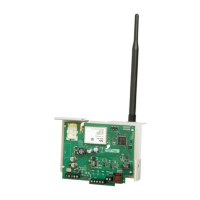
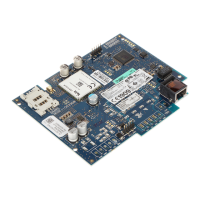
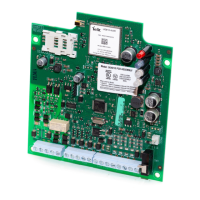
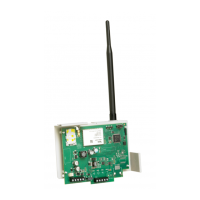
System Options 3G Alarm Communicator Installation Manual
12
[4] Primary Path
Default (OFF - TL2753G) (ON - 3G2075)
ON: Cellular channel is the primary path. Ethernet channel is the secondary path, if it exists.
OFF: Ethernet channel is the primary path in a dual Communicator. Cellular channel is the secondary path.
[5] Redundant Communications
Default (OFF) (TL2753G only)
ON: Events will be communicated to Ethernet Receiver 1 and Cellular Receiver 1 at the same time. Events will be communicated to
Ethernet Receiver 2 and Cellular Receiver 2 at the same time. As long as the event is successfully communicated to 1 of the 2 paths
(Ethernet or Cellular) the Communicator will move on to the next event.
NOTE: Do not configure Ethernet Receiver 1 and Cellular Receiver 1 to communicate using a common receiver configuration (i.e.,
identical Receiver IP address and Receiver Remote Port). OFF: Events will be communicated to the receivers individually.
Toggle should be OFF when guaranteed message delivery to both receivers is required.
[6] Remote Firmware Upgrade
Default (ON)
ON: The Communicator module firmware can be remotely upgraded using the Ethernet/Cellular paths.
OFF: The Communicator module firmware can not be remotely upgraded. Local firmware upgrade is still possible.
[7] Alternate Test Transmissions
Default (OFF).
ON: When the periodic test transmission interval occurs, the test transmission will alternate between being sent to the primary and sec-
ondary receivers with each test transmission interval.
OFF: When the periodic test transmission interval occurs, the test transmission will be sent to the programmed receivers, based on the
settings of the periodic test transmission reporting codes.
[8] Cellular Low Signal Trouble.
Default (OFF)
This option masks the Low Signal trouble from the Cellular trouble event.
ON: A Cellular Trouble event is transmitted to receiver when the radio signal level falls below threshold level (average CSQ level is 4
or less).
OFF: A Cellular Trouble event is not transmitted to receiver when the radio signal level falls below threshold level (average CSQ level
is 4 or less).
[006] System Toggle Options 2
[1] Ethernet 1 Receiver Enabled.
Default (ON) (OFF for 3G2075).
ON: Ethernet Receiver 1 is enabled.
OFF: Ethernet Receiver 1 is disabled.
[2] Ethernet 2 Receiver Enabled.
Default (ON) (OFF for 3G2075).
ON: Ethernet Receiver 2 is enabled.
OFF: Ethernet Receiver 2 is disabled.
[3] Reserved. ( ).
[4] Cellular 1 Receiver Enabled.
Default
(ON).
ON: Cellular Receiver 1 is enabled.
OFF: Cellular Receiver 1 is disabled.
[5] Cellular 2 Receiver Enabled.
Default
(ON).
ON: Cellular Receiver 2 is enabled.
OFF: Cellular Receiver 2 is disabled.
[6] Reserved ( ).
[7] DLS Over Cellular.
Default (ON).
NOTE: Program this toggle as OFF if you want to completely disable DLS from using the Cellular path.
ON: DLS is enabled on the Cellular path.
OFF: DLS is disabled on the Cellular path.
NOTE: If this Toggle is OFF, DLS sessions will occur on the Ethernet path only, regardless of Primary Path set in Section [005] Toggle
Option [4]. If it is ON then the Communicator will connect to the Primary path first for DLS and if the session fails, the Sec-
ondary path will be used.
[8] Reserved ( ).
[007] DNS Server IP 1
Default (000.000.000.000)
Programming this Section is not permitted on a UL/ULC listed system.
Enter the IP address for DNS Server 1. Format is 4 fields, each field is a 3 digit decimal. Valid range: 000-255.



 To Next Page