EasyManua.ls Logo

DSC GS2060 - User Manual

DSC GS2060
60 pages
Print Icon
To Next Page IconTo Next Page
Loading...
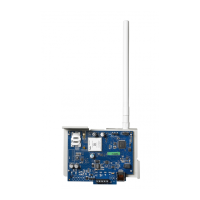
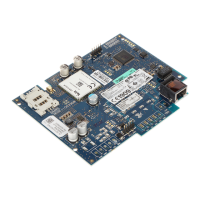
GS2060/GS2065
GPRS/GSM Wireless Alarm Communicator
Transmetteur d'alarme sans fil GPRS/GSM
Comunicador de alarma inalámbrico GPRS/GSM
Comunicador de alarme sem fio GPRS/GSM
TL260GS/TL265GS
Ethernet/Internet and GPRS/GSM Dual-Path Alarm Communicator
Transmetteur d'alarme à double liaison Ethernet/Internet et GPRS/GSM
Comunicador de alarma de doble vía Ethernet/Internet y GPRS/GSM
Comunicador de alarme de bidirecionais com Ethernet/Internet e GPRS/GSM
Warning: This manual contains information on limitations regarding product use and function and information on the
limitations as to liability of the manufacturer.
Attention: Ce manuel contient des informations sur les restrictions concernant le fonctionnement et l’utilisation du
produit et des informations sur les restrictions en ce qui concerne la responsabilité du fabricant. La totalité du manuel
doit être lu attentivement.
Advertencia: Por favor consulte el Manual de Instrucciones del Sistema para más información acerca de las
limitaciones conrelación al uso y funcionamiento del producto e información acerca de las limitaciones como la
responsabilidad del fabricante.
Advertência: Este manual contém informações sobre limitações entes ao uso efuncionamento do produto, e
informações sobre as limitações das responsabilidades dofabricante. Todo o manual deve ser lido atenciosamente.
v1.1
Installation Manual
Manuel d’installation
Manual de instalación
Manual de Instalação

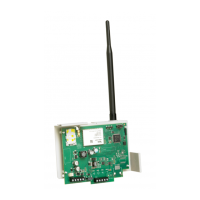
Table of Contents

Questions and Answers

  • B
    Beverly FloresAug 17, 2025
    Why is the yellow LED flashing 5 times on my DSC Cell Phone?
    • C
      Catherine SilvaAug 17, 2025
      The yellow LED flashing 5 times on your DSC Cell Phone indicates a GSM trouble. This could be due to several reasons: * GSM service may not be available or active in your area. * There might be an issue with the antenna connections. * The radio signal strength might be inadequate. * The SIM card might not be properly inserted into the SIM card holder or may not be activated. If the problem continues, consider relocating the Communicator or installing an external antenna extension kit.
  • P
    Patrick ClarkAug 20, 2025
    What to do if the yellow LED is solid on my DSC Cell Phone?
    • R
      Rebecca CookAug 20, 2025
      A solid yellow LED on your DSC Cell Phone indicates insufficient signal strength. To resolve this: * Ensure the antenna is securely connected to the radio and check the cable connection. * If using a whip antenna, make sure it is securely screwed onto the antenna cable connector and internally connected to the radio. * Confirm that GSM network service is active in your area.
  • S
    Sheila RodriguezAug 22, 2025
    What to do if the yellow LED is flashing 6 times on my DSC GS2060?
    • B
      benjaminnunezAug 22, 2025
      If the yellow LED is flashing 6 times on your DSC Cell Phone, it indicates an Ethernet trouble. Here's what you can do: * Check with your ISP to confirm network service is active in your area. * Ensure your Ethernet cable is securely inserted into the RJ45 jack of the Communicator and the Hub/Router/Switch. * Check the link light on the Hub. If it's off, try restarting the HUB. If the problem persists, replace the Ethernet cable. * If DHCP is used, ensure that the unit has an assigned IP address from the server.
  • S
    sarahdavisAug 26, 2025
    What does it mean when all 4 LEDs are off on my DSC GS2060 Cell Phone?
    • T
      Terri SanchezAug 26, 2025
      If all 4 LEDs are off on your DSC Cell Phone, it could be due to the following reasons: * **No Power:** Check your power connections to the control panel and the Communicator module. Confirm the PC-LINK cable is properly attached. * **Power Save Mode (GS2065/TL265GS only):** The control panel may be in power save mode. Check the AC source to the control panel. * **Keypad Blanking Mode (GS2065/TL265GS only):** The control panel may be in keypad blanking. Press a key on a keypad to remove blanking momentarily.
  • J
    Justin TurnerAug 28, 2025
    What to do if the yellow LED is flashing 7 times on my DSC Cell Phone?
    • S
      Sandra SpencerAug 28, 2025
      If the yellow LED is flashing 7 times on your DSC Cell Phone, it indicates that the receiver is not available. To resolve this: * Ensure that the Ethernet path has internet connectivity. * Confirm that the SIM card does not have a custom APN, as the unit does not allow connection to the internet with custom APNs. * If you are using a static IP address, make sure the gateway and subnet mask are entered correctly. * If the network has a firewall, ensure the network has the programmed outgoing ports open (Default UDP Port 3060 and Port 3065).
  • A
    Andrea JohnstonAug 31, 2025
    Why is the yellow LED flashing 4 times on my DSC GS2060 Cell Phone?
    • S
      Susan SilvaAug 31, 2025
      The yellow LED flashing 4 times on your DSC Cell Phone indicates a lockout trouble. This could be due to: * The SIM card having an incorrect PIN programmed or a PIN that the module does not recognize. Try a different SIM card. * The module being locked to a specific carrier's network and you are trying to use it on an unsupported network. Use the device on the network it is intended to be used with.
  • N
    Nicole MckinneySep 2, 2025
    What does it mean when the red and yellow LEDs are flashing at the same time on my DSC GS2060?
    • F
      frybrianSep 3, 2025
      When the red and yellow LEDs are flashing at the same time on your DSC Cell Phone, it means the unit is still initializing. Please wait while the unit establishes a connection to all programmed receivers.
  • V
    Victoria NicholsonSep 5, 2025
    What does the Trouble LED 2 flashes mean on DSC GS2060?
    • A
      Angela HerreraSep 5, 2025
      Trouble LED flashing 2 times on your DSC Cell Phone indicates a panel supervision trouble. Check if panel Option [382] Toggle Option [5] is set to ON (GPRS/Ethernet Module Enabled).
  • E
    Elizabeth NelsonSep 8, 2025
    What does yellow LED flashing 8 times mean on DSC GS2060 Cell Phone?
    • M
      Michele EllisSep 8, 2025
      If the yellow LED is flashing 8 times on your DSC Cell Phone, it indicates a receiver supervision trouble. If this trouble persists, contact your central station.
  • G
    Garrett VelazquezSep 10, 2025
    What does yellow LED flashing 9 times mean on DSC GS2060 Cell Phone?
    • D
      ddixonSep 12, 2025
      If the yellow LED is flashing 9 times on your DSC Cell Phone, it indicates an FTC trouble. Restart the system, and if the trouble persists, contact your dealer.

Summary

Introduction

Panel Mounting

Describes how to mount the communicator module to the control panel.

Features

Lists the key features and functionalities of the communicator modules.

Technical Specifications

Provides detailed ratings, electrical, environmental, and mechanical specifications.

Communicator Pre Installation Configuration

Encryption

Explains the 128-bit AES encryption and how it is enabled.

Installing the Ethernet Cable

Details the requirements for installing the CAT 5 Ethernet cable.

Inserting and Removing the SIM Card

Provides step-by-step instructions for handling the SIM card.

DLS IV Account Activation

Guides on programming the communicator locally using DLS IV software.

Installing the GSM;ETHERNET Communicator

GS2060;TL260 GS Installation with PC1616;1832;1864

Step-by-step guide for installing GS2060/TL260GS with specific control panels.

PC1616;1832;1864 Programming

Outlines the necessary panel programming for the communicator.

GS2065;TL265 GS Installation with PC9155 Panel

Details the installation process for GS2065/TL265GS with the PC9155 panel.

Power Save Feature

Communicator Troubles on PC9155

Lists communicator troubles specifically for the PC9155 panel.

Communicator Placement Test

PC1616;1832;1864 Placement Steps

Steps to test signal strength and determine optimal location for PC1616/1832/1864.

PC9155 Placement Steps

Steps to test signal strength and determine optimal location for PC9155.

Remote Programming

Programming via DLS IV

Instructions for programming the communicator remotely using DLS IV software.

Programming via Ethernet;Internet

Instructions for programming via Ethernet/Internet for specific models.

Communicator Status LEDs

Yellow Trouble LED

Explains the yellow LED's function and flash codes for troubles.

Red Network Connection Status LED

Details the meaning of the red LED for network connection status.

Signal Strength LEDs

Describes the green LEDs indicating radio signal strength.

Network Activity LEDs

Explains the red and green LEDs for network and SMS activity.

Communicator Reset, Update, and Network Data Usage

Factory Defaults Reset

Instructions on how to reset the communicator to factory default settings.

Firmware Update

Information on updating the device's firmware over GPRS or Ethernet.

Network Data Usage

Details the data usage for different packet types and directions.

Appendix A: Communicator Troubleshooting

Trouble LED Indications

Provides a table correlating LED indications with specific trouble conditions.

End User License Agreement

SOFTWARE PRODUCT LICENSE

Outlines the terms and conditions for licensing the software product.

Limited Warranty

International Warranty

Specifies warranty terms for international customers.

Warranty Procedure

Explains the process for obtaining warranty service and authorization.

Conditions to Void Warranty

Lists conditions under which the product warranty becomes void.

Items Not Covered by Warranty

Details specific items and conditions that are not covered by the warranty.

Disclaimer of Warranties

States DSC's disclaimers regarding warranties for the product.

Out of Warranty Repairs

Outlines the process and conditions for out-of-warranty repairs.

FCC Compliance Statement

Industry Canada Statement

Provides compliance information and certification numbers for Canada.

DSC GS2060 Specifications

General IconGeneral
BrandDSC
ModelGS2060
CategoryCell Phone
LanguageEnglish

Related product manuals