EasyManua.ls Logo

DSC LE4000 - User Manual

DSC LE4000
32 pages
Print Icon
To Next Page IconTo Next Page
Loading...
Warning: This manual contains information on limitations regarding product use and function and
information on the limitations as to liability of the manufacturer.
LE2077
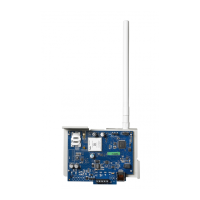
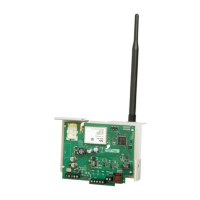
LTE/3G Wireless Alarm Communicator
Installation Manual v5.1

Other manuals for DSC LE4000

Questions and Answers

  • D
    David DonaldsonAug 18, 2025
    What to do if no signals are received at central station with DSC Security System?
    • J
      Justin YoungAug 19, 2025
      If no trouble condition is displayed but signals aren't reaching the central station, make sure the DSC Security System control panel has a central station phone number and the correct account number programmed. Also, check that reporting codes are programmed or the auto Contact ID/SIA option is enabled, and that the control panel communicator is enabled. You can also connect a handset to T1 and R1 of the LE4000 in monitor mode to verify the control panel is trying to communicate.
  • S
    Samantha RodriguezAug 21, 2025
    How to fix communication trouble on DSC Security System control panel?
    • C
      Charles SmithAug 21, 2025
      If your DSC Security System control panel shows a communication trouble condition, verify that the panel is programmed for Contact ID or SIA. Also, make sure the control panel isn't showing a TLM trouble condition. If the LE4000 red light is FLASHING, consult the troubleshooting chart in this guide.
  • H
    Hannah CarlsonAug 23, 2025
    What to do if DSC Security System is not receiving internal signals from LE4000?
    • D
      Diane SmithAug 23, 2025
      If you are not receiving internal signals generated directly from the LE4000 with your DSC Security System, ensure the LE4000 was initialized with the correct account number and verify that no trouble conditions are present.
  • J
    Jordan Heath MDAug 26, 2025
    What does 'Connect24 Configuration Failure' mean on my DSC Cell Phone?
    • G
      gbergerAug 26, 2025
      If you are experiencing a 'Connect24 Configuration Failure' on your DSC Cell Phone, it means the SIM is active but the communicator lacks programming. Ensure a profile has been programmed in Connect24 for the SIM. You can verify your programming by calling the Connect24 VRU or by logging into the Connect24 VRU website.
  • M
    Monica JonesAug 27, 2025
    Why is the phone line seized when LE4000 is connected to DSC Security System?
    • M
      Maria WarnerAug 28, 2025
      If the phone line is seized when the LE4000 is connected to your DSC Security System, verify the phone line wiring is correct. Also, ensure the Ringer Equivalency Number (REN) isn't exceeded on the line.
  • L
    lisagarzaAug 30, 2025
    What to do if my DSC Cell Phone has no signal?
    • H
      Holly ChapmanAug 30, 2025
      If your DSC Cell Phone shows 'No Signal', verify that all antenna connections are secure. Also, confirm that cellular service is active in your area. If the issue persists, try relocating the panel to a different location.
  • D
    Dr. Brandy Alexander DVMSep 1, 2025
    What to do if my DSC Cell Phone shows LTE/3G Cellular Trouble?
    • K
      kimanthonySep 1, 2025
      If your DSC Cell Phone displays 'LTE/3G Cellular Trouble', first confirm that LTE/3G service is both available and active in your location. Check all antenna connections to ensure they are properly connected. Make sure that the average radio signal strength is CSQ 7 or higher. Verify that the SIM card is correctly inserted into the SIM card holder and has been activated. If the trouble continues, consider relocating the panel or installing an external antenna extension kit.
  • W
    William JordanSep 4, 2025
    How to improve signal strength on my DSC Cell Phone?
    • J
      James CraigSep 4, 2025
      If the signal strength on your DSC Cell Phone is less than 3 bars, relocate the panel to a location with better signal reception.
  • T
    Tony BlakeSep 6, 2025
    What to do if my DSC Cell Phone says 'Receiver Not Available'?
    • T
      Thomas RossSep 6, 2025
      If your DSC Cell Phone displays 'Receiver Not Available', ensure that the communication path has internet connectivity. If using a static IP address, verify that the gateway and subnet mask are correctly entered. If your network uses a firewall, ensure that the programmed outgoing ports are open (Default UDP Port 3060 and Port 3065). Confirm that all receivers are programmed for DHCP or have the correct IP address and port number. Also, ensure that the LTE/3G Receiver APNs are programmed with the Access Point Name provided by your LTE/3G provider.
  • D
    Deborah SmithSep 8, 2025
    Why does my DSC Cell Phone show 'Module Configuration Trouble'?
    • T
      Thomas WarrenSep 8, 2025
      If your DSC Cell Phone shows 'Module Configuration Trouble', it means that the System Account Code in section [021] or the Receiver Account Codes in sections [101], [111], [201], and [211] have not been programmed. Make sure that a valid account code has been entered in these sections.

Summary

Installer Safety Warnings

Communicator Technical Specifications

UL;ULC Installation Requirements

Specifies the installation requirements for UL and ULC listed applications.

Pre-Installation Configuration

Connect24 Account and SIM Card Activation

Steps for activating the communicator using a Connect24 account and SIM card.

Configuration with SCW9055;SCW9057

Establishing Communication Channel

Initial Panel Programming

Procedures for initial panel programming to ensure communicator-panel integration.

Communicator Placement Test

Signal Strength Interpretation

Details signal strength levels (CSQ) and corresponding installer actions.

Cellular Programming Options

System Options

Configuration settings for receiver supervision, toggle options, and other system parameters.

Programming Options

Account Code Configuration

Communications Format

Communications Reporting Codes

System Test Options

Test Transmission Configuration

Defines settings for test transmissions to primary and secondary receivers.

Cellular Receiver 1 Options

Cellular Receiver 2 Options

Cellular Options

Receiver Diagnostic Testing

System Reset Defaults

Communicator Troubleshooting

Cellular Technology Status

Displays current network technology and signal strength information.

Communicator Status Codes

Explains the 6-digit status codes indicating communicator functionality and troubles.

Radio Initialization Status

Trouble Code Indications

Radio Signal Strength

Signal Strength Interpretation

Details signal strength levels, CSQ, and recommended actions for installation.

Entering Data from Keypad

Entering ASCII Characters

Mounting Considerations

Lightning Storm Warning

Cellular Coverage for Operation

Cellular Programming Worksheets

DSC LE4000 Specifications

General IconGeneral
Resolution240 x 320 pixels
Expandable MemoryMicroSD up to 8GB
Weight90g
Display2.4 inch
Battery1000 mAh

Related product manuals