EasyManua.ls Logo

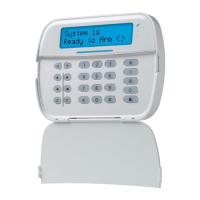
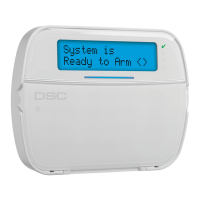
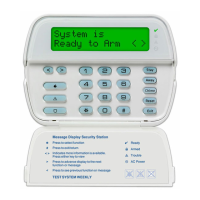
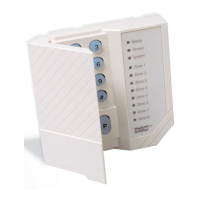
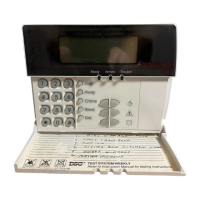
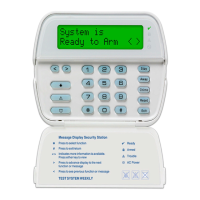
DSC HS2LED Series - User Manual

DSC HS2LED Series
40 pages
Print Icon
To Next Page IconTo Next Page
Loading...
HS2LED/HS2ICON(RF)(P)X/HS2LCD(RF)(P)X V1.1 Installation
Instructions/Installationsanleitung/Instalační manuál/
Kurulum Talimatları - English, Deutsch, Česky,Türkçe
WARNING: Please refer to the System Installation Manual for information on limitations regarding product use and function and information on the limitations as to liability of the manufacturer.
NOTE: These instructions shall be used in conjunction with the system Installation Manual of the control panel with which this equipment is intended to be used.
WARNHINWEIS: Siehe System-Installationsanleitung für Informationen zu Beschränkungen der Produktbenutzung und Funktionen sowie Informationen zu den Haftungsbeschränkungen des Herstellers.
HINWEIS: Diese Installationsanleitung muss zusammen mit der Installationsanleitung der Alarmzentrale benutzt werden, an welcher das Gerät angeschlossen werden soll.
Varování: Omezení týkající se používání a fungování robku a informace o omezení odpovědnosti robce najdete v Instalačním manuálu zabezpečovací ústředny.
Poznámka: Tyto pokyny se používají společně s Instalačním manuálem zabezpečovací ústředny, s níž se toto zařízení používat.
UYARI: Ürün kullanımı ve fonksiyonu ile ilgili kısıtlamalar hakkında bilgi ve üreticinin sorumluluklarına dair kısıtlamalar ile ilgili bilgi için lütfen Sistem Kurulum Kılavuzuna bakın.
NOT: Bu talimatlar, bu aletin birlikte kullanılması amaçlanan Kontrol Panelinin sistem Kurulum Kılavuzu ile birlikte kullanılacaktır.
29008455R001
- 1 -

Questions and Answers

  • D
    David ChanAug 6, 2025
    What to do if DSC HS2LED doesn't indicate the zone is open?
    • K
      Kimberly HarrisAug 7, 2025
      If your DSC Keypad doesn't indicate the zone is open after entering the ESN of a wireless device and tripping it, consider the following: * Double-check that the ESN was entered correctly. * If you're using partition programming, make sure the zone is enabled for the partition. * Confirm that the wireless zone isn't assigned to a zone used by HSM2108 modules, an on-board zone, or a keypad zone. * Verify that the zone is programmed for something other than “Null Operation”. * Make sure you are testing the correct zone.
  • M
    Melissa MossAug 20, 2025
    Why does my DSC HS2LED beep when assigning a zone number?
    • A
      Adrienne StewartAug 20, 2025
      If your DSC Keypad emits a long beep when you're trying to assign a zone number to a wireless device, ensure that the keypad is properly connected to the Corbus.

Summary

Power Up and Keypad Programming

Keypad Enrollment and Management

Covers automatic and manual enrollment, unenrollment, and confirmation of keypads.

Assigning Keypad to a Partition

Procedure for assigning a specific keypad to a system partition.

LCD Keypad Labeling and Display Settings

Advanced Keypad Configuration Options

Proximity Tags and Wireless Device Setup

Wireless Device Enrollment and Configuration

Steps for enrolling and configuring various wireless devices.

RF Jamming and Supervision Settings

Configuration for RF jam detection and wireless device supervision windows.

Managing and Reviewing Wireless Devices

Wireless Device Testing and Troubleshooting

Placement Testing of Wireless Devices

Guides on testing wireless device signal strength and placement.

DSC HS2LED Series Specifications

General IconGeneral
BrandDSC
ModelHS2LED Series
CategoryKeypad
LanguageEnglish

Related product manuals