5
Disarming (Turning Off /Unsetting)
Enter your access code to disarm anytime the system is armed (Armed ( ) indicator is on). The key-
pad will beep if you walk through the entry door. Enter your code within _____ seconds to avoid an
alarm condition (please check with your installer to have this time programmed).
Disarming Error
If your code is invalid, the system will not disarm and a 2-second error tone will sound. If this hap-
pens, press and try again.
Stay Arming (Partially Turning On / Part Setting)
Ask your alarm company if this function is available on your system.
Stay arming will bypass the interior protection (i.e. motion sensors) and arm the perimeter of the sys-
tem (i.e. doors and windows). Close all sensors (i.e. stop motion and close doors). The Ready ( )
indicator should be on.
Press and hold the
Stay key for 2 seconds and/or enter your Access Code and do not leave the pre-
mises (if your installer has programmed this button). During the setting state (exit delay active), the
Armed ( ) and Ready ( ) indicators will turn on, and the keypad will sound one beep every three
seconds.
When the exit delay is completed, the alarm system is armed/set and this is indicated on the keypad
as follows: the Ready ( ) indicator will turn off, the Armed ( ) indicator will remain on and the key-
pad will stop sounding.
The Armed ( ) indicator and Bypass or System indicator will turn on. The system will automatically
bypass certain interior sensors (i.e. motion sensors).
NOTE: For SIA FAR listed panels, the Stay Arming Exit Delay will be twice as long as the Away
Arming Exit Delay.
Night Arming
To fully arm the system when it has been armed in Stay Mode, press [,][1] at any keypad. All interior
zones will now be armed except for devices programmed as Night Zones.
Night zones are only armed in Away mode, this permits limited movement within the premises when
the system is fully armed. Ensure that your installer has provided you with a list identifying zones pro-
grammed as night zones.
When the interior zones have been activated (i.e., (*)(1) you must enter your access code to disarm
the system to gain access to interior areas that have not been programmed as night zones.
Silent Exit Delay
If the system is armed using the STAY button (Programmable Function Key) or using the "No Entry"
Arming method ( [access code]), the audible progress annunciation (keypad buzzer) will be
silenced and the exit time will be doubled for that exit period only.
Remote Arming and Disarming
The system can be armed and/or disarmed using the remote control device (wireless key). When arming
the system by using the Arm button on the wireless key, the system will acknowledge the command by
sounding a single bell squawk (if bell squawk is enabled) and when disarming using the Disarm button
on the wireless key the system will acknowledge the command by sounding two bell squawks (if bell
squak is enabled) that can be heard from the exterior of the premises.
Emergency Keys
Press the (F), (A) or (P) key for 2 seconds to generate a Fire, Auxiliary or Panic alarm. The
keypad sounder will beep indicating that the alarm input has been accepted and transmission to the
central station is underway. Ask your alarm company if the emergency keys are available on your sys-
tem.
NOTE: The Fire keys can be disabled by the installer.
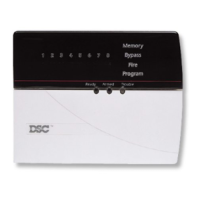
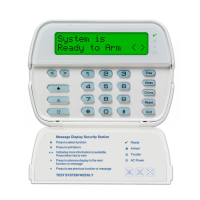
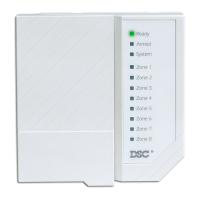
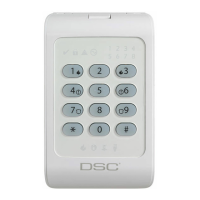
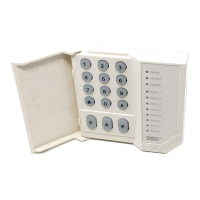
LED5511/LCD5511 Keypad
Press and hold both keys simultaneously for 2 seconds to send the following
messages:
Fire Message, Auxiliary Message, Panic Message.




 To Next Page