Product: DS3 SPMDS3111101
20
7. Wi-Fi Setting
DS3 utilizes Wi-Fi connection using Summit Client Utility.
Windows CE or Windows Mobile - From the Start menu, select Programs > Summit > Summit
Client Utility
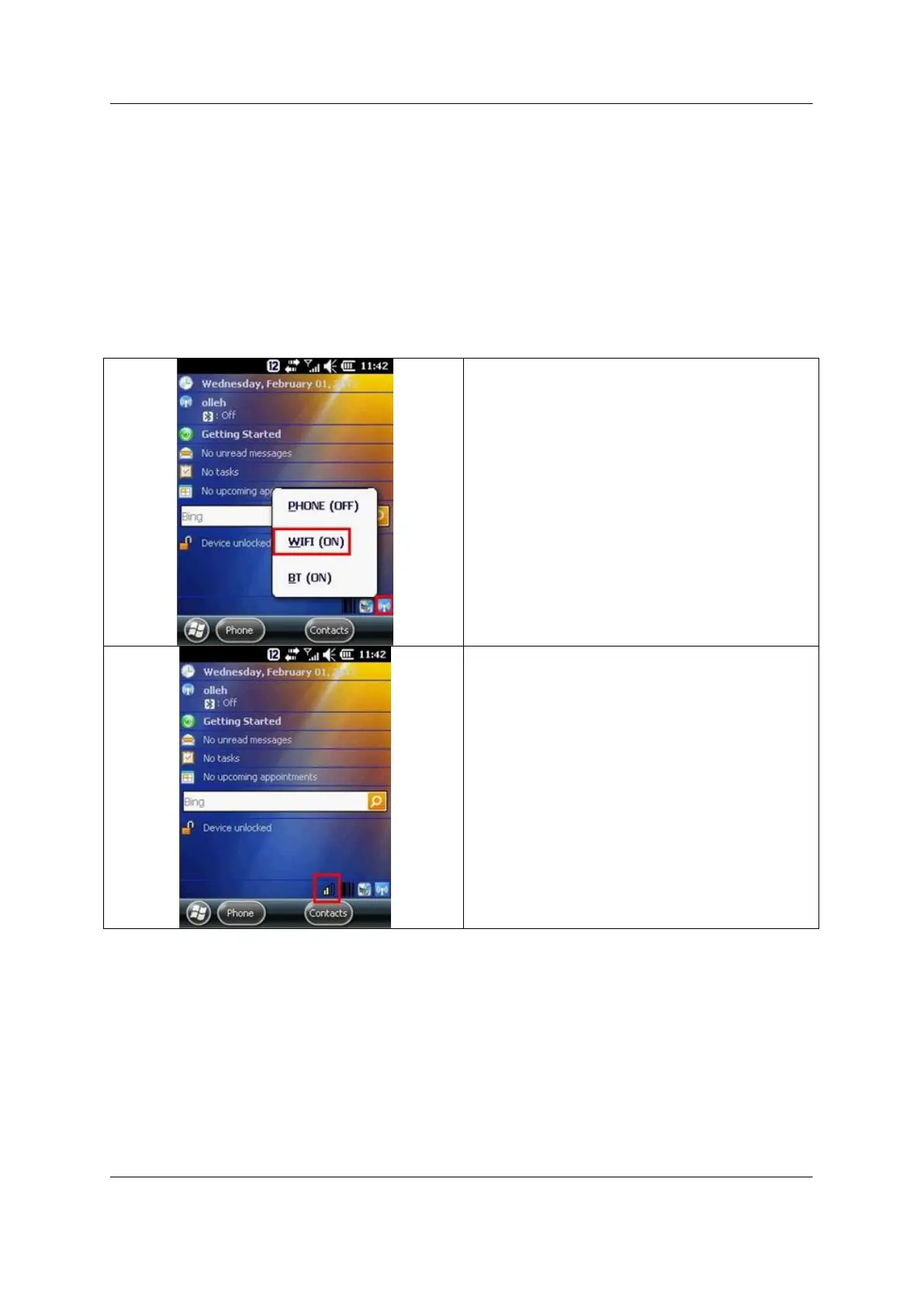
For short cut to access Summit Utility Client,
Click Wireless Manager icon at right bottom
and On WiFi
You may see WLAN signal display



 To Next Page