Product: DS3 SPMDS3111101
33
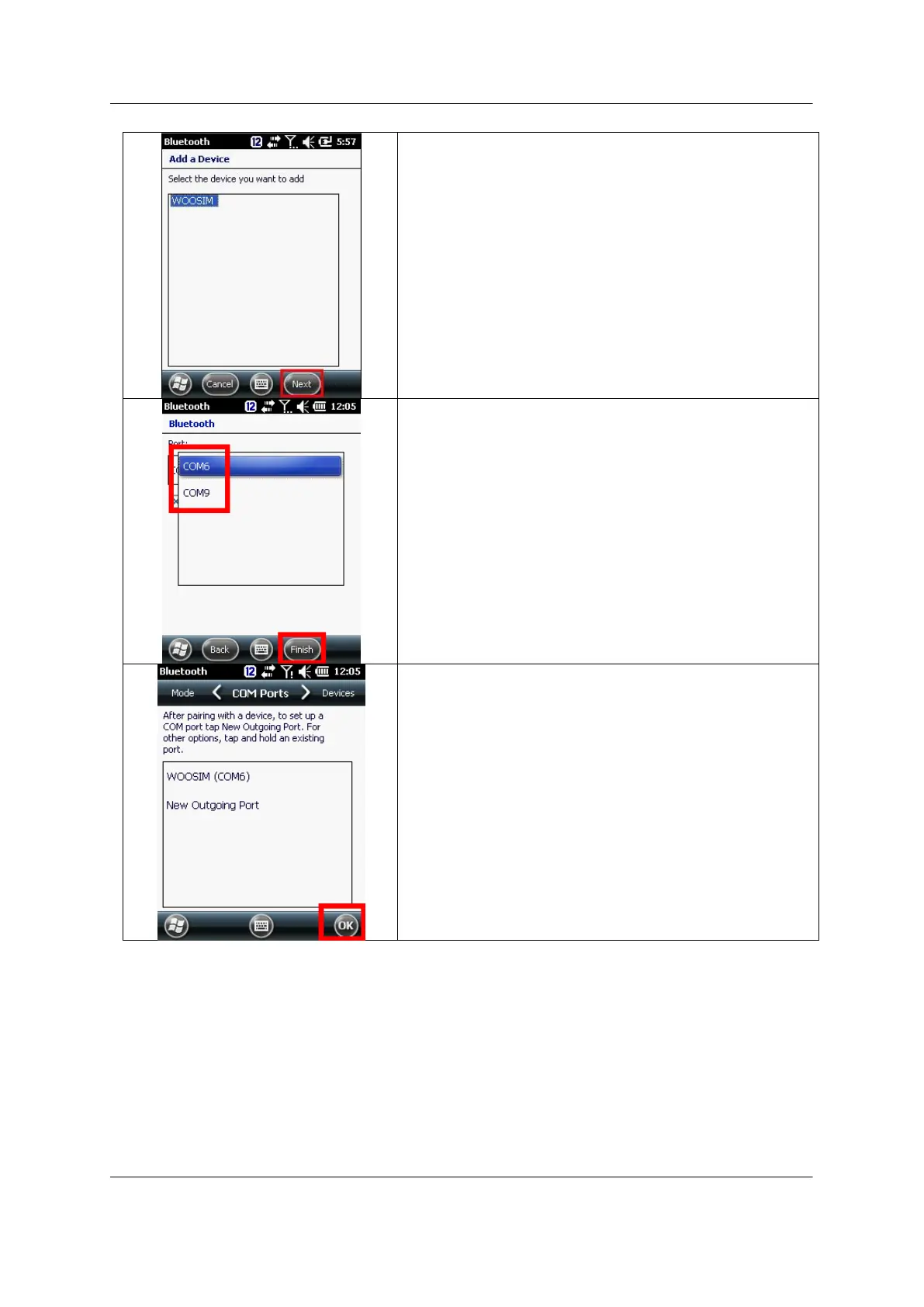
Select Next at bottom of display menu
Select appropriate COM Port, which is not assigned.
Then select Finsih
8-4 Windows Mobile, When you are not able to reassign to the COM port
In any case you delete the assigned Bluetooth device and have to reassign SAME, or different
Bluetooth device, please follow below delete and reassign comport process. Windows Mobile 6.5
is keeping the last registry record, and it interferes reassigning the Bluetooth device to the same
port.
Microsoft Windows Mobile 6.5 recommends step 9 at 11. Bluetooth Setting for Mobile Printer.
However, if you have unchecked “Serial Port” at step 9, please follow below process. It shows to



 To Next Page