15
5
5
5
5 .
.
.
. Example
Example
Example
Example Five:
Five:
Five:
Five: Compare
Compare
Compare
Compare waveform
waveform
waveform
waveform signals
signals
signals
signals
Please operate according to following steps:
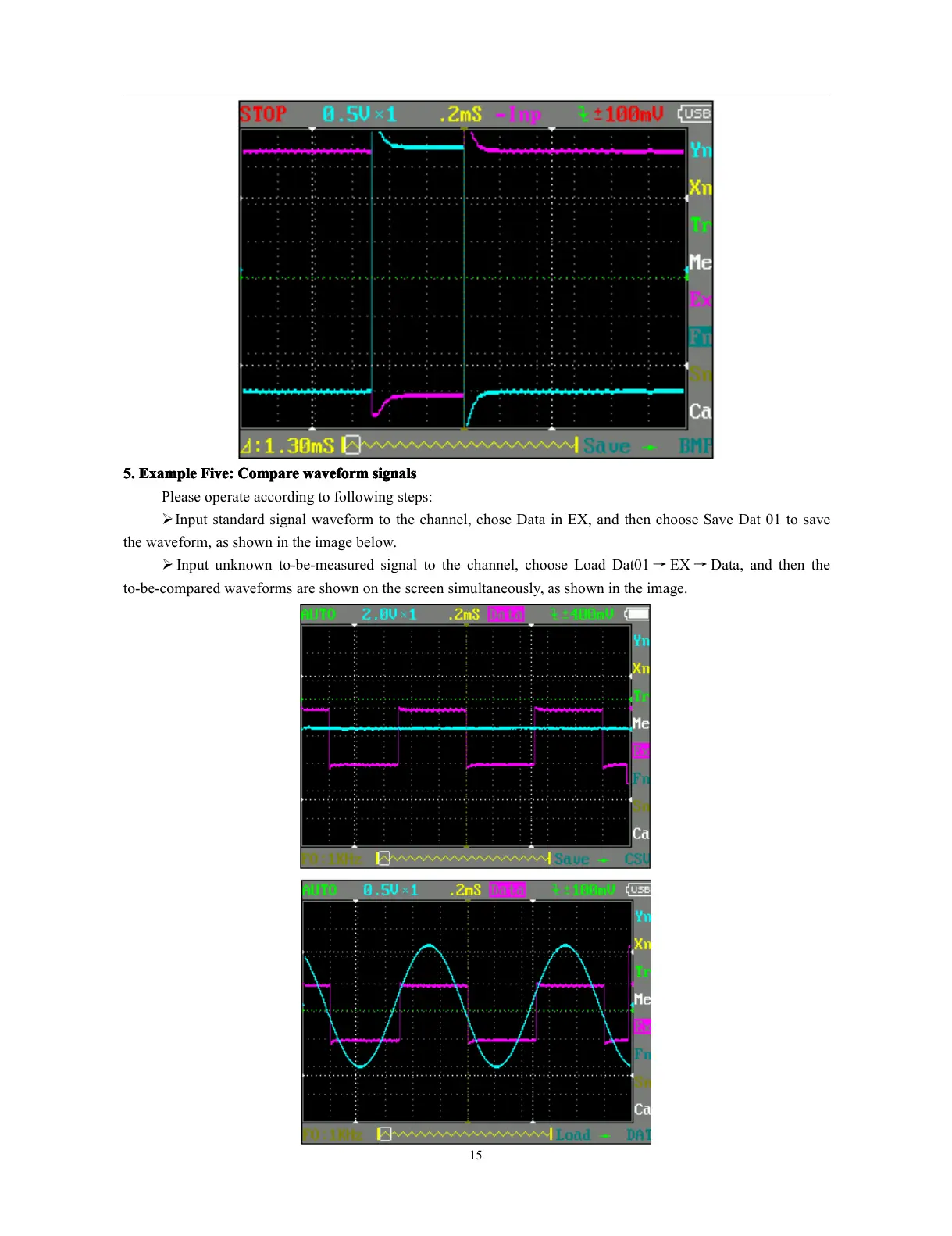
� Input standard signal waveform to the channel, chose Data in EX, and then choose Save Dat 01 to save
the waveform, as shown in the image below.
� Input unknown to-be-measured signal to the channel, choose Load Dat01 → EX → Data , and then the
to-be-compared waveforms are shown on the screen simultaneously, as shown in the image.



 To Previous Page