11
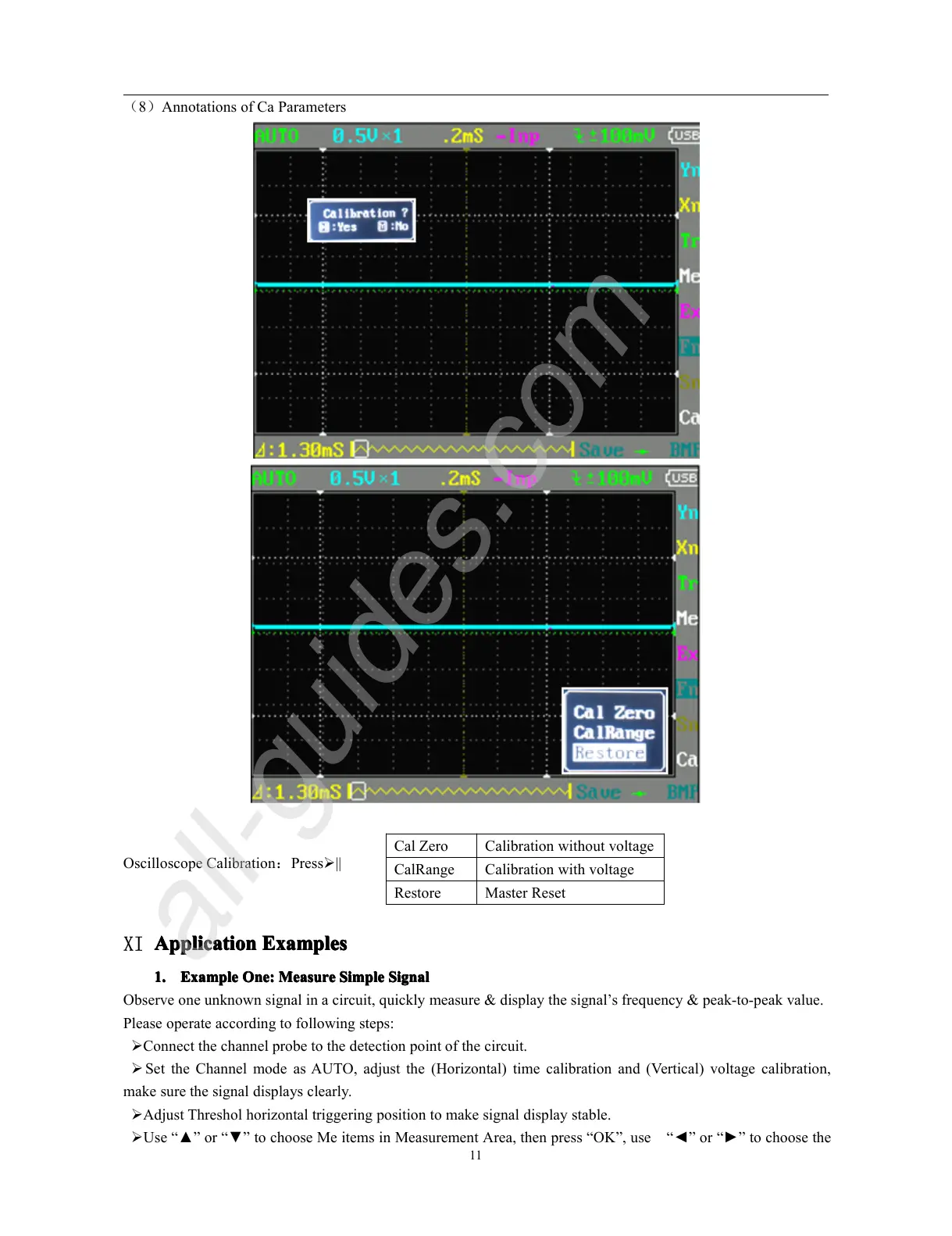
( 8 ) Annotations of Ca Parameters
Oscilloscope Calibration : Press � ||
XI
Application
Application
Application
Application Examples
Examples
Examples
Examples
1.
1.
1.
1. Example
Example
Example
Example One:
One:
One:
One: Measure
Measure
Measure
Measure Simple
Simple
Simple
Simple Signal
Signal
Signal
Signal
Observe one unknown signal in a circuit, quickly measure & display the signal
’
s frequency & peak-to-peak value.
Please operate according to following steps:
� Connect the channel probe to the detection point of the circuit.
� Set the Channel mode as AUTO, adjust the (Horizontal) time calibration and (Vertical) voltage calibration,
make sure the signal displays clearly.
� Adjust Threshol horizontal triggering position to make signal display stable.
� Use “ ▲ ” or “ ▼ ” to choose Me items in Measurement Area, then press “ OK ” , use “ ◄ ” or “ ► ” to choose the
Cal Zero Calibration without voltage
CalRange Calibration with voltage
Restore Master Reset



 To Next Page