SOLO7 Transmitter User Guide
Copyright © 2013 Domo Tactical Communications (DTC) Limited. All rights reserved.
Commercial in Confidence
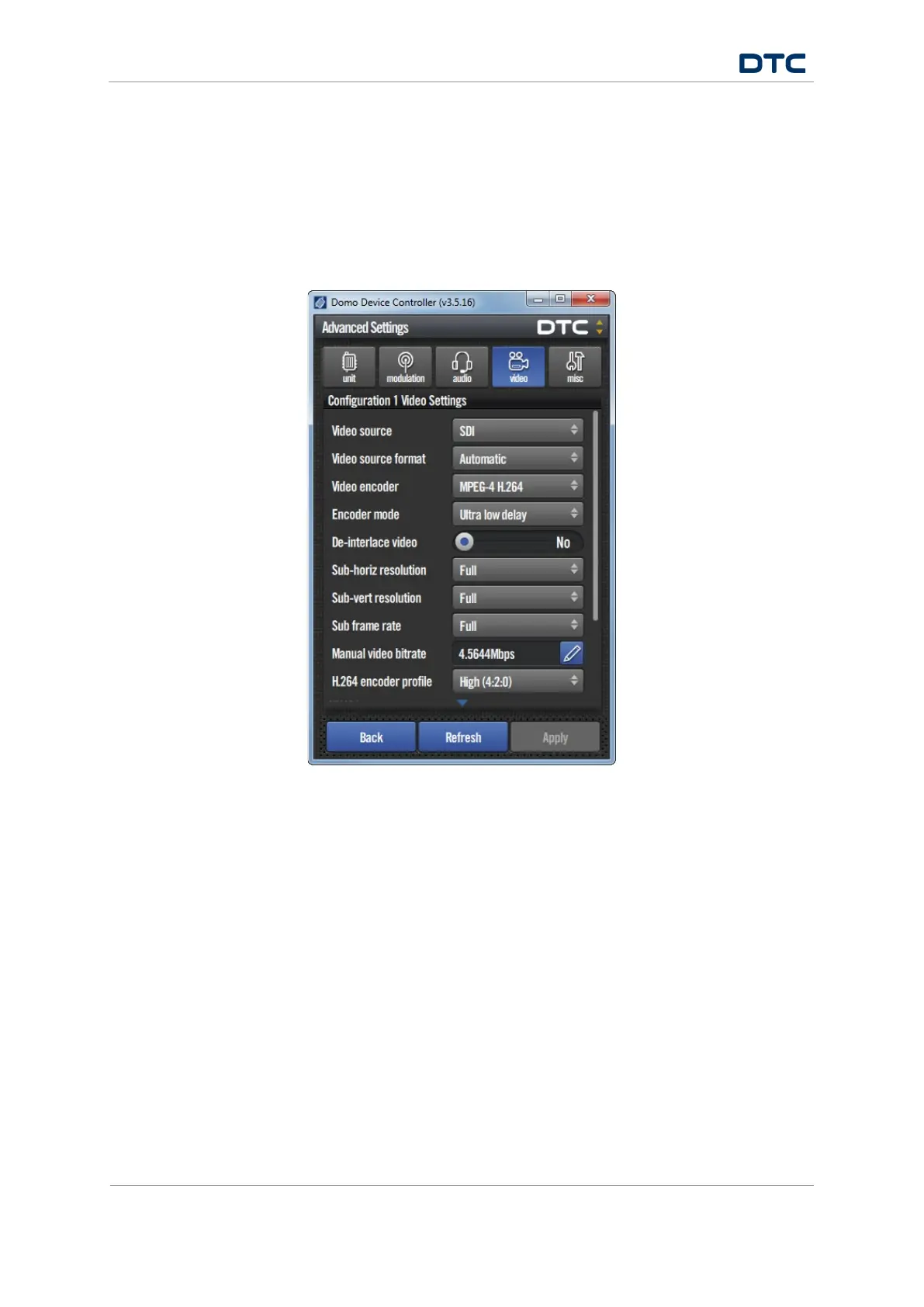
5.7 Advanced>Video Window
5.7.1 Open the Advanced>Video Settings
1. On the primary window in the switch panel, click the Advanced button.
2. Click the Video window.
3. Click and drag the scrollbar on the right of the screen to see the whole display.


 To Next Page