SOLO7 Transmitter User Guide
Copyright © 2013 Domo Tactical Communications (DTC) Limited. All rights reserved.
Commercial in Confidence
6.2 Domo Device Controller Logging Mode
6.2.1 Set up Logging Mode
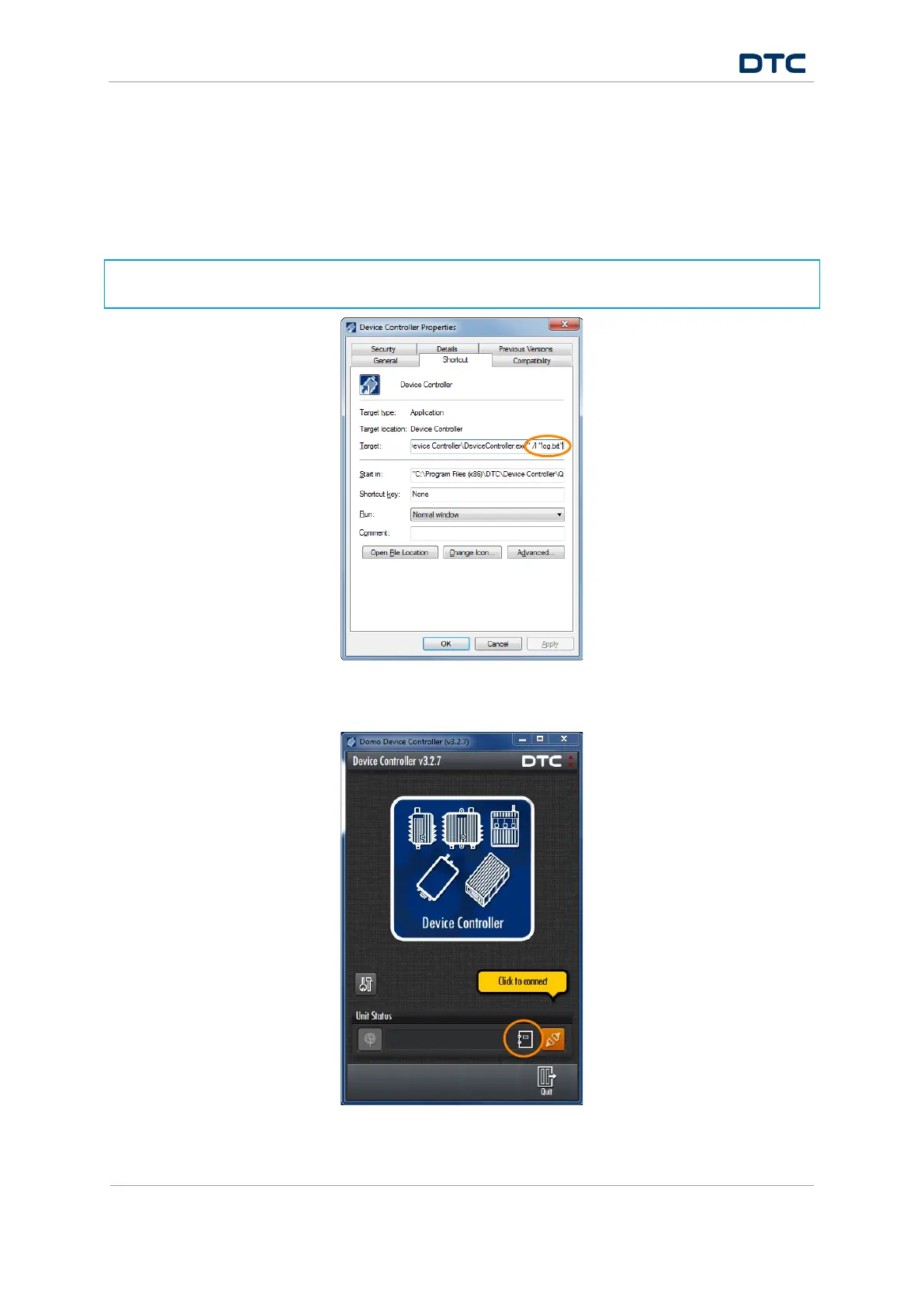
Right-click the Domo Device Controller shortcut on your desktop and click on Properties.
Select the Shortcut tab and in the Target box add /l “log.txt” to the end of the line.
Note: In the target box you must leave the quote marks on the original target line, leave a space then
forward slash, lowercase L, quote mark, log.txt, close quote.
Click the OK button.
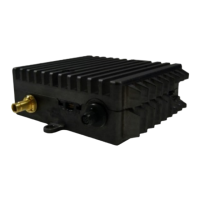
Open Domo Device Controller and observe the logging symbol.


 To Next Page