RPT-5 Tester – User manual 6
Press [OK] to display the option menu:
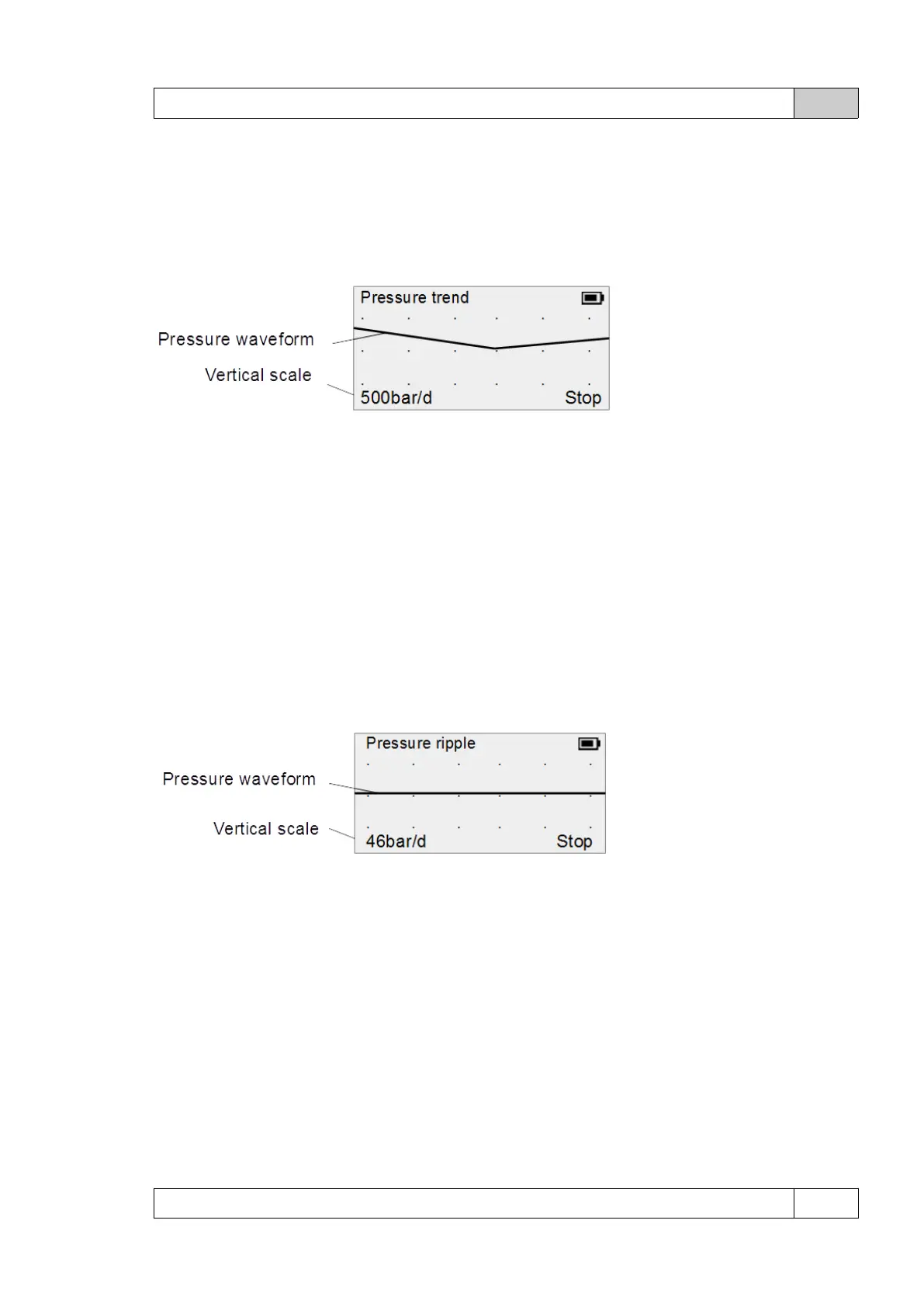
Pressure trend
Choose Pressure trend to display the low-speed sampling pressure waveform.
Pressure trend screen:
The vertical scale of the graph can be changed using the [ ▲] and [▼] buttons.
The scale of the time axis is fixed and amounts to 2s/division.
By pressing [ OK ] you can stop or resume recording the waveform.
The measurement is done in a continuous time - when the screen is full, the data is
overwritten.
To obtain the waveform in higher resolution and the possibility of recording the obtained data,
you can use the application for Android (details in the further part of the User manual).
Pressure ripple
Allows you to display a high-speed sampling pressure waveform
Pressure ripple display
The vertical scale of the graph can be changed using the [ ▲] and [▼] buttons.
The scale of the time axis is fixed and amounts to 25ms/division.
By pressing [ OK ] you can stop or resume recording the waveform.
The running measurement is triggered several times per second.
To obtain the waveform in higher resolution and the possibility of recording the obtained data,
you can use the application for Android (details in the further part of the User manual).
Comparison mode
It allows to run simultaneous measurement with an additional sensor (option), details about
© DeltaTech Electronics 2024 Ver.2.1



 To Next Page