RPT-5 Tester – User manual 7
connecting the additional sensor under 3.2 External sensor .
During the measurement, the sensor on the rail is connected in parallel to the tester and the
tested system (motor controller, test bench), while the additional sensor (external) is
connected only to the tester.
Thanks to a comparative measurement using a valid external sensor, an objective evaluation
of the sensor's performance is possible.
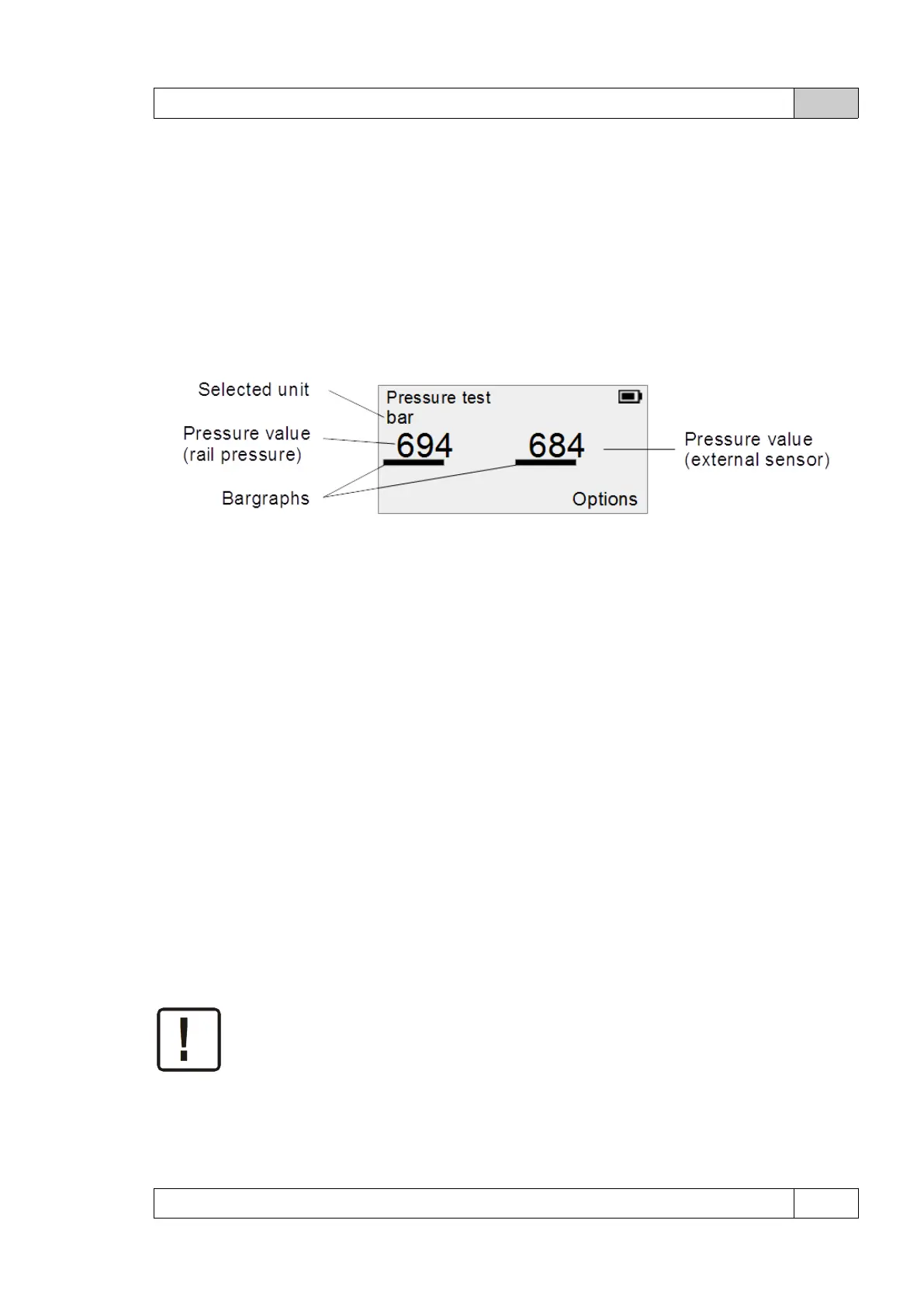
Measurement screen in comparison mode:
The screen contains two pressure values - the value on the left applies to the sensor on the rail
in the system (powered by the controller), the value on the right of the additional external
sensor connected to the system (powered by RPT-5).
Reset max/min
Selecting the option resets the displayed maximum and minimum values.
3.2 External sensor (option)
Optionally, it is possible to connect an additional sensor (connected and powered by the RPT-
5 device). Contact the manufacturer or distributor for information and to purchase an
additional sensor cable.
In the external sensor mode, it is possible to perform all measurements (also waveform
recording) using a sensor connected to the system by the user. The sensor is powered with 5V
voltage directly from the tester.
Do not connect the output intended for an external sensor to any other devices or
voltage sources.
To use this functionality, in addition to having a suitable cable, it is necessary to set the type
of sensor used. These parameters are saved and it is not necessary to give them before each
© DeltaTech Electronics 2024 Ver.2.1



 To Next Page