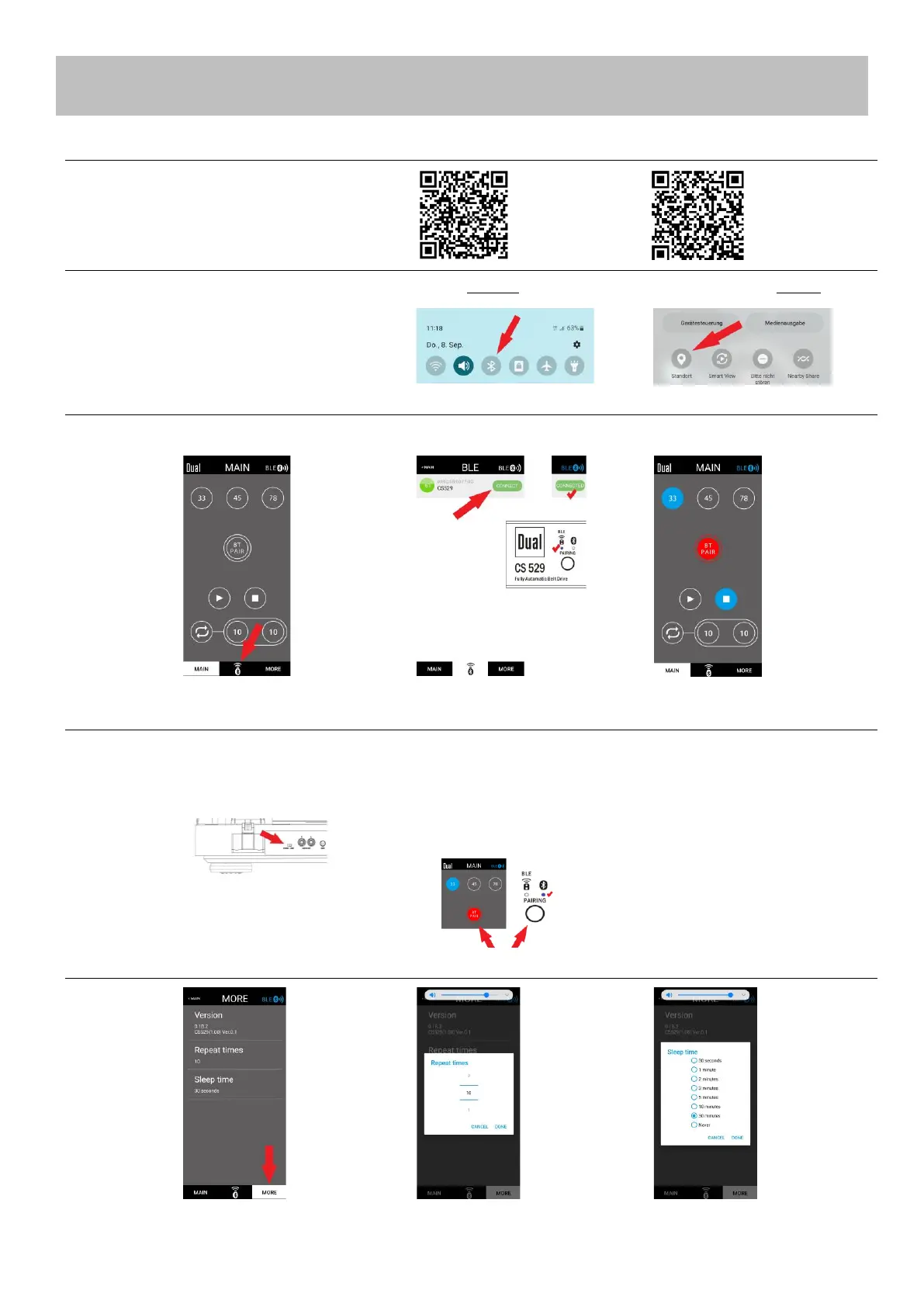
Install App on Mobile Device
Android: Apple:
Play Store App Store
Mobile Devise Settings
Connect the Remote-Control Function
Connect with Loudspeaker / Headphone
Settings: Repeat times / Stand-by time
2) Android only: Enable Location.
Ready = Status is indicated
Enable Bluetooth „Pairing“ on
the loudspeaker / headphone.
Select „Line“ on the turntable.
Recognise new receiving device
- Press the „Pairing“ button twice on the
mobile device, or the turntable.
- The LED and screen button will flash
red and blue while connecting.
- The LED and screen button remain lit
when connected.
Pairing existing receiving devise
- Press the „Pairing“ button once on
the mobile device, or the turntable.
- The LED and screen button will flash
blue while connecting.
- The LED and screen button remain lit
when connected.



 To Next Page