EasyManua.ls Logo

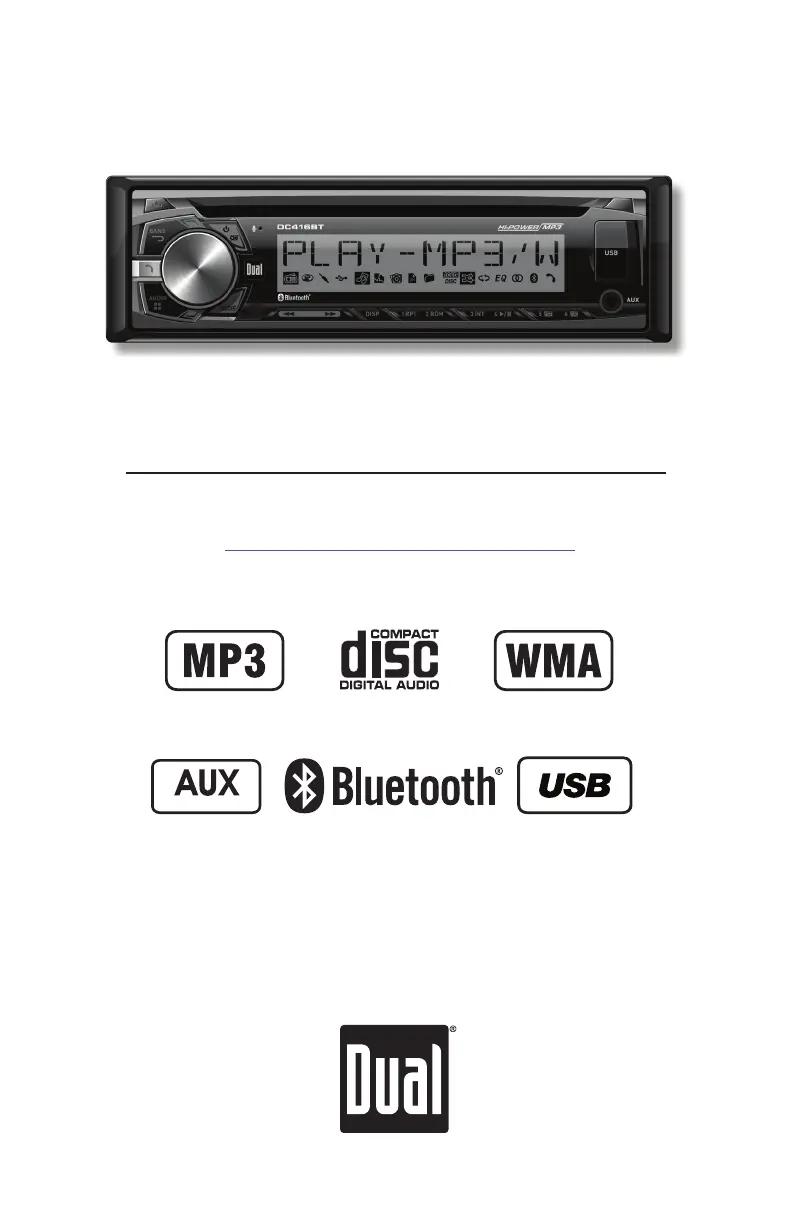
Dual DC416BT - User Manual

Dual DC416BT
24 pages
Print Icon
To Next Page IconTo Next Page
Loading...
INSTALLATION/OWNER'S MANUAL
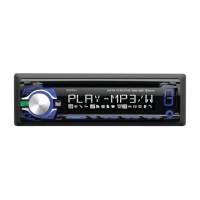
AM/FM/CD Receiver with Detachable Face
DC416BT
Front and Rear Inputs
Front Input

Questions and Answers

  • J
    joshua39Aug 15, 2025
    What to do if my Dual DC416BT unit will not turn on (no power)?
    • T
      tsmithAug 15, 2025
      If your Dual Car Receiver isn't turning on, there are a few things to check: * First, ensure the yellow wire is correctly connected and has the proper voltage (11~16VDC). * Second, verify the black wire is properly connected to the ground. * Lastly, check if the fuse is blown and replace it if necessary.
  • A
    Alexandra HillAug 18, 2025
    Why does my Dual DC416BT Car Receiver unit blow fuses?
    • A
      Amy BensonAug 19, 2025
      Your Dual Car Receiver might be blowing fuses due to several reasons. It could be that the yellow or red wire is touching the chassis ground, so check for any pinched wires. Alternatively, speaker wires might be touching the chassis ground, so inspect those for pinches as well. Finally, the fuse might have an incorrect rating, so ensure you are using a fuse with the correct rating.
  • C
    Corey StuartAug 21, 2025
    What to do if my Dual DC416BT Car Receiver unit has power but no sound?
    • G
      gonzalezsaraAug 21, 2025
      If your Dual Car Receiver has power but isn't producing any sound, here's what you can do: First, check the speaker wire connections at the speakers to ensure they are properly connected. Second, inspect the speaker wires to ensure that none of them are touching each other or the chassis ground; insulate any bare wires to prevent this.
  • A
    Alicia MartinezAug 25, 2025
    Why does my Dual Car Receiver show 'PROTECT' on the display?
    • S
      Samantha Harris DVMAug 26, 2025
      If your Dual Car Receiver displays 'PROTECT', it means the WMA file you're trying to play is copy-protected by DRM (Digital Rights Management). To resolve this, use WMA files that are not copy-protected when writing the disc.
  • T
    Thomas OwensAug 28, 2025
    How to fix excessive skipping on Dual DC416BT?
    • M
      Mr. Peter PhillipsAug 28, 2025
      If your Dual Car Receiver is skipping excessively, it could be due to a couple of reasons. First, make sure the unit is mounted correctly and that the backstrap is secure; check the mounting sleeve and backstrap support. Second, inspect the media (CD, CD-R, or CD-RW) for any physical defects like scratches.
  • G
    grahamjoshuaAug 31, 2025
    Why does my Dual DC416BT unit will not accept a disc?
    • A
      Amanda RodriguezAug 31, 2025
      If your Dual Car Receiver won't accept a disc, it could be due to the CD mechanism being out of alignment. Press and hold the EJECT button for 3 seconds to reset the CD mechanism position. Also, check if the CD transit screws are still in place and remove the 2 transit screws located on top of the unit.
  • C
    Christopher WagnerSep 4, 2025
    What does ERROR 2 mean on my Dual DC416BT Car Receiver display?
    • K
      Karen YoderSep 4, 2025
      If you see 'ERROR 2' on your Dual Car Receiver display, it indicates a disc read error or that the disc is inserted upside down. Try pressing the eject button or the RESET button.
  • M
    Monica AverySep 7, 2025
    Why does my Dual DC416BT display 'NO FILE'?
    • J
      Jennifer LongSep 7, 2025
      If your Dual Car Receiver displays 'NO FILE', it means the selected file is not available in direct or alphanumeric search modes. Try repeating the search using valid parameters.
  • G
    Gary MendozaSep 12, 2025
    Why does my Dual Car Receiver display 'NO SUPPORT'?
    • S
      simmonsstevenSep 12, 2025
      The 'NO SUPPORT' message on your Dual Car Receiver indicates that an invalid ID3 tag version is present or that an ID3 tag character is not supported. Version 1.0 to 2.4 ID3 tags are supported, and only ASCII characters are supported.

Summary

Installation

Preparation

Steps and precautions before installing the car stereo unit.

Wiring Diagram

Visual guide for connecting the car stereo's wires to the vehicle's electrical system.

Operation and Support

Control Locations - Receiver

Identification and function of buttons and controls on the stereo's front panel.

General Operation

Basic functions like power, mode selection, volume, display, and clock settings.

General Operation - Setup Menu

Configuring various settings and options via the setup menu.

General Operation - Audio Controls

Adjusting audio settings such as Bass, Treble, Balance, Fader, EQ, and Loudness.

AM;FM Tuner Operation

How to seek, manually tune, and store radio stations.

CD Player Operation

Inserting, ejecting, and controlling playback of CDs.

CD Player Operation - MP3;WMA Files

Playing and managing MP3/WMA files from discs, including compatibility.

USB Operation

Connecting and playing audio files from USB devices.

Bluetooth Operation

Pairing, making calls, and streaming audio via Bluetooth.

Specifications

Technical details and performance metrics of the car stereo unit.

Troubleshooting

Common problems and their solutions for the car stereo.

FCC Compliance

Regulatory information regarding the device's compliance with FCC rules.

Overview

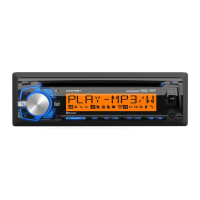
The DC416BT is an AM/FM/CD receiver with a detachable face, designed for in-car audio entertainment and communication. It supports various audio formats including MP3 and WMA, and features Bluetooth connectivity for hands-free calling and audio streaming, as well as a USB port and a front auxiliary input for connecting external devices.

Function Description:

The device serves as a central unit for car audio, offering multiple modes of operation:

  • AM/FM Tuner: Allows reception of AM and FM radio stations. It supports both USA (200kHz for FM, 10kHz for AM) and European (50kHz for FM, 9kHz for AM) frequency spacing. Users can seek and manually tune stations, select between FM1, FM2, FM3, AM1, and AM2 bands, and store up to 18 FM and 12 AM stations as presets.
  • CD Player: Plays standard audio CDs (CD-DA), as well as CD-R and CD-RW discs containing MP3 and WMA files. It features track selection, fast forward/reverse, pause, intro scan (plays the first 10 seconds of each track), repeat (all tracks, selected track, or folder), and random playback. The unit supports ISO9660 levels 1 and 2, Yellow Book MODE 1 and 2 FORM 1, and multi-session discs.
  • MP3/WMA File Playback (CD and USB): The unit can play MP3 and WMA files from CDs and USB mass storage devices. It displays song title, artist, file name, folder name, track number, and clock/elapsed time. It supports ID3 tags Version 1.0 to 2.4 (excluding 2.4 or greater). File and folder search modes are available for navigation. Playback order is based on the recorded order of files, starting from the root folder.
  • USB Operation: A dedicated USB port allows connection of USB mass storage devices for MP3/WMA file playback. Features are similar to CD playback, including track selection, fast forward/reverse, pause, file/folder search, repeat, random, and intro scan. USB devices must be 'mass storage class' and formatted to FAT or FAT32 file system for compatibility.
  • Auxiliary Input: A 3.5mm port on the front panel allows connection of external audio devices like MP3 players.
  • Bluetooth® Operation: Provides wireless connectivity for mobile devices.
    • Pairing: The device broadcasts its pairing signal ("DUAL BT" with passcode "1234"). Users initiate pairing from their Bluetooth device.
    • Reconnecting: Supports auto-connect for previously paired devices. Manual reconnection is also possible through the "Paired Devices" menu.
    • Hands-Free Calling: Allows making and receiving phone calls. Features include manual dialing (via remote control), viewing recent calls, redialing the last number, receiving/refusing incoming calls, and ending calls. An "Auto Answer" option can be enabled to automatically answer calls after 2-3 rings.
    • Audio Transfer: Calls can be transferred between the DC416BT and the cell phone.
    • Call Waiting/Hold: Supports call waiting and placing calls on hold, provided the mobile phone and service provider support these features.
    • Microphone Mute: The external microphone can be muted during a call.
    • Streaming Audio (A2DP/AVRCP): Supports wireless streaming of audio from Bluetooth mobile devices. Playback controls (skip track, play/pause, stop) are available from the head unit.

Important Technical Specifications:

  • Power Output: 18 Watts RMS x 4 channels at 4 ohms and < 1% THD+N (CEA-2006 compliant).
  • Signal to Noise Ratio: 80dBA (reference: 1 watt into 4 ohms).
  • Speaker Output Impedance: 4~8 ohms.
  • Line Output Voltage: 2 Volts RMS.
  • CD Player:
    • Frequency Response: 10Hz-20kHz.
    • Channel Separation @ 1kHz: >65dB.
    • D/A Converter: 1 Bit.
  • FM Tuner:
    • Tuning Range: 87.5MHz-107.9MHz.
    • Usable Sensitivity: 8.5dBf.
    • 50dB Quieting Sensitivity: 10dBf.
    • Stereo Separation @ 1kHz: 40dB.
    • Frequency Response: 30Hz-13kHz.
  • AM Tuner:
    • Tuning Range: 530kHz-1710kHz.
    • Usable Sensitivity: 22uV.
    • Frequency Response: 30Hz-2.2kHz.
  • MP3/WMA Compatibility:
    • Sampling Frequency Rates: MP3 (8kHz~48kHz), WMA (32kHz~48kHz).
    • Transfer Bit Rates: MP3 (32kbps~320kbps constant, variable bit rates), WMA (32kbps~192kbps constant, variable bit rates).
    • Maximum Files: 999.
    • Maximum Folders: 255 plus the root directory.
    • Maximum Folder Levels: 8.
    • Maximum Files in each folder and root: 999.
  • Fuse: One 10 amp ATM fuse.
  • Dimensions: 2" x 7" x 7" (51 x 178 x 178 mm).

Usage Features:

  • Detachable Face: Enhances security by allowing the user to remove the front panel.
  • Volume Control: Adjustable via a rotary knob (00-46 levels).
  • Display: Shows clock, radio frequency, CD track/elapsed time, MP3/WMA song information. Supports scrolling information.
  • Setup Menu: Accessible by holding AUDIO/MENU, allowing configuration of various settings like auto station store, local/distance tuning, tuner frequency spacing, auxiliary input enable/disable, beep confirmation, programmable turn-on volume, power-on message, scrolling options, demonstration mode, LED color adjustment, Bluetooth functionality (on/off), and auto answer for calls.
  • Audio Control: Includes Bass, Treble, Balance, Fader, Subwoofer, and Source Volume Level adjustments.
  • Equalization Curves: Pre-set EQ curves (FLAT, POP, JAZZ, CLASSIC, BEAT, ROCK) and a USER mode for customized settings.
  • Loudness: LOUD ON/OFF setting to enhance bass and treble at low volumes.
  • LED Color: Customizable LED display color with options for auto-rotation, blue, green, red, yellow, purple, cyan, and white. RGB color levels can be adjusted.

Maintenance Features:

  • Installation: Requires removal of trim ring and transit screws, insertion of mounting sleeve, and connection of wiring harness and antenna. Professional installation is recommended if unsure.
  • Reset Button: Located behind the front panel, used for initial installation or to resolve abnormal operation.
  • Fuse Replacement: Uses a 10 amp ATM fuse. Users are advised to use the correct type and amperage to prevent damage.
  • Troubleshooting Guide: Provides solutions for common issues such as no power, no sound, blowing fuses, excessive skipping, display errors, and disc reading problems.
  • FCC Compliance: The device complies with Part 15 of the FCC Rules, with guidelines for resolving potential interference issues (reorienting antenna, increasing separation, connecting to different circuit, consulting technician).

Dual DC416BT Specifications

General IconGeneral
BrandDual
ModelDC416BT
CategoryCar Receiver
LanguageEnglish

Related product manuals