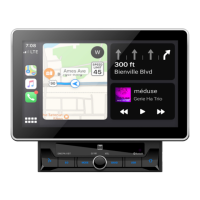
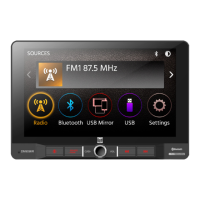
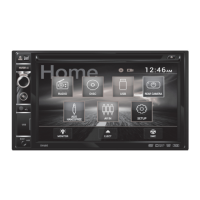
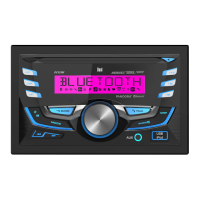
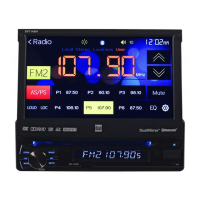
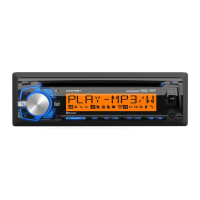
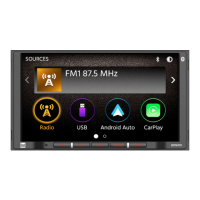
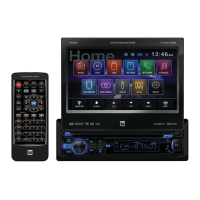
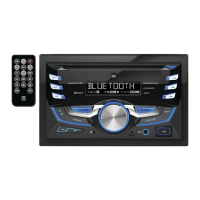
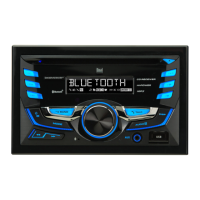
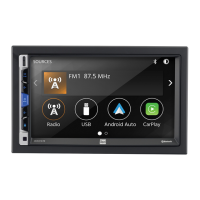
The DMCPA70 is a media receiver designed for in-vehicle use, featuring Android Auto™ and CarPlay™ integration, along with a 7-inch digital TFT display. This device allows users to access various media sources, communication features, and navigation tools directly from their car's dashboard, aiming to reduce driver distraction by providing a streamlined interface for essential functions.
Function Description
The core function of the DMCPA70 is to serve as a central media and communication hub in a vehicle. It supports a wide range of audio and video sources, including AM/FM radio, USB playback for MP3/FLAC files, and Bluetooth audio streaming. The standout features are its compatibility with Android Auto™ and Apple CarPlay™, which allow seamless integration with smartphones.
When connected to an iPhone, Apple CarPlay™ enables voice-control via Siri for music, navigation, phone calls, and messaging apps. Users can make calls, return missed calls, listen to voicemails, and view caller ID. Messaging functions allow sending, reading, and replying to text messages hands-free. Music can be accessed by artist, song, or playlist, mirroring the iPhone screen with relevant information. Navigation is powered by Apple Maps, offering turn-by-turn directions, points of interest, traffic information, and estimated time to destination. CarPlay™ automatically launches when an iPhone is connected via a USB port using an Apple Certified Lightning cable. While CarPlay™ is active, the unit's Bluetooth functionality is automatically turned off, with hands-free operations handled through CarPlay™. To exit CarPlay™ mode, users can either disconnect their iPhone or momentarily press the Power/Volume knob to return to the unit's main menu.
Similarly, Android Auto™ brings useful apps from an Android smartphone to the car's display, focusing on driving-related tasks. It supports Google Assistant for voice commands, allowing users to make calls, chat, read messages aloud, and send texts hands-free. Navigation features real-time traffic alerts, hazard avoidance, and route optimization. Android Auto™ requires the Android Auto app to be installed on a smartphone running Android Lollipop 5.0 or higher. When an Android Auto™ compatible device is connected via USB, Android Auto™ launches automatically. The device also connects via Bluetooth simultaneously. If five devices are already paired, the system prompts the user to delete a registered device. If Android Auto™ is active during a call on a non-compatible phone, the Bluetooth connection switches to the Android Auto™ compatible device after the call. Exiting Android Auto™ is done by pressing the Exit button or disconnecting the Android phone.
Beyond smartphone integration, the DMCPA70 offers standard AM/FM tuner operation with features like auto store presets, preset scan, and direct search keypad. USB operation allows playing MP3/FLAC files from a USB flash drive, with controls for track navigation, repeat, and random playback. Bluetooth functionality supports hands-free calls and audio streaming, requiring devices to be "paired" or authenticated. The unit can automatically connect to the last paired device if the auto-connect feature is enabled.
The device also includes auxiliary inputs for external audio/video devices and a rear camera input, which automatically activates camera mode when connected to the reverse lamp circuitry. Steering Wheel Control (SWC) input is compatible with PAC steering wheel control modules, allowing users to control basic functions like volume, track, mode, and Bluetooth calls directly from their steering wheel.
Usage Features
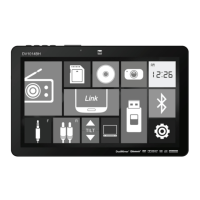
The DMCPA70 is designed for intuitive operation through its 7-inch digital TFT display and physical controls. The main menu, accessible via a dedicated icon, provides quick access to all operational modes such as Radio, USB, Android Auto, CarPlay, BT Phone, BT Audio, AV In, and Settings.
General operations include:
- Power On/Off: A momentary press of the power button turns the unit on, while a press and hold turns it off.
- Volume Control: Dedicated buttons or a knob allow increasing or decreasing the volume.
- Mute: A momentary press of the MUTE button silences the audio, and another press restores it. Rotating the volume knob also cancels mute.
- Mode Selection: The MODE button on the screen's top left corner displays the main menu for source selection.
- Dimmer: An icon on the screen allows adjusting display brightness, with options for Auto, Day, or Night modes.
- Reset: A reset button, located behind the front panel under the USB port, can be used to resolve abnormal operation or if the unit becomes inoperable, resetting the main processor to default settings. A pen tip is needed to access this button.
The settings menu, accessed from the main menu, offers customization across several categories:
- General: Adjusts date, time (12-hour or 24-hour format), beep tone (on/off), and radio region.
- Audio: Provides equalizer presets (Default, User, Classic, Rock, Jazz, Electric, Pop, Soft for custom settings), time alignment, loudness control (on/off), subwoofer control (on/off), and subwoofer gain adjustment.
- Display: Controls brightness levels (0-20, with Day: 20 and Night: 6 as defaults) and dimmer mode.
- Others: Includes options for factory default reset (Bluetooth settings and system reboot) and displaying the system software version.
The remote control provides an alternative means of interaction, offering buttons for power, volume, tune/track navigation, mute, preset selection, repeat, play/pause, talk, mode, end call, random, band, and voice activation.
Maintenance Features
The DMCPA70 incorporates several features and guidelines to ensure its longevity and proper functioning:
- Installation Precautions: It is recommended that a professional installer or authorized dealer install the unit due to its technical nature. The unit should only be used in vehicles with 12VDC negative ground. Users are advised to disconnect the negative battery terminal before installation. The unit should not be installed in areas exposed to direct sunlight, excessive heat, dust, dirt, or excessive vibration.
- Fuse Replacement: In case of a blown fuse, users must replace it with a new one of the prescribed rating to prevent malfunction. Disconnecting the wiring harness first is advised to prevent short circuits. The unit uses a 15 amp ATC mini-style fuse.
- Cleaning: The monitor should be cleaned with a dry silicone cloth or soft cloth. Stiff cloths or volatile solvents like paint thinner and alcohol should be avoided as they can scratch the screen or remove printing.
- Wiring Integrity: When extending ignition, battery, or ground cables, automotive-grade cables with an area of 0.75mm (AWG 18) or more should be used to prevent voltage drops.
- LCD Care: Users are warned not to touch the liquid crystal fluid if the LCD is damaged or broken, as it can be hazardous. If contact occurs, the affected area should be washed immediately with soap.
- Troubleshooting Guide: The owner's manual includes a troubleshooting section to address common issues such as the unit not turning on, having power but no sound, blowing fuses, having audio but no video, or the IR remote not working. This guide helps users perform basic checks like verifying connections, fuse ratings, and parking brake application before seeking professional service.
- Software Reset: The physical reset button allows users to restore the main processor to default settings, which can resolve abnormal operations without requiring a full factory reset of all software settings.
- Warranty: The product comes with a limited one-year warranty covering defects in material and workmanship. For service, users are instructed to pack the product with the original receipt and ship it to an authorized service center. The warranty excludes software, installation/removal costs, damage from accidents, misuse, improper installation, or unauthorized repairs.
The DMCPA70 is designed with user safety in mind, particularly regarding video playback and mobile device usage while driving. It includes a parking brake lock-out feature that prevents video operation unless the vehicle is in "Park" and the parking brake is fully engaged. Users are explicitly warned against attempting to bypass this safety feature. Additionally, maintaining a low volume level is recommended to ensure awareness of traffic-related sounds.


 To Next Page
 General