EasyManua.ls Logo

Dual DV725BH - User Manual

Dual DV725BH
32 pages
Print Icon
To Next Page IconTo Next Page
Loading...
INSTALLATION/OWNER’S MANUAL
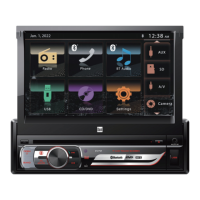
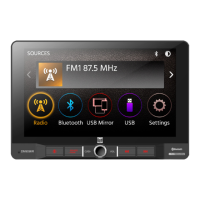
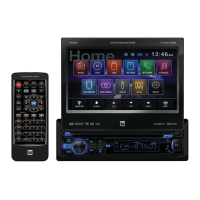
DVD Multimedia Receiver with Bluetooth
featuring a 7" Touch Screen Display
DV725BH
The DVD video display of the in-dash unit will not operate while the vehicle is moving. This is a safety feature
to prevent driver distraction. In-dash DVD video functions will only operate when vehicle is in Park and the
parking brake is engaged. It is illegal in most states for the driver to view video while the vehicle is in motion.
Safety Notes:
®

Questions and Answers

  • R
    Reginald JonesAug 12, 2025
    How to fix a Dual DV725BH Car Receiver that won't turn on?
    • D
      dustinthomasAug 12, 2025
      If your Dual Car Receiver won't turn on, it could be due to several reasons: * The yellow or red wire might not be connected properly or have incorrect voltage. Ensure these wires are correctly connected and have a voltage between 11 and 16VDC. * The black wire may not be connected to ground. Check this connection. * The fuse might be blown. If so, replace it with a new one.
  • W
    walkerethanAug 16, 2025
    Why does my Dual DV725BH keep blowing fuses?
    • S
      Stephen KeithAug 16, 2025
      If your Dual Car Receiver keeps blowing fuses, there are a few potential causes: * A yellow or red wire might be touching the chassis ground. Inspect these wires for any pinching. * Speaker wires could also be touching the chassis ground. Check them for pinching as well. * The fuse rating might be incorrect. Make sure you are using fuses with the correct rating.
  • T
    Teresa RichardsAug 20, 2025
    What to do if my Dual Car Receiver has power but no sound?
    • J
      Jesse BryantAug 20, 2025
      If your Dual Car Receiver has power but no sound, consider the following: * The speaker wires might not be connected properly. Check the connections at the speakers. * One or more speaker wires might be touching each other or the chassis ground. Insulate all bare speaker wires from each other and the chassis ground.
  • G
    Gregory TateAug 25, 2025
    Why does my Dual Car Receiver have audio but no video?
    • M
      Michael WilliamsAug 25, 2025
      If your Dual Car Receiver has audio but no video, it might be because: * The parking brake safety circuit is not connected. Check the connections at the parking brake. * The parking brake is not applied. Apply the parking brake.
  • S
    sylvialambAug 27, 2025
    How to stop my Dual DV725BH from skipping?
    • D
      Dr. Jesse CalhounAug 27, 2025
      Excessive skipping on your Dual Car Receiver can be caused by: * Incorrect mounting of the unit. Check the mounting sleeve. * Physical defects in the media. Inspect the disc for scratches.
  • W
    weberjohnAug 31, 2025
    Why is there no video display when reversing with my Dual Car Receiver?
    • L
      Lauren WilsonAug 31, 2025
      If there is no video display when your Dual Car Receiver is in reverse, it could be due to: * The reverse circuit not being connected. Check the connections at the reverse lamp. * The vehicle not actually being in reverse. Select reverse gear.
  • F
    fisherkimSep 4, 2025
    What does 'Disc Region Incorrect' mean on my Dual Car Receiver?
    • A
      Amy PriceSep 4, 2025
      If 'Disc Region Incorrect' appears on the display of your Dual Car Receiver, it means there is a region code error. Use discs labeled "Region 1" or "All" only.
  • R
    Ronald GriffinSep 7, 2025
    Why is the IR remote not working on my Dual DV725BH?
    • S
      Samantha CooperSep 7, 2025
      If the IR remote for your Dual Car Receiver isn't working, the battery may be dead. Replace it with a new one.

Dual DV725BH Specifications

General IconGeneral
BrandDual
ModelDV725BH
CategoryCar Receiver
Preamp Voltage2 Volts
Display TypeLCD
Detachable FaceYes
BluetoothYes
USB InputYes
SD Card SlotYes
AUX InputYes
Radio TunerAM/FM
Number of Preamp Outputs3
TouchscreenNo
Remote ControlYes
Video OutputYes
Media PlaybackMP3/WMA

Related product manuals