EasyManua.ls Logo

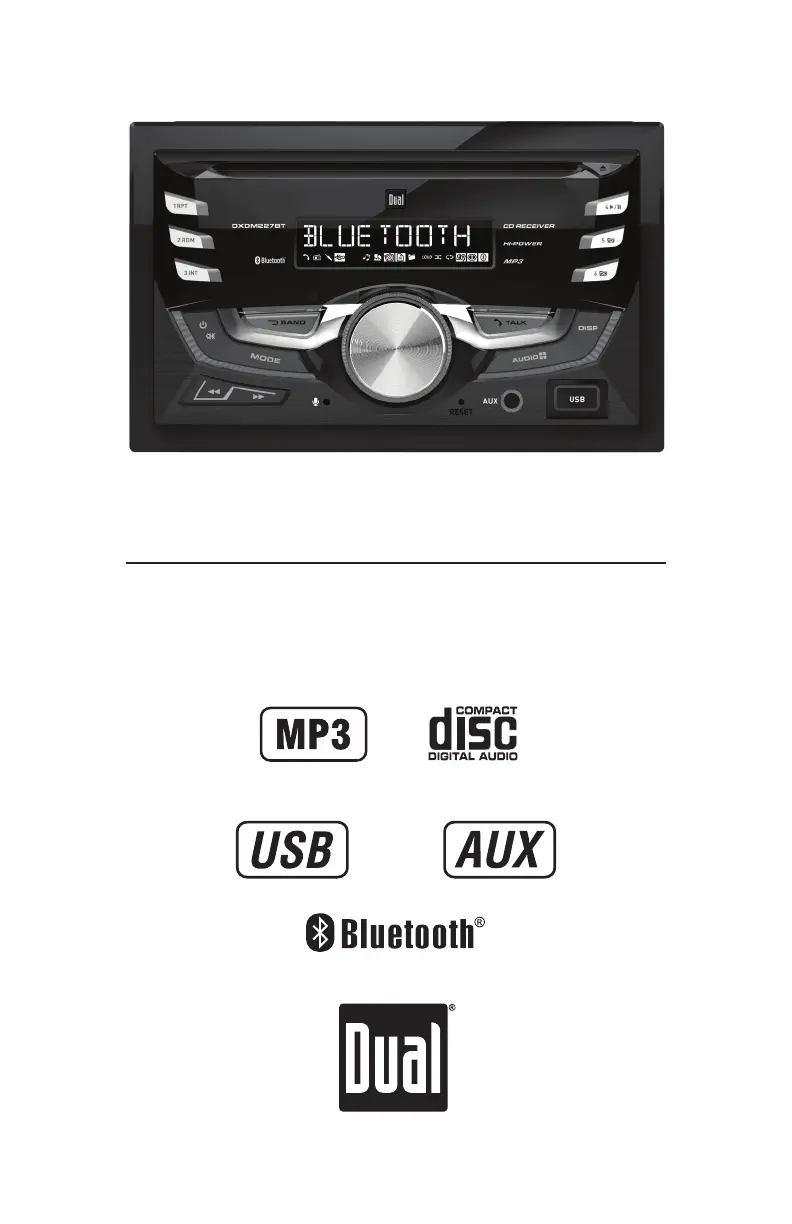
Dual DXDM227BT - User Manual

Dual DXDM227BT
26 pages
Print Icon
To Next Page IconTo Next Page
Loading...
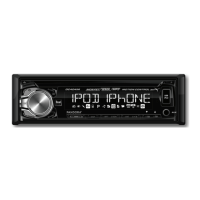
INSTALLATION/OWNER'S MANUAL
AM/FM/CD Receiver
DXDM227BT

Questions and Answers

  • A
    Amanda HawkinsAug 12, 2025
    How to fix a Dual DXDM227BT Car Receiver that won't turn on?
    • B
      bautistanicoleAug 12, 2025
      If your Dual Car Receiver isn't powering on, the yellow wire might not be connected properly or have the correct voltage (11~16VDC), so check those connections. Also, verify the black wire is connected to ground. Finally, inspect the fuse and replace it if it's blown.
  • P
    Patrick SnowAug 15, 2025
    Why does my Dual DXDM227BT Car Receiver keep blowing fuses?
    • J
      John Blackwell PhDAug 15, 2025
      If your Dual Car Receiver keeps blowing fuses, a yellow or red wire might be touching the chassis ground, or speaker wires could be doing the same. Check for any pinched wires. Also, ensure you are using a fuse with the correct rating.
  • S
    Stephanie CampbellAug 19, 2025
    What to do if my Dual DXDM227BT Car Receiver has power but no sound?
    • C
      Cynthia MathewsAug 20, 2025
      If your Dual Car Receiver has power but no sound, first check the speaker wire connections. Then, make sure that the bare speaker wires are insulated from each other and the chassis ground.
  • S
    Savannah FisherAug 23, 2025
    How to stop my Dual DXDM227BT from skipping?
    • M
      Ms. Megan Smith MDAug 25, 2025
      If your Dual Car Receiver is skipping a lot, check the mounting sleeve and backstrap support to ensure the unit is correctly mounted and the backstrap is secure. Also, inspect the media (CD, CD-R or CD-RW) for any scratches or physical defects.
  • M
    Marissa RodriguezAug 27, 2025
    What to do if my Dual DXDM227BT Car Receiver will not accept a disc?
    • K
      katelyn53Aug 27, 2025
      If your Dual Car Receiver won't accept a disc, try pressing EJECT to reset the CD mechanism position. Also, check for and remove the two transit screws located on top of the unit.
  • Z
    zimmermanchristopherAug 30, 2025
    What does ERR FILE mean on my Dual DXDM227BT?
    • S
      Scott LynchAug 30, 2025
      If 'ERR FILE' appears on the display of your Dual Car Receiver, it indicates a disc read error. Try pressing the eject button or the reset button.
  • A
    Alexis DuranSep 3, 2025
    What does NO FILE mean on my Dual DXDM227BT Car Receiver display?
    • A
      Albert WeaverSep 3, 2025
      If 'NO FILE' appears on your Dual Car Receiver's display, it means the device can't find any playable MP3 files. Check the device to ensure it contains valid MP3 files.
  • H
    Hannah AndersonSep 7, 2025
    What does NO SUPPORT mean on my Dual Car Receiver?
    • V
      Vicki ThompsonSep 7, 2025
      If 'NO SUPPORT' appears on the display of your Dual Car Receiver, it means there's an invalid ID3 tag version present. The receiver supports version 1.0 to 2.0 ID3 tags.

Summary

Preparation

Before You Start

Pre-installation checks and safety precautions before starting the installation process.

Getting Started

Step-by-step guide for the initial physical installation of the unit.

Wiring Diagram

Fuse Information

Details about the fuse type and amperage required for the unit's operation.

Control Locations

Front Panel Controls

Identification and function of buttons and controls on the front panel of the receiver.

Remote Control

Remote Control Functions

Explanation of buttons and their corresponding functions on the remote control unit.

General Operation

Power and Basic Functions

How to turn the unit on/off, select modes, adjust volume, and use display functions.

Setup Menu Options

Setup Menu Configuration

Configuration options for tuner spacing, auxiliary input, beep confirmation, and power messages.

Bluetooth and Auto Answer Settings

Settings for enabling Bluetooth functionality and configuring automatic call answering.

Audio Settings

Audio Adjustments

How to adjust Bass, Treble, Balance, and Fader for optimal audio output.

AM;FM Tuner Operation

Tuner Tuning and Presets

Methods for seeking, manually tuning, and storing AM/FM radio stations.

CD Player Operation

CD Playback Basics

Instructions for inserting, ejecting, and navigating tracks on a CD.

CD Playback Modes

Using pause, intro, repeat, and random functions during CD playback.

MP3 File Playback

MP3 CD Playback

How to play MP3 files from a CD, including disc reading and information display.

MP3 Information Display

Details on how song title, artist, folder, and file names are displayed.

MP3 File Compatibility

MP3 Media and Recording Standards

Lists compatible/incompatible media types and ISO9660 standards for MP3 files.

MP3 File Specifications

MP3 Technical Details

Covers ESP, sampling rates, bit rates, and ID3 tag versions for MP3 playback.

USB Operation

USB Device Connection and Playback

Connecting USB devices and starting MP3 file playback.

USB File Search and Navigation

Steps to search and select files/folders on a USB device.

USB Operation Modes

USB Information and Folder Access

Displaying information and navigating folders on a USB device.

USB Playback Modes

Using repeat, random, and intro playback modes for USB files.

USB Device Compatibility

USB Character and Media Compatibility

Character limits, compatible file types, and device compatibility for USB.

USB MP3 File Details

USB MP3 Specifications

Details on MP3 sampling rates, bit rates, and ID3 tag versions for USB.

Bluetooth Operation

Bluetooth Pairing and Connection

Steps for pairing new devices and connecting previously paired devices.

Bluetooth Disconnection

Instructions for disconnecting an active Bluetooth device.

Bluetooth Call and Audio

Bluetooth Call Handling

Managing incoming calls, redialing, and ending phone calls via Bluetooth.

Bluetooth Audio Streaming

Streaming audio wirelessly and controlling playback from a Bluetooth device.

Bluetooth Streaming Details

Bluetooth Streaming Operation

Details on controlling music playback from the head unit using AVRCP.

Troubleshooting

Limited One Year Warranty

Warranty Service Procedure

Steps to follow for obtaining service during the warranty period.

Warranty Coverage and Exclusions

Specifies what is covered and excluded under the limited one-year warranty.

FCC Compliance

FCC Regulatory Information

Compliance statements and conditions for FCC Part 15 rules.

Interference Handling

Measures to take if the equipment causes radio or television interference.

Product Specifications

CD, FM, AM Tuner Specifications

Technical performance details for CD player, FM, and AM tuner functions.

General and Amplifier Specifications

Unit dimensions, USB charge, speaker impedance, and CEA-2006 amplifier standards.

Dual DXDM227BT Specifications

General IconGeneral
Power Output50 watts x 4 channels
Display TypeLCD
BluetoothYes
USB PortYes
USB InputYes
AUX InputYes
SD Card SlotYes
Radio TunerAM/FM
RadioYes
Detachable FaceNo
EqualizerYes
CD PlayerNo
Peak Power Output50 watts x 4 channels
DisplayLCD
CompatibilityMP3, WMA

Related product manuals