6
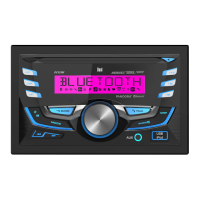
DC525Bi OPERATION
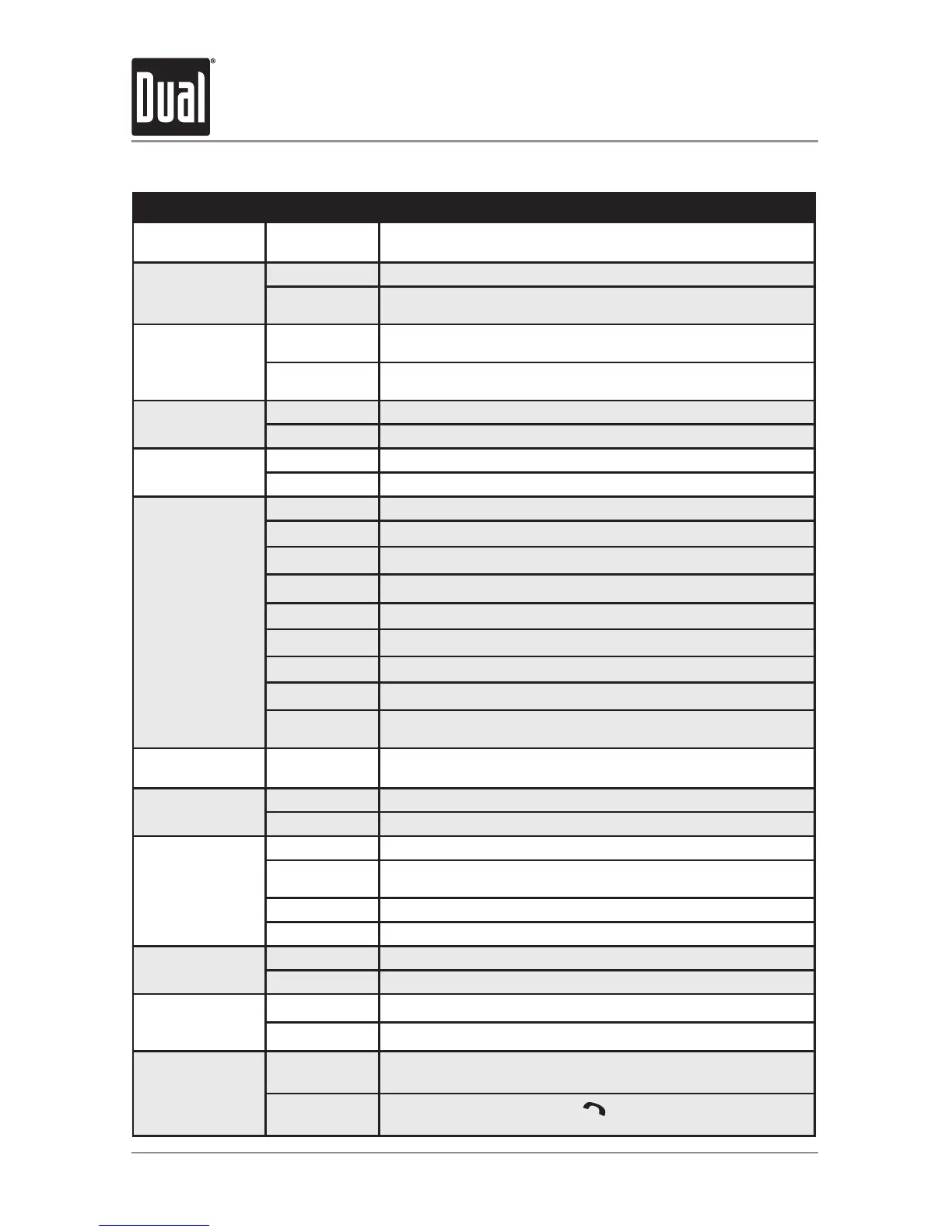
General Operation - Setup Menu
Menu Function Options Action
Auto Station
Store
AUTO STORE
Press SELECT to seek and save 6 strong stations in the
current band. (Tuner mode only)
Local/Distance
Tuning
LOCAL OFF Activates distance tuning (Tuner mode only).
LOCAL ON
Activates local tuning for strong station reception only (Tuner
mode only).
Tuner
Frequency
Spacing
FREQ USA
Programs the unit to USA tuner spacing.
(200kHz for FM and 10kHz for AM). (Tuner mode only)
FREQ EURO
Programs the unit to European tuner spacing.
(50kHz for FM and 9kHz for AM). (Tuner mode only)
Auxiliary
Input
AUX ON Enables the front panel 3.5mm auxiliary input.
AUX OFF Disables the front panel 3.5mm auxiliary input.
Beep
Confirmation
BEEP OFF Disables the confirmation beep.
BEEP ON Enables the confirmation beep.
LED Color
LED AUTO
Programs unit to automatically rotate through all LED colors.
BLUE
Programs unit to use blue LED display.
GREEN
Programs unit to use green LED display.
RED
Programs unit to use red LED display.
YELLOW
Programs unit to use yellow LED display.
PURPLE
Programs unit to use purple LED display.
CYAN
Programs unit to use cyan LED display.
WHITE
Programs unit to use white LED display.
LED ADJ
Press and rotate the volume knob to adjust each RGB color
level. After adjustment, that color will appear on the LCD.
Programmable
Turn On Volume
PRO-VOL #
Programs unit to always turn on at a specific volume
(default is OFF). Any volume level 1-30 can be selected.
Power on
Message
MSG OFF Disables power on message. (example: GOOD MORNING)
MSG ON Enables power on message to be displayed.
Scrolling
Option
SCROLL 15 S Programs unit to scroll information every 15 seconds (default).
SCROLL ONCE
Programs unit to scroll once, then show the first 10 characters
on display.
SCROLL ON Programs unit to scroll continuously.
SCROLL OFF Programs unit to show the first 10 characters on the display.
Demonstration
Mode
DEMO OFF Disables the demonstration mode.
DEMO ON Enables the demonstration message.
Bluetooth
BT ON Enables Bluetooth functionality.
BT OFF Disables Bluetooth functionality.
Auto Answer
ANSWER ON
Programs unit to automatically answer every incoming phone
call after 2-3 rings.
ANSWER OFF
Programs unit to require the
button must be pressed to
answer incoming phone calls.


 To Next Page