13
XML8100 OPERATION
Operation of iPod
InserttheiPoddeviceintotheXML8100'sDock,following
theinstructionsonpages11and12.
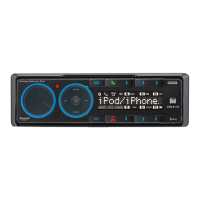
TheiPoddevicecanbecontrolleddirectlyfromtheiPod
device'sinterface,orcontrolledusingtheinsidepanel
buttonsshownbelow:
Press
ll
toskiptothebeginningofthenextsong.
Press
nn
toreturntothebeginningofthecurrentsong.
Pressing
nn
againskipstothebeginningoftheprevious
song.
Press
l
/
II
totemporarilystopplayback.
Press
l
/
II
againtoresumeplayback.
WhenplayinganiPoddevice,thevolumeisadjustable
usingthevolumecontrolsoninsidepanel.When
connected,thevolumecontrolsintheiPoddevice's
interfacearenotadjustable.
Using the In-Dash
Dock for iPod
Control for iPod
Song Select
Pause
Volume
iPod Device Compatibility


 To Next Page