EasyManua.ls Logo

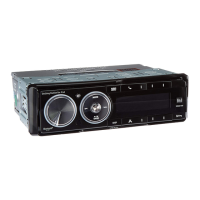
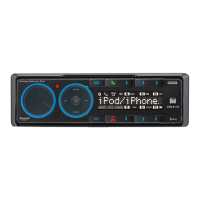
Dual XML8110 - User Manual

Dual XML8110
24 pages
Print Icon
To Next Page IconTo Next Page
Loading...
INSTALLATION/OWNER'S MANUAL
In-Dash AM/FM/Bluetooth
®
 Ready Docking Station for iPod
XML8110
READY

Questions and Answers

  • R
    rebeccasmithAug 9, 2025
    How to fix a Dual Car Receiver that has power but no sound?
    • R
      Robert HallAug 9, 2025
      If your Dual Car Receiver has power but no sound, the issue might be with the speaker wires. Check the connections at the speakers to ensure they are properly connected. Also, make sure that none of the speaker wires are touching each other or the chassis ground; if they are, insulate all bare speaker wires from each other and the chassis ground.
  • L
    Laura ButlerAug 13, 2025
    What to do if my Dual Docking Station unit blows fuses?
    • J
      Jeremiah FergusonAug 13, 2025
      If your Dual Docking Station is blowing fuses, there are several potential causes. First, check for pinched yellow or red wires touching the chassis ground. Second, verify that the speaker wires aren't touching the chassis ground, also checking for pinched wires. Finally, ensure that you are using a fuse with the correct rating.
  • J
    jeremyfreemanAug 18, 2025
    How to troubleshoot a Dual XML8110 with no sound but power?
    • E
      Elizabeth WrightAug 18, 2025
      If your Dual Docking Station has power but no sound, start by checking the speaker wire connections at the speakers. Also, ensure that none of the speaker wires are touching each other or the chassis ground. Insulate all bare speaker wires to prevent them from touching each other or the chassis ground.
  • G
    George JordanAug 23, 2025
    Why won't my Dual XML8110 Docking Station turn on?
    • S
      Susan AndersonAug 23, 2025
      If your Dual Docking Station will not turn on (no power), there are several things you can check: * Verify that the yellow wire is connected and has the correct voltage (11~16VDC). * Ensure the black wire is properly connected to ground. * Check the fuse and replace it if it's blown.
  • J
    James HaynesAug 28, 2025
    Why does my Dual Car Receiver unit blow fuses?
    • K
      Kelly StuartAug 28, 2025
      Your Dual Car Receiver might be blowing fuses due to several reasons. The yellow or red wire could be touching the chassis ground, or the speaker wires might be in contact with the chassis ground. In both cases, check for any pinched wires. Also, ensure that you are using a fuse with the correct rating.
  • A
    Alyssa RivasSep 2, 2025
    What to do if my Dual Car Receiver unit will not turn on (no power)?
    • J
      James DaltonSep 2, 2025
      If your Dual Car Receiver isn't turning on, there could be a few reasons. First, check if the yellow and red wires are properly connected and have the correct voltage (11~16VDC). Also, verify that the black wire is connected to ground. Lastly, inspect the fuse and replace it if it's blown.

Summary

Preparation

General Operation

Basic Unit Operations

Covers power, mode selection, steering wheel interface, volume, mute, reset, display.

Audio Settings and Adjustments

Fine-tuning audio parameters like Bass, Treble, EQ, and Subwoofer.

AM;FM Tuner Operation

Seek and Manual Tuning

Methods for finding radio stations.

Storing and Recalling Station Presets

Saving and accessing favorite radio stations.

iPod Dock Operation

Bluetooth Operation

Limited One Year Warranty

Warranty Coverage and Exclusions

Details on what the warranty covers and does not cover.

Warranty Service Procedures

Steps to follow for warranty service and contact information.

Exclusion of Certain Damages

Limitations on liability for indirect or consequential damages.

Troubleshooting - General

Unit Power Issues

Solutions for when the unit does not turn on.

No Sound Issues

Solutions for when the unit has power but no audio output.

Fuse Blowing Issues

Solutions for persistent fuse blowing problems.

Dual XML8110 Specifications

General IconGeneral
Power DeliveryUp to 100W
EthernetGigabit Ethernet
Video Output4K @ 60Hz
Audio3.5mm Audio Jack
Power SupplyIncluded
Dimensions120 x 60 x 15 mm
Weight150g

Related product manuals