EasyManua.ls Logo

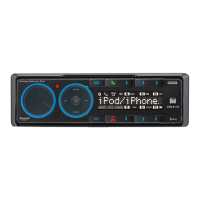
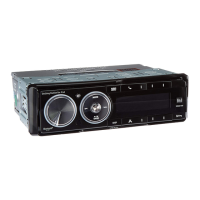
Dual XML8100 - User Manual

Dual XML8100
24 pages
Print Icon
To Next Page IconTo Next Page
Loading...
INSTALLATION/OWNER'S MANUAL
In-Dash AM/FM/Bluetooth
®
Ready Docking Station
XML8100
READY
All manuals and user guides at all-guides.com
all-guides.com

Questions and Answers

  • L
    lchristensenJul 26, 2025
    What to do if my Dual XML8100 unit blows fuses?
    • G
      Gerald SmithJul 26, 2025
      If your Dual Docking Station is blowing fuses, there are several potential causes. First, check for pinched yellow or red wires touching the chassis ground. Second, verify that the speaker wires aren't touching the chassis ground, also checking for pinched wires. Finally, ensure that you are using a fuse with the correct rating.
  • J
    Jennifer HallAug 4, 2025
    How to troubleshoot a Dual Docking Station with no sound but power?
    • L
      lorrainearmstrongAug 5, 2025
      If your Dual Docking Station has power but no sound, start by checking the speaker wire connections at the speakers. Also, ensure that none of the speaker wires are touching each other or the chassis ground. Insulate all bare speaker wires to prevent them from touching each other or the chassis ground.
  • A
    Aimee GuerraAug 14, 2025
    Why won't my Dual XML8100 Docking Station turn on?
    • K
      kevin85Aug 14, 2025
      If your Dual Docking Station will not turn on (no power), there are several things you can check: * Verify that the yellow wire is connected and has the correct voltage (11~16VDC). * Ensure the black wire is properly connected to ground. * Check the fuse and replace it if it's blown.

Summary

Preparation

Installation Steps

Step-by-step guide for mounting the unit.

Wiring Diagram

Connections Overview

Details on RCA, antenna, and power wiring.

General Operation

Setup Menu

Menu Navigation and Basic Settings

Accessing the menu and configuring core options.

Audio Adjustments

AM;FM Tuner Operation

Tuning Methods

Seek and manual tuning for radio stations.

Dock for iPod Operation

Connecting and Securing an iPod

Steps to dock an iPod device securely.

iPod Device Control

Bluetooth Operation

Overview and Preparation

Module installation and device pairing prerequisites.

Bluetooth Pairing Process

Steps to pair a mobile device with the head unit.

Bluetooth Phone Functions

Making and Receiving Calls

Procedures for placing and answering calls.

Call Management

Muting, refusing, and ending calls.

Bluetooth Streaming Audio

Wireless Audio Streaming

Streaming music via A2DP and AVRCP profiles.

Bluetooth Module Reset

Procedure to reset the Bluetooth module.

Limited One Year Warranty

Troubleshooting - General

Unit Not Turning On

Solutions for power-related issues.

Unit Has Power, No Sound

Troubleshooting no audio output.

Unit Blows Fuses

Diagnosing and fixing fuse issues.

Specifications

FCC Compliance

Dual XML8100 Specifications

General IconGeneral
MP3 playback-
DVD Video playbackNo
USB direct playbackYes
Audio formats supportedMP3, WMA
AM band range530 - 1710 kHz
FM band range87.5 - 107.9 MHz
Supported radio bandsAM, FM
Preset stations quantity30
Output power68 W
Product colorBlack
Equalizer bands quantity5
Display typeLCD
Key illumination colorBlue

Related product manuals