2
Remove the Water Tank
and pour fresh water into the
Water Filter Holder. The water
will ow through the Filter. Top
up as the level drops. Maximum
ll level is the top of the Water
Filter Holder. Do not overll.
3
WATER TANK
Place the Water Tank into the
machine, pressing down rmly.
Ensure the Float is facing
towards the front. The Water
Tank Lid will sit ush with the
top surface when the Water
Tank is tted correctly.
FILL
1
WATER FILTER
Remove the Water Filter
Holder and disassemble. Place
1x Water Filter inside the Filter
Basket. Click the Filter Basket
back onto the Water Filter
Holder and locate in Water
Tank.
2 3
REPLACEMENT
DATE
Once Water Filter has been
replaced, turn the Water Filter
Replacement Indicator to the
required month.
Daily use: Replace Water Filter
every month.
Light use: Replace Water Filter
every two months.
SOAK
Soak for 5 minutes to activate
the Water Filter. Discard the
water. The water only needs
to be activated before rst use.
From then on, you can ll the
Water Tank as normal.
1
STEAM VALVE
CAUTION: Ensure the Drip
Tray is located against the
front of the machine. Ensure
the Steam Valve is in the closed
position. Warning - Risk of
Scalding- Keep hands away
from the Outlet at all times.
WATER FILTER REPLACEMENT
BEFORE FIRST USE
BEFORE FIRST USE
- CONTINUED
4
TURN
ON
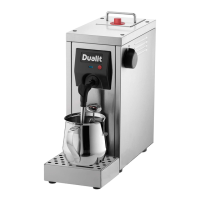
Plug the machine in and turn
on. The ON/OFF switch will
illuminate Red.
5 6
REMOVE NIB
Remove the Thermometer
Nib Protector from the
Thermometer. Clip the
Thermometer onto the side
of the Milk Jug.
INDICATOR LIGHT
U
N
P
L
U
G
W
H
E
N
N
O
T
I
N
U
S
E
The Indicator Light will ash
Green whilst warming and stop
ashing when ready to use. If
it’s Amber or Red, see Quick
Reference Guide on page
09. Note: The machine may
whistle whilst pre-heating. This
is normal operation.
INDICTOR LIGHT:
QUICK REFERENCE GUIDE:
INDICATOR LIGHT MEANINGS
Red and Amber (Flashing) Re-ll Water Tank.
Green (Flashing/ Solid) Machine is warming up to operating
temperature. Once Green illumination is solid,
the machine is ready to use.
Amber (Flashing/ Solid) Descale Required.
Red (Flashing/Solid) Machine in Lock Mode. Carry out mandatory
Descale.
Red (Quick Flash) In Descale Mode.
To help understand each Indicator Light status, see the table below.


 To Next Page
 Loading...