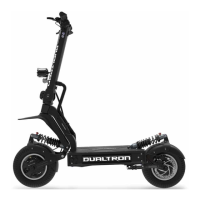
Dualtron X User Manual
11
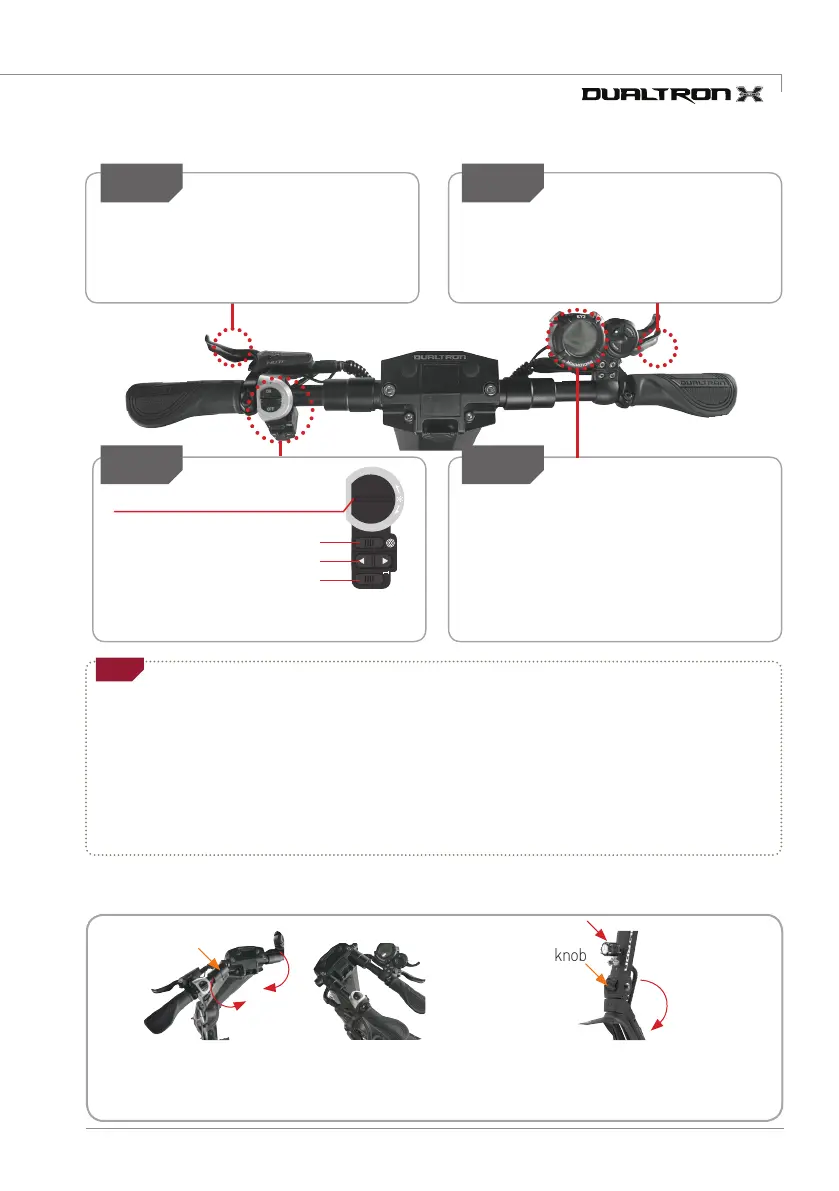
3) How to stop
Step1 Step2
Be sure to use the rear brake first for
decelerating when stopping while driving. For
a safe stop, it is necessary to practice slowing
down after deceleration with rear brake.
Front high power LED light switch
* Additional functions : Switch off and on the front high-power
LED switch within 1 second the high-power LED will blink.
Emergency Light (Press - Blink)
Turn Signal (Left, Right Blink)
Horn (Press Honk)
Always use the front and rear brake
levers together to stop smoothly and
safely after decelerating with the rear
brake.
Rear brake use Front brake use
Step4
Set the use and strength of the electronic
brake among the detailed functions of the
instrument panel before driving. When the
brake lever works, the electronic brake
works together to increase the braking
force.
Deceleration and braking using
electronic brake
Step3
•For safe braking, check whether the brake lever and disc caliper connection (wire damage, external breakage, etc.) are
damaged before and after driving, and check brake wear and looseness of brake inner core (inner wire).
In the case of hydraulic brakes, it is also necessary to check the oil leakage or deficiency and always check that the braking
force is sufficient.
•Due to various factors such as road surface condition and speed, it may not always be possible to come to a complete stop
even when the brake is operated as expected.
The electronic brake and ABS functions are auxiliary functions to further increase the braking force.
The user should understand the function and expect the operation timing when using this function.
Check for safe braking
Tip
Multy Switch
ON
OFF
Handlebar slider
Folding knob
4) Product Folding
1. Releasing fixed handlebar 2. Folding Steering Tube
Pull both side handlebar slider,
and fold forward
Unlock folding knob and press the knob
hard then folding the steering tube.


 To Next Page