2010-12
16 / 22
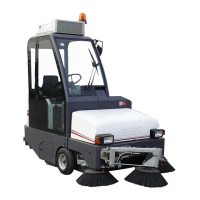
Spazzatrice / Sweeper 90 Elite
5.4 - LAVORO DI PULIZIA
5.4.a - INIZIO LAVORO DI SPAZZAMENTO
La macchina raccoglie sia materiale leggero come foglie,
carte, polvere, ecc... sia materiale più pesante come
sassi, ghiaietto, ecc...
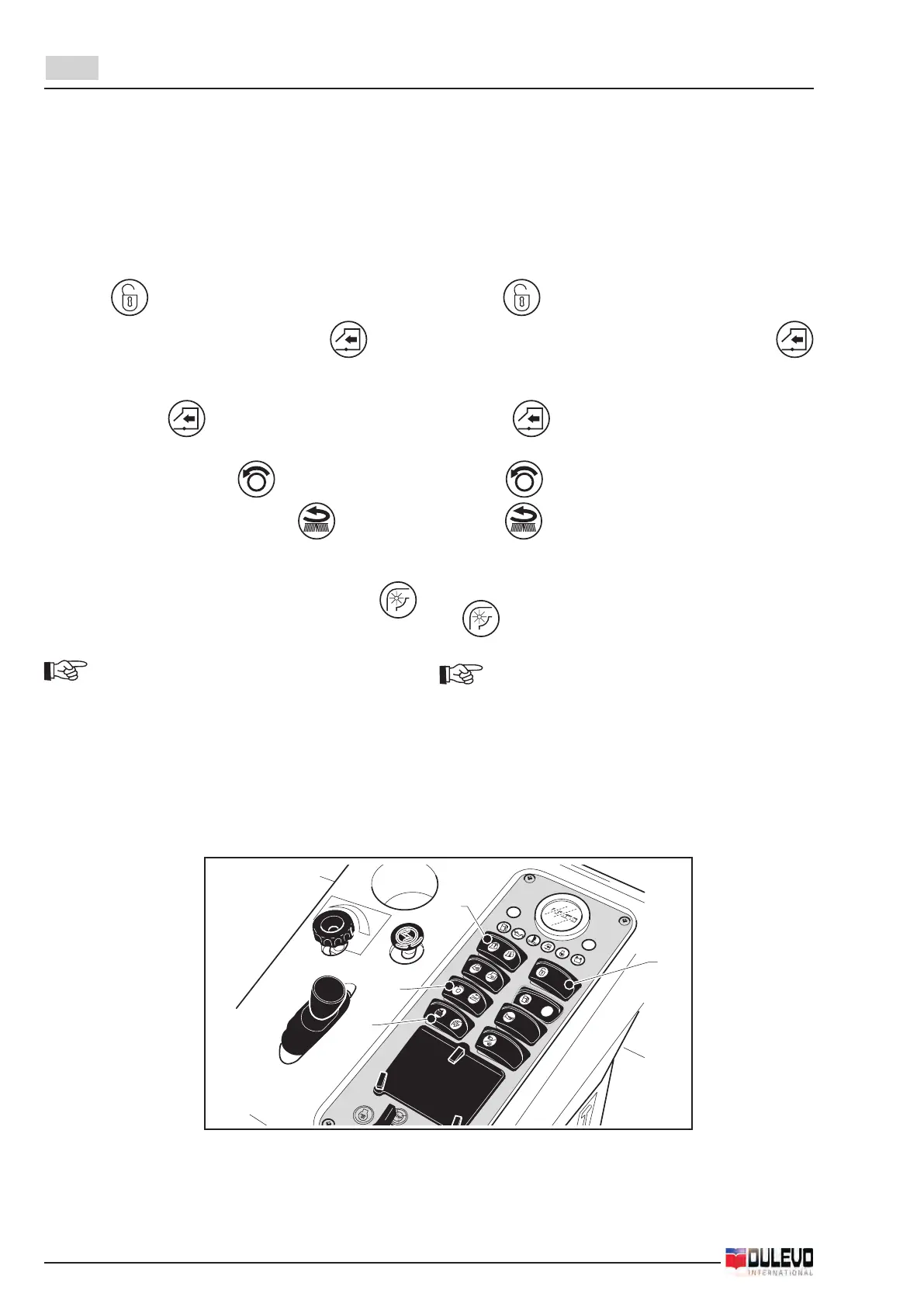
- Abilitare le funzioni di lavoro premendo il pulsante
(1) su (si illumina la relativa spia).
- Aprireilappremendoiltasto(2)verso e man-
tenerlo premuto per circa 5 secondi. Attendere che
sia completamente aperto (indicato dall’illuminazione
della lampada posta sul pulsante).
- Avviare la rotazione delle spazzole agendo sul pul-
sante (3). Premuto verso si abbassa e ruota la
spazzola centrale, premuto verso si azionano
la spazzola centrale e le spazzole laterali.
- Avviare l’aspiratore premendo il tasto (4) verso
, si illumina la relativa lampada .
NOTA:
Con il consumo della spazzola la pressione va leg-
germente aumentata agendo sulla manopola (1).
5.4 - SWEEPING OPERATIONS
5.4.a - SWEEPING WORK START
The machine collects both light material such as leaves,
paper, dust, etc. and heavier material such as pebble,
gravel, etc...
- Enable the working functions by setting the switch
(1) to (the relative pilot lamp turns on).
- Open the ap by pushing the key (2) towards
and keeping it held down for about 5 seconds. Wait
until it is completely open (indicated by the lamp
placed on the button turning on).
- Start the brooms rotation by means of the button (3).
Set to , it lowers and rotates the central broom;
set to , it activates the central brooms and the
side brooms.
- Start the aspirator by pushing the key (4) towards
, the relative lamp turns on.
NOTE:
As the broom wears out, pressure shall be slightly
increased by means of the knob (1).



 To Next Page