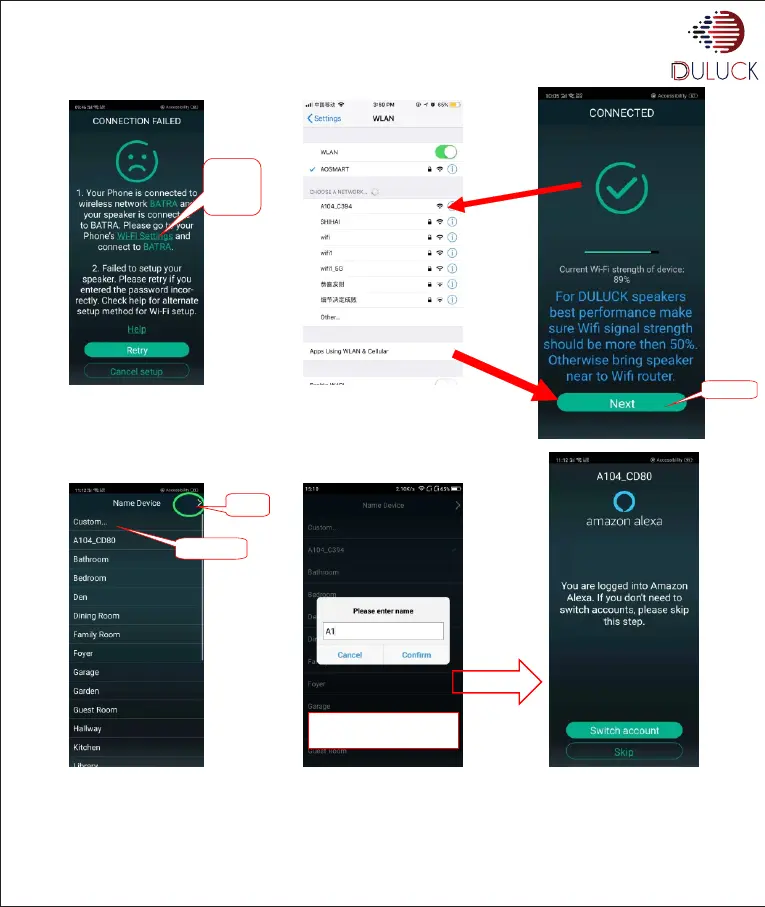
• This screen will appear with list of available wifi networks near your location.
• Select the Wifi network you wish to connect and enter password. Press “continue”
• After successful connection of your speaker with Wifi you will see following screen.
• Press Name of the Duluck-Alexa-Device. Press top right corner arrow “>”.
Enter your custom name
and click confirm
www.duluckos.com, Customer care:- +918083666333, Email:- help.duluckoverseas@gmail.com
P.T.O.
Click
Wifi
Setting
Click Next
Click
Click
Custom


 To Next Page