EasyManua.ls Logo

Duluth Forge FDF300R - User Manual

Duluth Forge FDF300R
36 pages
Print Icon
To Next Page IconTo Next Page
Loading...
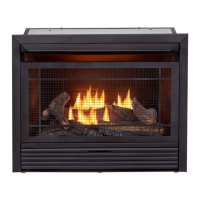
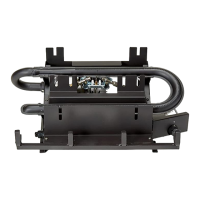
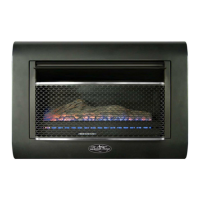
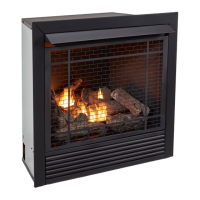
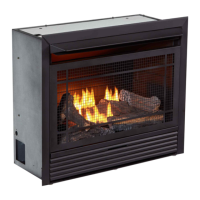
VENT-FREE GAS FIREPLACE
INSERT
OWNER’S OPERATION AND
INSTALLATION MANUAL
MODEL FDF300R
SKU #170032
PFS
®
US
WARNING: If the information in this manual is not
followed exactly, a re or explosion may result causing
property damage, personal injury or loss of life.
Do not store or use gasoline or other ammable va-
pors and liquids in the vicinity of this or any other
appliance.
WHAT TO DO IF YOU SMELL GAS
Do not try to light any appliance.
Do not touch any electrical switch; do not use any
phone in your building.
Immediately call your gas supplier from a neighbors
phone. Follow the gas suppliers instructions.
If you cannot reach your gas supplier, call the re
department.
Installation and service must be performed by a quali-
ed installer, service agency or the gas supplier.
WARNING: This appliance is equipped for Natural and
Propane gas. Field conversion is not permitted other than
between natural or propane gases.
This insert can be used in the mantel and
replace systems CM300-1
Questions, problems, missing parts? Before returning to your retailer, call
our customer service department at 1-855-607-6557, 8:00 am - 4:30 pm EST,
Monday through Friday or email info@factorybuysdirect.com

Questions and Answers

  • M
    Michael SmithSep 22, 2025
    Why is my Duluth Forge Indoor Fireplace clicking?
    • M
      Margaret ConwaySep 22, 2025
      If your Duluth Forge Indoor Fireplace produces a clicking/ticking noise just after the burner is lit or shut off, it is likely due to metal expanding while heating or contracting while cooling. This is common with most heaters.
  • T
    tammy95Aug 25, 2025
    What to do if I smell gas even when my Duluth Forge FDF300R is off?
    • J
      Jaclyn ThomasAug 25, 2025
      If you notice a gas odor from your Duluth Forge Indoor Fireplace even when the control knob is in the OFF position, it could be due to a gas leak. You should locate and correct all leaks. Alternatively, the control valve might be defective, and you should contact customer service.
  • A
    allison97Aug 25, 2025
    Why does the pilot light go out when I release the control knob on my Duluth Forge FDF300R?
    • M
      Miguel LozanoAug 26, 2025
      If the ODS/pilot lights but the flame goes out when you release the control knob on your Duluth Forge Indoor Fireplace, make sure the control knob is fully pressed in and held for at least 30 seconds after the pilot lights. Ensure the equipment shutoff valve is fully open. Check that the thermocouple connection is snug at the control valve, tightening it by hand until snug, then another 1/4 turn. If the pilot flame isn't touching the thermocouple, contact your local gas company or clean/replace the ODS/pilot assembly. If the thermocouple is damaged, replace it. If the control valve is damaged, contact customer service.
  • M
    mcclainelizabethAug 27, 2025
    Why does my Duluth Forge Indoor Fireplace heater shut off in use?
    • T
      Teresa KimAug 27, 2025
      If your Duluth Forge Indoor Fireplace heater shuts off during use (ODS operates), it could be due to a few reasons. First, check if enough fresh air is available by opening a window or door for ventilation. It could also be due to low line pressure, in which case you should contact your local gas supplier. Lastly, the ODS/pilot might be partially clogged, so try cleaning it.
  • J
    James GreeneSep 23, 2025
    Why is there white powder around my Duluth Forge Indoor Fireplace?
    • W
      williamsbryceSep 23, 2025
      If you notice white powder residue forming within the burner box or on nearby surfaces with your Duluth Forge Indoor Fireplace, it's likely due to vapors from furniture polish, wax, carpet cleaners, etc., turning into white powder residue when heated. Turn off the heater when using such products.
  • M
    Michael JohnsonDec 1, 2025
    What to do if there's a spark but no pilot flame on my Duluth Forge FDF300R Indoor Fireplace?
    • N
      novaksheliaDec 1, 2025
      If you press the ignitor button and there is a spark at the ODS/pilot but no pilot flame on your Duluth Forge Indoor Fireplace, first check if the gas supply is turned off or the equipment shutoff valve is closed; if so, turn on the gas supply or open the valve. Ensure the control knob is fully pressed in while pressing the ignitor button. If there is air in the gas lines (especially after a new installation or recent gas interruption), continue holding down the control knob and repeat the igniting operation until the air is removed. The ODS/pilot may be clogged, so clean or replace the assembly. Incorrect inlet gas pressure or a damaged inlet regulator can also cause this, so check the pressure or replace the regulator. Verify the control knob is in the PILOT position. Finally, if you're ...
  • A
    Adam LawsonSep 12, 2025
    How to fix no spark at pilot light on Duluth Forge Indoor Fireplace?
    • D
      Daniel MillsSep 12, 2025
      If there is no spark at the ODS/pilot when the ignitor button is pressed on your Duluth Forge Indoor Fireplace, the ignitor electrode may be positioned incorrectly or broken, requiring replacement. Alternatively, the ignitor electrode might not be connected to the ignitor cable, in which case you should replace the ignitor cable. The ignitor cable could also be pinched or wet; free it if pinched, and keep it dry. If the ignitor cable is broken, replace it. A bad piezo ignitor or a low battery could also be the cause, requiring replacement of the piezo ignitor or the battery.
  • B
    Brooke GuerraSep 12, 2025
    What to do if burners won't light on my Duluth Forge Indoor Fireplace?
    • S
      Sarah MoranSep 12, 2025
      If the burner(s) of your Duluth Forge Indoor Fireplace does not light after the ODS/pilot is lit, the burner orifice might be clogged and needs cleaning or replacement. Another possibility is that the burner orifice diameter is too small, requiring replacement. It is also possible that the inlet gas pressure is too low.
  • M
    Margaret HaynesSep 4, 2025
    Why is there smoke or odor during the first use of my Duluth Forge FDF300R?
    • P
      princedennisSep 4, 2025
      If you notice a slight smoke or odor during the initial operation of your Duluth Forge Indoor Fireplace, it is likely due to residues from the manufacturing process. This problem should stop after a few hours of operation.
  • A
    Abigail WalkerSep 2, 2025
    How to fix a Duluth Forge FDF300R Indoor Fireplace pilot light that won't light when using natural gas?
    • Z
      Zoe HillSep 2, 2025
      If you are using natural gas and the pilot will not light on your Duluth Forge Indoor Fireplace, it may be because the inlet pressure exceeds 9" WC. Bypass the pressure switch.

Summary

Safety Precautions

Carbon Monoxide Poisoning Dangers

Details the symptoms and risks of carbon monoxide poisoning, emphasizing immediate action for safety.

Gas Type Information

Explains that natural and propane/LP gases are odorless and rely on added odorants for leak detection.

Product Specifications

Natural Gas Specifications

Outlines technical details for natural gas, including input rating and pressure.

Propane Gas Specifications

Details technical specifications for propane/LP gas, including input and pressure.

Qualified Installing Agency Requirements

Product Features Overview

Safety Pilot System (ODS)

Describes the Oxygen Depletion Sensing safety shutoff system for preventing operation with insufficient air.

Piezo Ignition System

Details the electronic piezo ignition system that uses one AAA battery for operation.

Thermostatic Control Function

Explains how the thermostat automatically cycles the burner to maintain a set room temperature.

Dual Gas Compatibility

Notes the heater's capability to operate on either Propane/LP or Natural gas.

Local Codes and Standards

Unpacking Instructions

Product Identification Diagram

Water Vapor from Unvented Heaters

Air for Combustion and Ventilation

Ventilation Air from Inside Building

Provides methods for supplying fresh air from adjoining unconfined spaces for combustion.

Ventilation Air from Outdoors

Details how to supply fresh air directly from outdoors using grills or ducts.

Installation Procedures

General Installation Warnings

Critical safety warnings regarding placement, clearances, and flammable materials.

Gas Type Verification

Ensures the gas supply type matches the heater's configuration.

Electrical Supply Connection

Requirements for connecting the 120V electrical outlet and remote receiver power.

Clearances to Combustibles

Specifies minimum safe clearances from the heater to walls and ceiling.

Gas Selection and Connection

Instructions for selecting the correct gas type and connecting it to the appliance.

Connecting to Gas Supply

Detailed guidelines and warnings for safely connecting the gas supply line.

Checking Gas Connections

Procedures for testing all gas piping and connections for leaks.

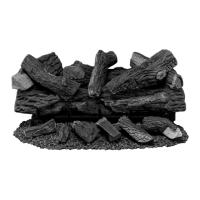
Installing Logs

Step-by-step instructions for correctly positioning the logs on the burner.

Installing Batteries

Guide for inserting batteries into the ignitor, remote control, and receiver.

Operation Guide

Safety Before Lighting

Essential safety precautions and checks required before lighting the pilot.

Action If Gas Is Smelled

Emergency procedures to follow immediately if a gas leak is detected.

Lighting Instructions

Step-by-step guide for safely lighting the pilot and main burner.

Thermostat Control Operation

How to set and use the thermostat for automatic room temperature control.

Remote Control System

Overview of the remote system, including programming, settings, and operation.

Inspecting Burners

Pilot Flame Pattern Check

Guidance on identifying correct and incorrect pilot flame patterns.

Burner Flame Pattern Check

How to recognize correct and incorrect burner flame patterns for optimal performance.

Burner Primary Air Holes

Information on the importance of clean primary air holes for preventing soot.

Care and Maintenance

Main Burner Cleaning

Instructions for inspecting and cleaning main burner flame holes to prevent sooting.

Pilot Air Inlet Hole Cleaning

Procedure for cleaning the pilot air inlet hole and pilot assembly.

ODS and Pilot Cleaning

Methods for cleaning the Oxygen Depletion Sensor (ODS) and pilot assembly.

Cabinet Cleaning Procedures

Instructions for cleaning the interior and exterior surfaces of the heater cabinet.

Log Maintenance and Replacement

Guidelines for handling, cleaning, and replacing logs if broken or chipped.

Electrical Connections

Electrical Connection Requirements

Details on connecting the stove to a 120V power source and grounding.

Grounding Instructions

Proper grounding procedures for electrical safety of the appliance.

Electrical Wiring Guidelines

Rules and recommendations for electrical re-wiring and component replacement.

Troubleshooting Common Issues

Gas Pressure Issues

Diagnosing and resolving problems related to gas pressure affecting pilot ignition.

Ignitor and Pilot Flame Problems

Solutions for issues with ignitor spark and pilot flame not staying lit.

Burner Ignition and Flame Issues

Troubleshooting delayed ignition, backfiring, and incorrect burner flame.

Odor, Noise, and Residue Issues

Addressing problems like clicking noises, white powder residue, and unwanted odors.

Service Hints for Low Gas Pressure

General tips and troubleshooting guidance for low gas pressure situations.

Technical Service Contact Information

Contact details for customer support regarding installation or technical issues.

Parts Identification

Parts Diagram

An illustrated diagram showing the location of all replaceable parts.

Replaceable Parts List

A list of part numbers, descriptions, and quantities for ordering replacement parts.

Replacement Parts Information

Parts Under Warranty

Procedure for obtaining replacement parts covered under the product warranty.

Parts Not Under Warranty

Instructions on how to order replacement parts not covered by the warranty.

Available Accessories

Equipment Shutoff Valve

Information on the optional equipment shutoff valve accessory.

Optional Fan Kit

Details on the optional fan kit accessory and its settings.

Product Warranty

Keep This Warranty Record

Instructions for retaining warranty documentation for verification.

Factory Limited Warranties

Details on standard and limited warranties for new and reconditioned products.

Terms Common to All Warranties

General terms and conditions applicable to all product warranties.

Duluth Forge FDF300R Specifications

General IconGeneral
Fuel TypeNatural Gas or Liquid Propane
BTU Output30, 000 BTU
FinishBlack
Log MaterialCeramic Fiber
Warranty1 Year Limited
MaterialSteel
Ignition TypeElectronic
TypeVent-free

Related product manuals