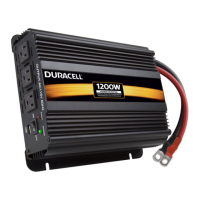
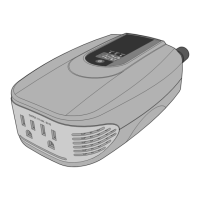
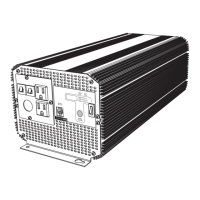
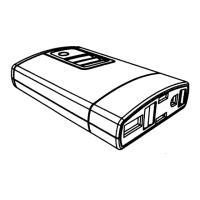
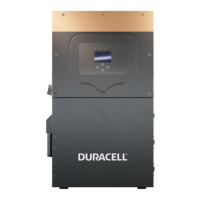
1000/2000/3000 Watt High Power Inverters
User Guide
Product Specifications
(1000 / 2000 / 3000 Watt Inverters)
Output Specifications 1000W 2000W 3000W
Continuous power (Watts) 1000 2000 3000
Surgepower (Watts) 2000 4000 6000
Output wave form Modified sine wave Modified sine wave Modified sine wave
No-load power draw <0.45 A DC <0.45A DC <0.6A DC
Nominal output voltage 115V AC 115V AC 115V AC
USB 5V DC, 3.1A Shared 5V DC, 3.1A Shared 5V DC, 3.1A Shared
Protection And Alarms 1000W 2000W 3000W
Low battery alarm 10.5V DC (beeping sound) 10.5V DC (beeping sound) 10.5V DC (beeping sound)
Low battery shutdown 9.5V DC 9.5V DC 9.5V DC
High battery voltage shutdown 15.5V DC 15.5V DC 15.5V DC
Fuse (external, user replaceable) 40A x 3 (max) 40A x 6 (max) N/A (no replaceable fuses)
Over-temperature protection Yes Yes Yes
Cooling fan Yes, temperature-controlled Yes, temperature-controlled Yes, temperature-controlled
Overload and short circuit protection Yes Yes Yes
Dimensions And Weight 1000W 2000W 3000W
Dimensions W x H x D (inches / cm) 5.1 x 8.9 x 2.75 / 13.0 x 22.7 x 7.0 7.8 x 11.7 x 3.8 / 19.8 x 29.7 x 9.7 11.3 x 12.1 x 3.8 / 28.8 x 30.9 x 9.7
Weight (lbs / kg, inverter only) 2.12 / 0.96 4.73 / 2.15 7.2 / 3.3
AC Outlet Reset Button (3000 Watt inverters):
The 3000 Watt inverter features AC outlets equipped with a manual reset button. This
button which acts as a breaker for the outlet in the event of an overload or if the connected
device is short-circuited.
If these faults occur, the button will pop out and the outlet will shut off. Unplug the
connected item and press the button to reset.
Rather than shutting the entire inverter down, the other outlets are not affected and will still
operate as long as they do not also experience a fault.
OTP Over Temperature: Improve air circulation
OVP Over Voltage: Check battery voltage
UVP Under Voltage: Charge battery
OLP Over Load: Reduce output load
Fault Warnings: If an error occurs
during usage, the screen will display
the type of fault and recommended
actions to correct it.
Please refer to the Troubleshooting
Guide above for specifics on faults.
LCD Screen (1000 /2000 / 3000 Watt Inverters):
Your inverter features several built-in protection features to ensure safe and efficient operation. Below is a guide which shows the typical faults that occur during normal operation and how to correct them and resume using your
inverter. If a fault occurs, you will be alerted by an audible alarm (Constant Beep for 30 seconds then silence for 5 minutes; this will repeat until the fault is resolved). The power button LED will also turn red to alert you as well.
Please refer to the table below to safely correct any problems and allow your inverter to reset and resume operation. If you have additional questions, please contact Customer Service at (800) 300-1857.
Fault Type Power Button Color Inverter shutdown What it means What to do Reset your inverter
Low voltage Red Yes (stops operation) Your source battery is running low/ Recharge your battery, or connect the Automatic (Once input voltage reaches 12V)
approaching full discharge inverter to a new, fully charged battery
Over voltage Red Yes (stops operation) The voltage of your source battery is Connect to a 12 Volt battery Automatic (Once input voltage is 15V or less)
too high (exceeds 15.5 Volts)
Over load/ Red Yes (stops operation) The power draw of your devices exceeds Disconnect your devices and ensure Manual reset: Press power button and hold
short circuit the maximum output of the inverter that your combined power draw is less than for 2 seconds to turn off, then press and hold
1000W, 2000W, or 3000W (varies by inverter) power button again for 2 seconds to turn on.
For 3000W model, unplug your device’s power
cord to the affected plug and reset circuit breaker
(see AC Outlet Reset Button note below).
Over temperature Red Yes (stops operation) Inverter has overheated Disconnect any devices and allow the Automatic (Once inverter cools down)
inverter to cool down for 10 minutes
Ensure that nothing is blocking the cooling
fan and that air is circulating freely
around the inverter.
Troubleshooting Guide (1000 / 2000 / 3000 Watt Inverters)


 To Next Page
 Loading...