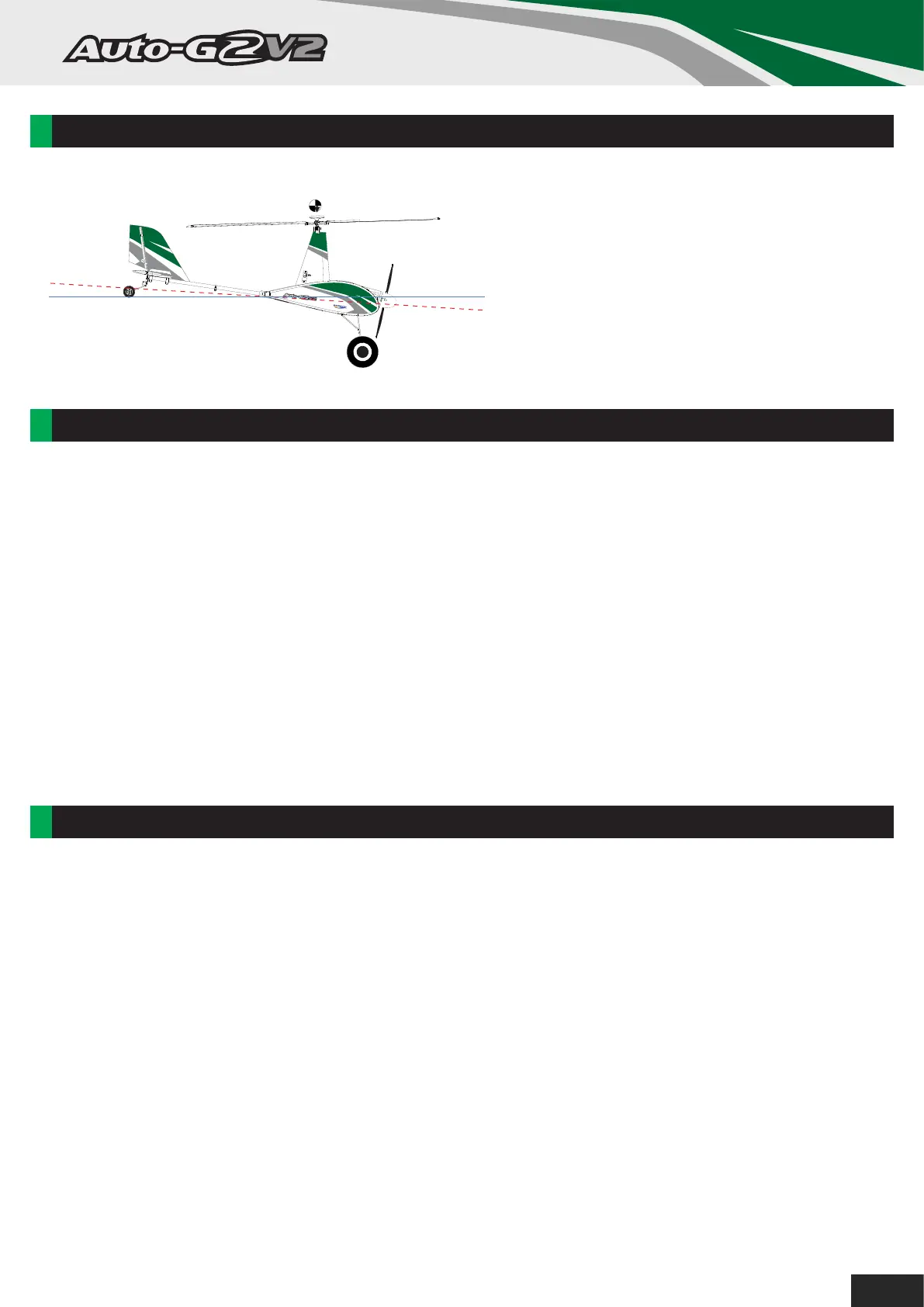
CG LOCATION:
MODEL FLYING PRECAUTIONS:
With the recommended battery installed, lift the
AutoG2 V2 by the head and the nose should
drop to approximately 3-5 degree’s below the
horizon. This indicates you are within the
correct CG range. Add weight to the nose or tail
until you find a balance point you are
comfortable with within this range when flying.
Horizontal line
3-5°
• Select your flying area carefully, always choose an open space that is free from obstructions and away from
crowded areas. Avoid flying in areas with roads, electric/telephone poles/wires, or within close proximity to
full size air traffic.
• Do not fly this model in poor weather, high winds, fog or mist, inclement temperatures, and rain and storms
are to be avoided.
• Never attempt to catch this model whilst in flight. Even a slow moving model can cause harm to yourself and
others, and risks damage to the model.
• This model is recommended for children no younger than 14 years old. All children, no matter what age,
should always be supervised by a capable and responsible adult when operating this model.
• Remember to keep clear of the propeller at all times when the flight battery is connected.
• Before flying, always turn on your transmitter first, then plug your flight battery into the model.
• After flying, always unplug your flight battery first, then turn off your radio transmitter. Never leave the battery
plugged in when not in use.
• Exercise caution when charging your battery, follow in full the manufacturers safety and charging guidlines.
PRE-FLIGHT CHECKS:
1. Always range check your model before any flight (especially when flying a new model for the first time).
Follow your radio manufacturers guidelines for performing this check.
2. Check all screw bolts and mounting points are firmly secure, including control horns and clevises. Also
check that the rotor head is secure and installed correctly (not upside down).
3. Only fly with fully charged batteries (both in your radio and model). Failure to do so could result in loss of
control, damage to the model and/or persons/property around you. Check your batteries are fully charged.
4. With the model powered up (transmitter on first, then receiver/model) check that all surfaces are free from
damage/obstructions, moving in the correct directions and freely with the stick inputs.
5. Inspect the model, prop and rotors for any damage that may have occurred during transit and listen for any
unusual sounds from the electronics when powered up. If in doubt, do not fly.
6. With the model held securely and the prop free of obstructions, increase the throttle just slightly to confirm
the rotation of the prop is correct. The model should want to pull straight forward with throttle.
9



 To Next Page