10
OPERATION
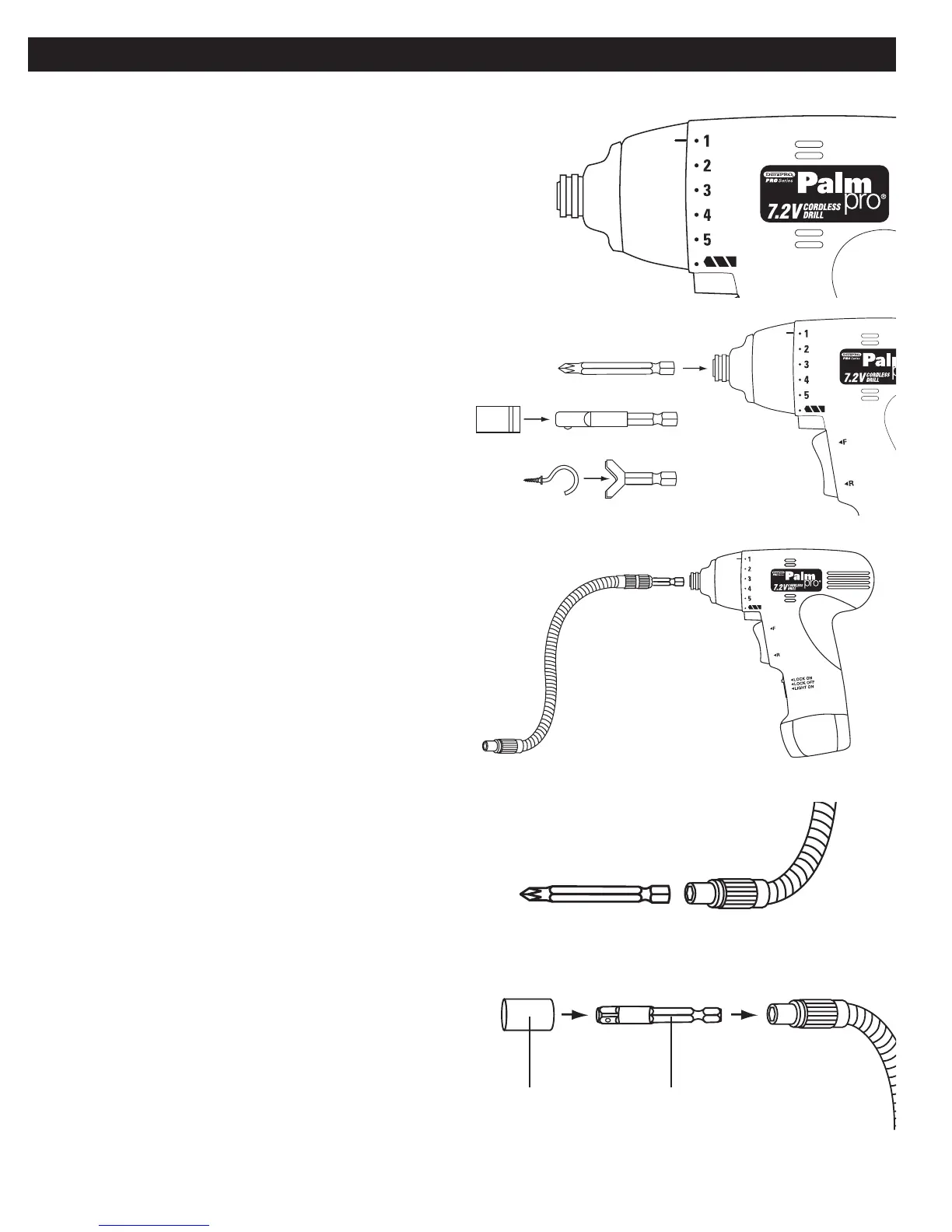
TO SET THE TORQUE LEVEL:
While grasping the main housing of the PalmPRO with one hand, grasp the
torque level adjustment ring with your other hand and turn it until the torque
level indicator is aligned with the desired number or the drilling icon. It may
take a little force to turn the ring, especially the fi rst few times you move it.
The torque level can be adjusted to 6 different clutch settings (1-5 for
driving screws, and a special setting for drilling). The lowest torque level is
1, and maximum torque is achieved at the drilling setting.
The clutch will slip at various torque levels when set at the number 1 to 5.
The clutch is designed not to slip at the drill bit icon marking.
USE AS A SCREWDRIVER
Insert screwdriver bits into chuck
USE AS A SOCKET DRIVER
Insert 1/4” socket adapter into chuck. Place sockets on to adapter.
USE AS A HOOK DRIVER
Insert hook driver attachment into chuck. Place over end of hooks.
SNAKEDRIVER ATTACHMENT
Drive fasteners at virtually any angle using the SnakeDriver attachment.
TO USE
Insert Snake driver attachment into the chuck in the same manner as used
with other bits.
USE SNAKE DRIVER AS SCREWDRIVER
Insert bits into the SnakeDriver by sliding the bits into the 1/4” opening.
USE SNAKE DRIVER AS NUT-DRIVER
Insert 1/4” socket adapter into chuck. Place sockets on to adapter.
SOCKET ADAPTERSOCKET


 To Previous Page