Changing / Inspecting the AVR
The carbon brushes in conjunction with the AVR regulates
power from the generator. If the generator is overheated
or overloaded, the AVR may be damaged and require
replacement.
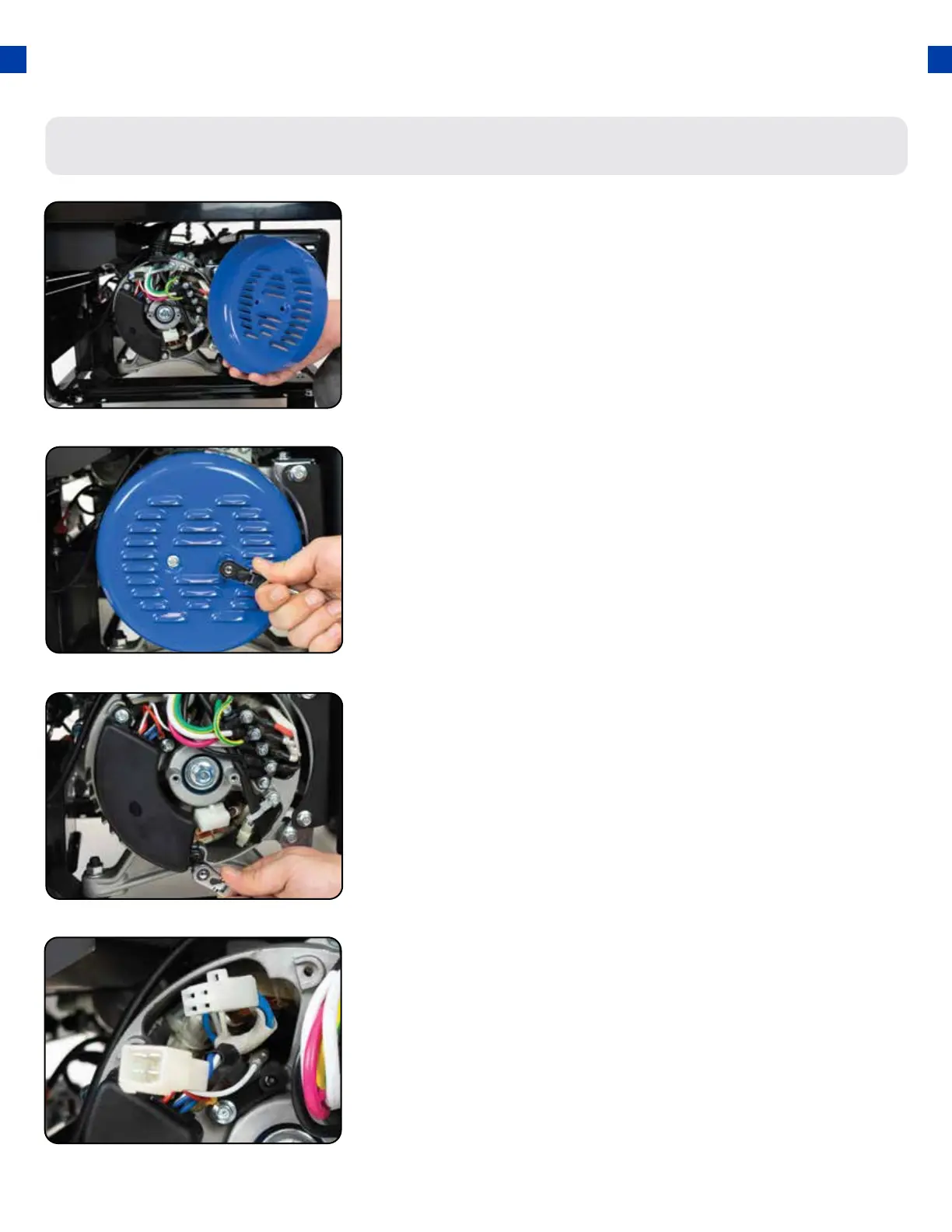
Remove generator cover
Remove AVR bolts
Disconnect AVR wire clip
Remove the 2 bolts of the generator cover then pull the cover
o the generator.
Remove the 2 bolts holding the AVR.
Disconnect the wire clip.
1.
2.
3.
71




 To Next Page