11
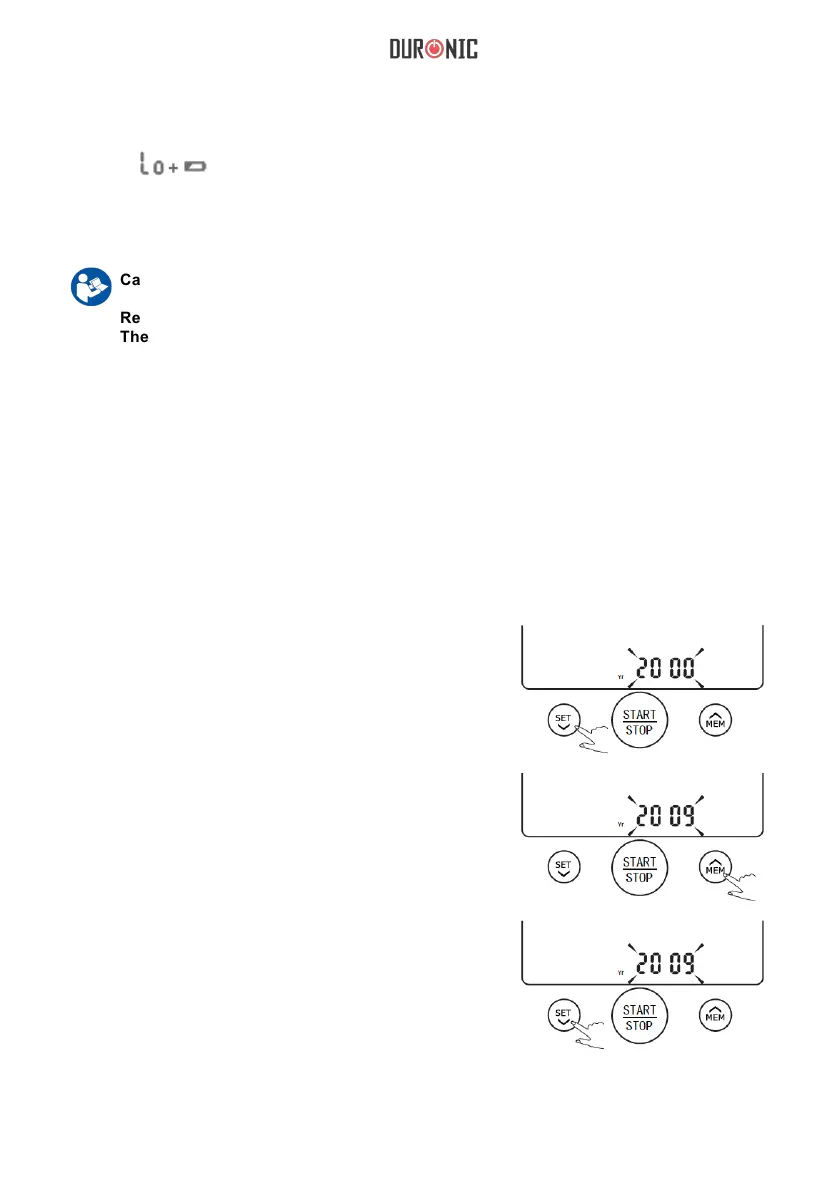
Setting Date And Time
1.When the unit is off,
hold pressing “SET”
for 3 seconds to enter
the mode for year
setting.
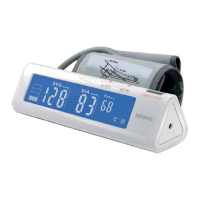
2.Press the “MEM” to
change the [YEAR].
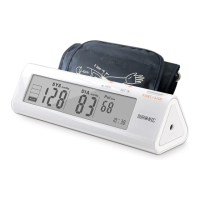
3.When you get the right
year, press “SET” to set
down and turn to next
step automatically.
It is important to set the clock before using your blood pressure monitor, so that a time stamp can
be assigned to each record that is stored in the memory. (year :2000—2050 time:24 H)
Replace the batteries whenever the below happen:
The
show
s
The display dims
The display does not light up
Caution:
Remove batteries if the device is not likely to be used for some time.
The old battery is harmful to the environment, do not dispose with other daily trash.
Remove the old battery from the device and follow your local recycling guidelines.
Do not dispose of batteries in re. Batteries may explode or leak.


 To Next Page