14
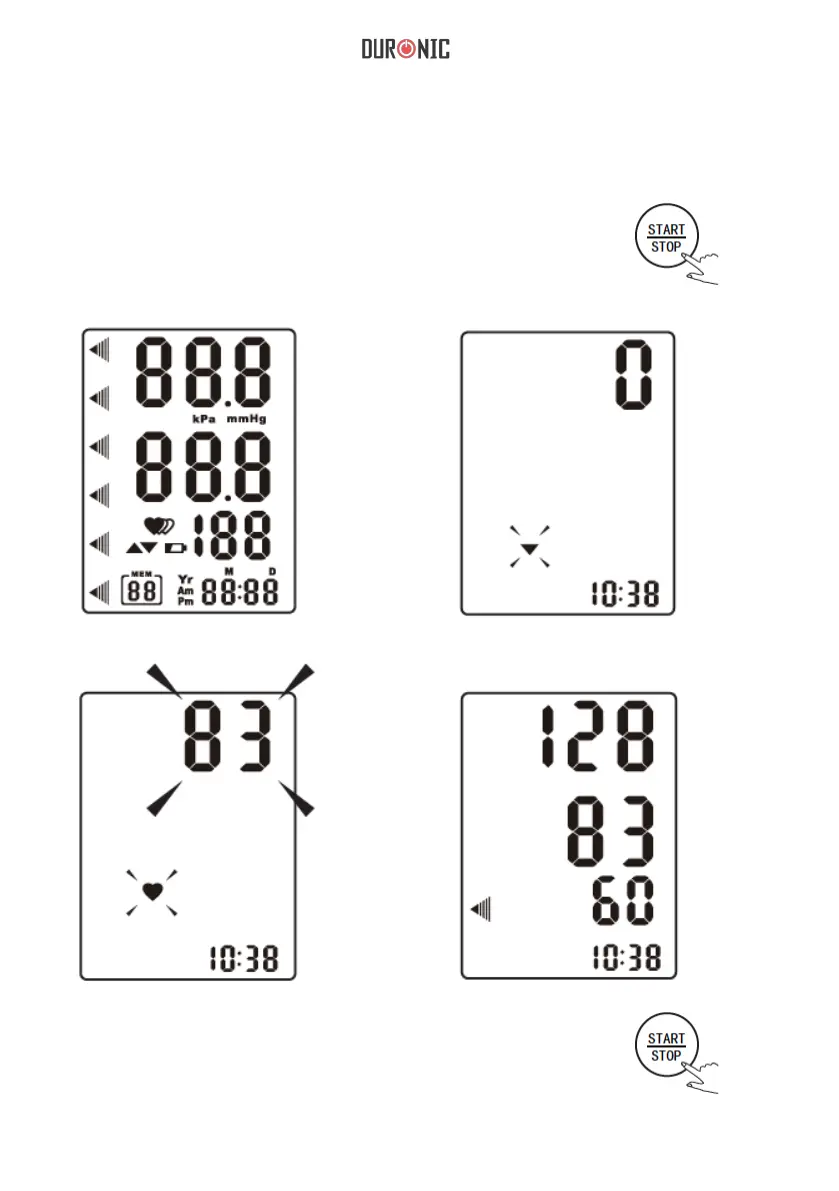
Start the Measurement
1. Press the “START/STOP” to turn
on the monitor, and it will nish the
whole measurement automatically.
2. Press the “start/stop” to power
off, otherwise it will turn off
automatically within 1 minute.
LCD Display
Adjust the zero automatically.
Inating and measuring automatically. Display and save the results automatically.


 To Next Page