EasyManua.ls Logo

Durst F60 - Page 14

Default Icon
17 pages
Print Icon
To Next Page IconTo Next Page
To Previous Page IconTo Previous Page
Loading...
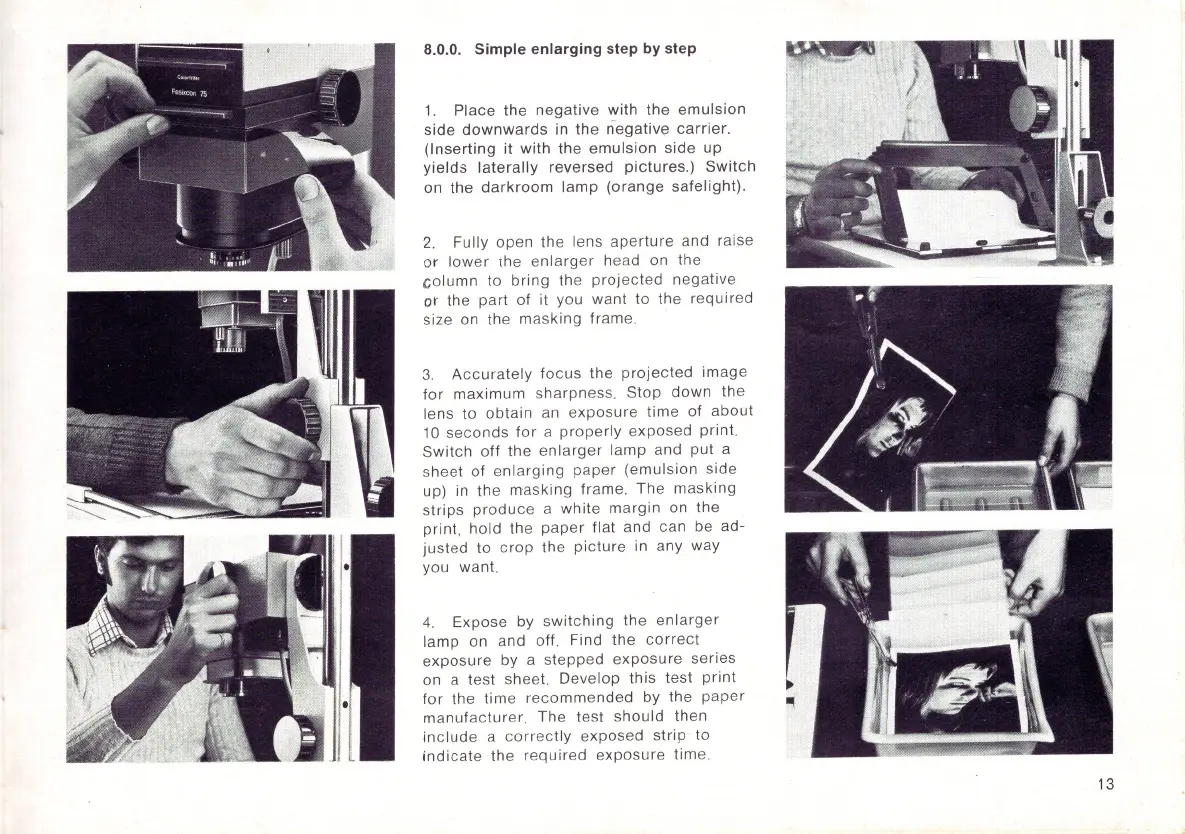
8.0.0. Simple enlarging step by step
1.
Place the
negative
with the
emulsion
side
downwards
in
the
n-
egative
carrier.
(Inserting
it
with
the
emulsion
side
up
yields
laterally
reversed
pictures.)
Switch
on the
darkroom
lamp
(orange
safelight).
2.
Fully open the lens
aperture
and raise
or
lower
lhe
enlarger
head on the
column
to
bring
the
projected
negative
or the
part
of
it you want to the
required
size on the
masking
frame.
3.
Accurately
focus
the
projected
image
for
maximum
sharpness.
Stop
down
the
lens to
obtain
an
exposure
time
of
about
10
seconds
for
a
properly
exposed
print.
Switch
off
the
enlarger
lamp
and put a
sheet
of
enlarging
paper
(emulsion
side
up) in the
masking
frame.
The
masking
strips
produce
a
white
margin on the
print,
hold
the
paper
flat and can be ad-
justed
to
crop
the
picture
in any way
you want.
4.
Expose by
switching
the
enlarger
lamp on and off. Find the
correct
exposure
by a
stepped
exposure
series
on a test sheet. Develop
this
test
print
for
the
time
recommended
by the
paper
manufacturer.
The test
should
then
include
a
correctly
exposed
strip
to
indicate
the
required
exposure
time.
13

Related product manuals