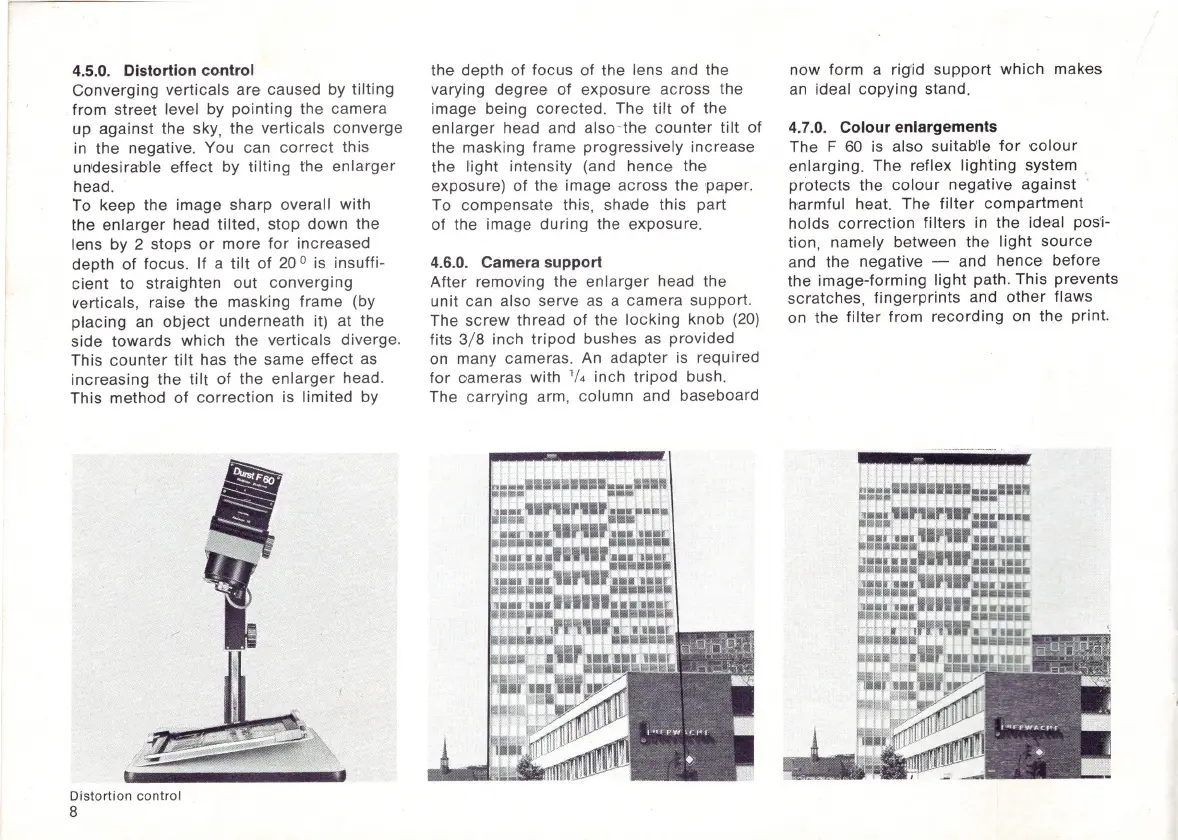
4.5.0. Distortion control
Converging
verticals
are caused by
tilting
from street level by
pointing
the camera
up against the sky,
the
verticals converge
in
the negative. You can
correct
this
un'desirab'le
effect
by
tilting
the
enlarger
head.
To keep the image sharp overall with
the
enlarger
head tilted, stop
down
the
lens by 2 stops
or
more
for
increased
depth
of
focus. If a
tilt
of
20
0
is insuffi-
cient
to straighten out
converging
verticals, raise the masking frame (by
placing an
object
underneath it) at the
side
towards
which
the
verticals diverge.
This
counter
tilt
has
the
same
effect
as
increasing
the
tilt
of
the
enlarger
head.
This method
of
correction
is
limited
by
,
Distortion
control
8
the depth of focus
of
the lens and the
varying
degree
of
exposure across the
image being corected. The
tilt
of
the
enlarger
head and also-the
counter
tilt
of
the masking frame progressively increase
the
light
intensity (and hence the
exposure)
of
the image across the
paper.
To compensate this, shade this part
of the image
during
the exposure.
4.6.0. Camera support
After removing the
enlarger
head the
unit can also serve
as
a camera support.
The
screw
thread
of
the lo
cking
knob (20)
fits 3/ 8 inch
tripod
bushes
as
provided
on many cameras.
An
adapter
is required
for
oameras with '/4 inch
tripod
bush.
The carrying arm, column and baseboard
now
form a rig'id
support
which
makes
an ideal
copying
stand.
4.7.0. Colour enlargements
The F
60
is also
suitab
'le
for
colour
enlarging. The reflex
lighting
system
protects the
colour
negative against
harmful heat. The
filter
compartment
holds
correction
filters in the ideal pos'i-
tion, namely between the
light
source
and the negative - and
hence
before
the image-forming
light
path.
This
prevents
scratches,
fingerprints
and
other
flaws
on the
filter
from
recording
on the print.



 To Next Page