EasyManua.ls Logo

Durst F60 - Focusing; Correcting Converging Verticals; The Filter Drawer; Enlarging in Practice

Default Icon
17 pages
Print Icon
To Next Page IconTo Next Page
To Previous Page IconTo Previous Page
Loading...
head on the
col
umn
,
the
larger
the
projected
image.
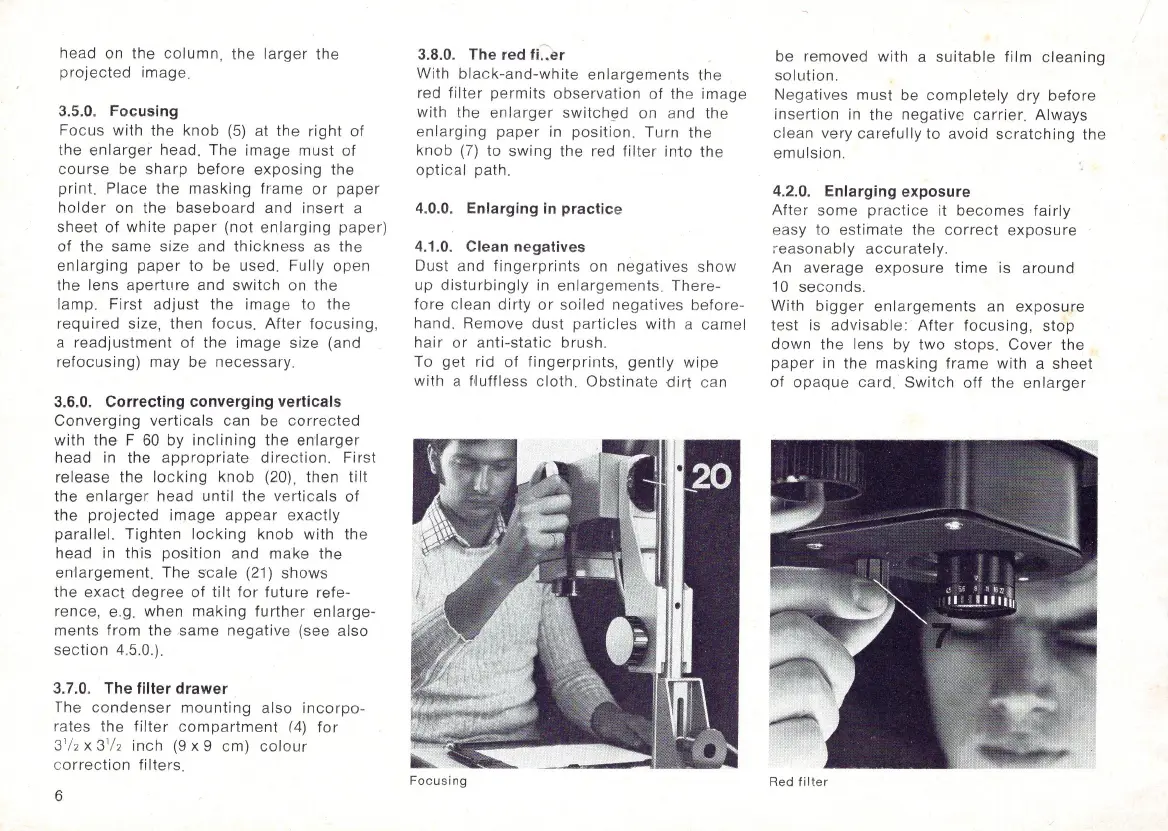
3.5.0. Focusing
Focus with the
knob
(5)
at the
right
of
the
enlarger
head. The
image
must
of
co
urse be
sharp
before
exposing
the
print. Place the
masking
fr
ame
or
paper
holder
on the
baseboard
and
insert
a
sheet
of
white
paper
(not
enlarging
paper)
of
the same size and
thickn
ess as the
enlarging
paper
to be used. Fully open
the lens apertLire and
switch
on the
la
mp
. First
adjust
the image to the
required
size, then f
oc
us.
Aft
er
fo
cusing
,
a
readjustment
of
the image size (and
refocusing)
may be necessary.
3.6.0. Correcting converging verticals
Converging
verticals can be
correc
ted
with
the
F
60
by
inclining
the en'
large
r
head in the
appropriate
direction.
First
release the loc king
knob
(20) , then
tilt
the
enlarger
head
until
the
verticals
of
the
projected
image
appear
exactly
parallel.
Tighten
locking
knob
with the
head
in this
position
and
mak
e the
enlargement.
The
scale
(21) shows
the
exact
degree
of
tilt
for
future
refe-
rence, e.g. when
making
further
enlarge-
ments
from
the same
negative
(see also
section
4.5.0.).
3.7.0. The filter drawer
The co
ndenser
mou
nting
also in
co
rpo-
rates the fi l
ter
c
ompartment
(4)
for
3'/2 x 3
'/
2 inch
(9
x 9 c
m)
colour
c
orrection
filter
s.
6
3.8.0. The red fi..er
With
black-and-white
enlargements
the
red
filter
permits
observation
of
the
image
with the
enlarger
sw
itch
~d
on and the
en larging
paper
in
position
.
Turn
the
knob
(7)
to
swing
the red filt
er
int
o the
op
tical path.
4.0.0. Enlarging
in
practice
4.1.0. Clean negatives
Dust an d
fingerprints
on
negatives
sh
ow
up
dist
urbingl
y in enl
argements
.
There-
fore
clean
dirty
or
soiled
negatives
before-
hand. Re
mo
ve dust
partic
les
with
a
came
l
ha
ir
or a
nti-stati
c brush.
To get rid
of
fingerprints,
gently
wipe
with a Nuffless cloth.
Obstinate
dirt
can
F
oc
u
sing
be removed
with
a
suitable
film
cleaning
so
lution
.
Negatives must be co
mpletely
dry
before
insertion in the negative
carrier.
Alw
ays
clean very
carefully
to avoid
scratching
the
emulsion.
4.2.
0.
Enlarging exposure
Aft
er
some
practice
it becomes fai rly
easy to es
tim
ate the
correct
expos
ure
~easo
n
ab
ly
accu
rately.
An average
exposure
time
is
around
10 seconds.
With
bigger
enlargements
an
exposure
test
is
advisab
le:
After
focu
sing,
stop
down
the lens by two stops.
Cover
the
paper
in the m
as
king
frame
with a sheet
of
opaque
car
d.
Switch
off the enl a
rger
Red f
ilter

Related product manuals