47
Chapter 8
Alarm Voice Triggering
The Alarm Voice setting will provide a voice warning message to users at
the time of detecting the alarm condition. Follow the instructions below to set
the Alarm Voice:
1.Click the “Alarm” tab and select the appropriate triggering event for
alarm recording (“Camera” ,“Din”, or “Disk full”, “Disk failure”,
or “No signal”).
2.Specify the desired “Trigger Period” .
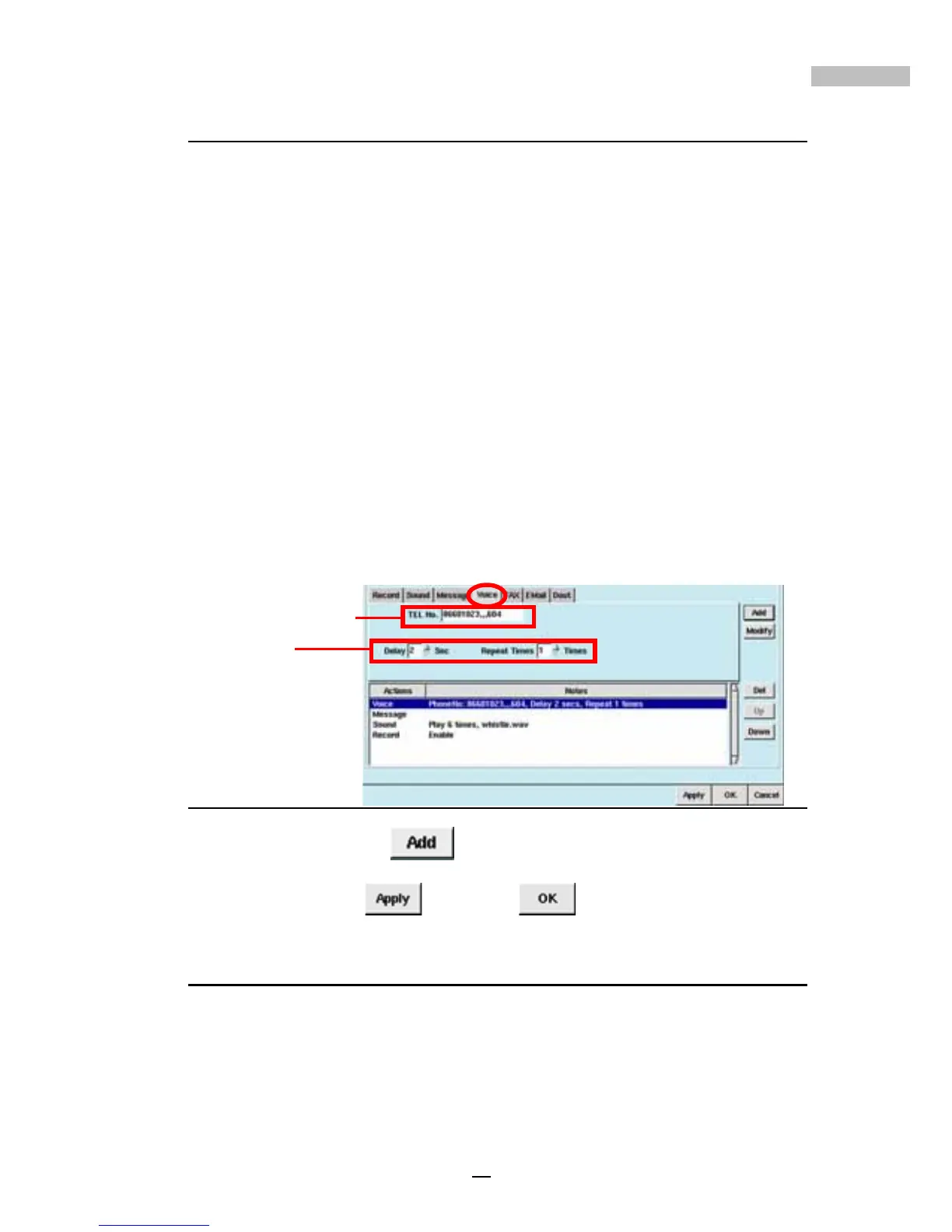
3.Click the “Voice” Tab and type in the “Telephone Number”;
specify the area code if it is a long distance call, and if an extension
number is required, please add “,,,” followed by the extension
number. A total of 14 bytes may be used.
4.“Delay” seconds means how many seconds you’d like to delay before
the Alarm Voice is activated. A period of 1 to 10 seconds may be set
(see picture below).
5.“Repeat Times” is used to set the number of times you’d like to
trigger the alarm; 1 to 10 times can be set (see picture below).
Figure 8-7: Voice Tab
6.Then click “Add” ; the drop-down window will show “Voice”
with the selections made.
7.Click “Apply”
, and “OK” .
Alarm Fax Triggering
The Alarm Fax setting will allow a fax warning message to be sent at the
time of detecting an alarm condition. Follow the instructions below to set up
Alarm Fax:
1.Click the “Alarm” tab and select the appropriate triggering event for
alarm recording (“Camera” ,“Din”, or “Disk full”, “Disk failure”,
or “No signal”).
Telephone Number
Delay



 To Next Page