4
OPERATING INSTRUCTIONS
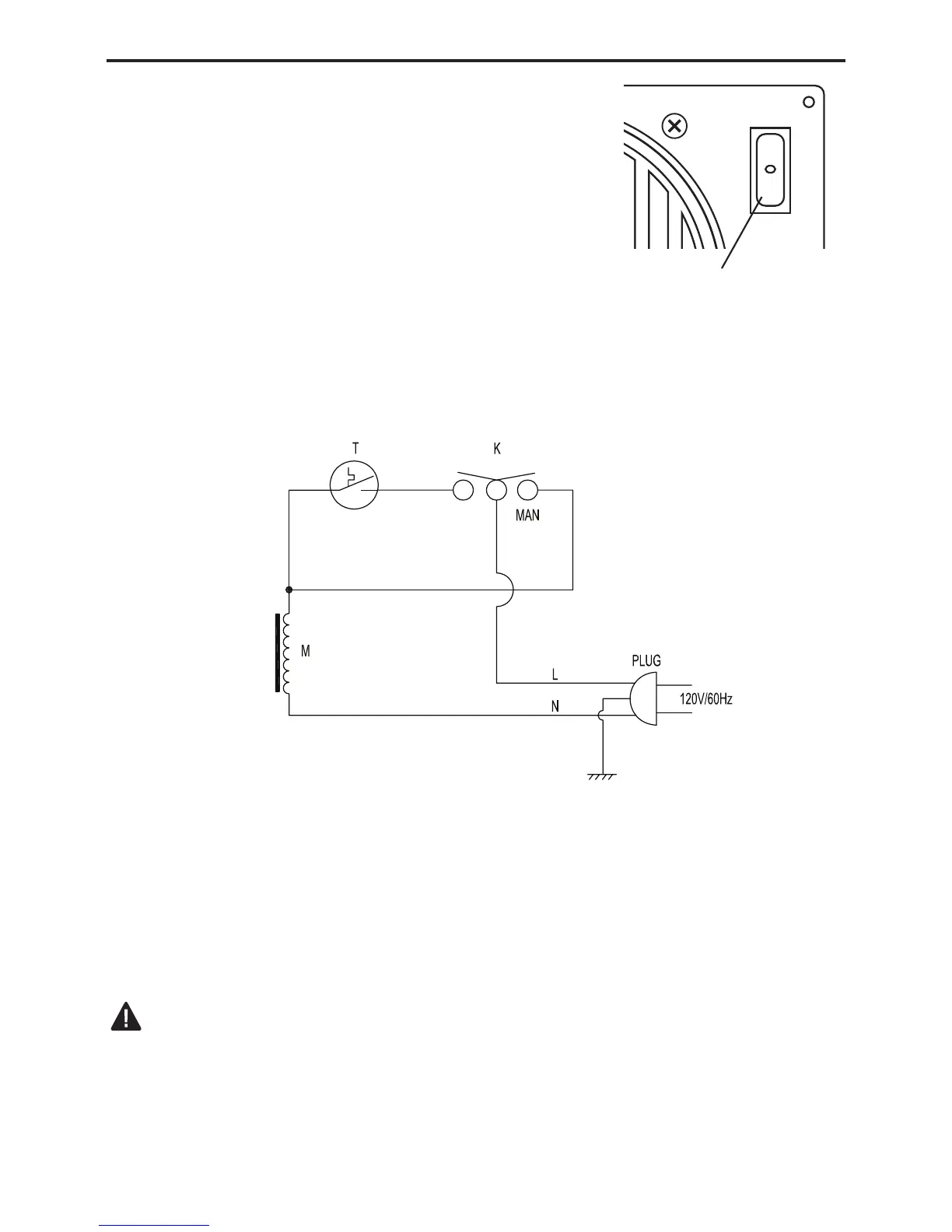
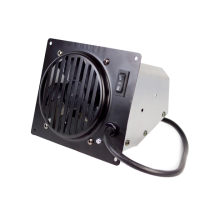
This fan is equipped with manual “MAN” and auto-
matic “AUTO” settings. Set the rocker switch to “MAN”
for manual mode, allowing the fan to continuously run
until the rocker switch is returned to the OFF “O” posi-
tion. Set the rocker switch to “AUTO” for the auto-
matic mode, which will turn the fan on and off based
on ambient room temperature. It may take 5 to 10
minutes for the fan to come on when the unit is cold.
AUTO
NOTE: If any of the original wire as supplied with the appliance must be replaced, it
must be replaced with a wire of at least an equal temperature rating.
CAUTION: Label all wires prior to disconnection when servicing controls.
Wiring errors can cause improper and dangerous operation. Verify proper operation
after servicing.
MAN AUTO
Fan Rocker
Switch
Electrical Wiring Diagram
T - Temperature Switch
M - Motor
K - Power Switch



 To Next Page