English - 15 -
1
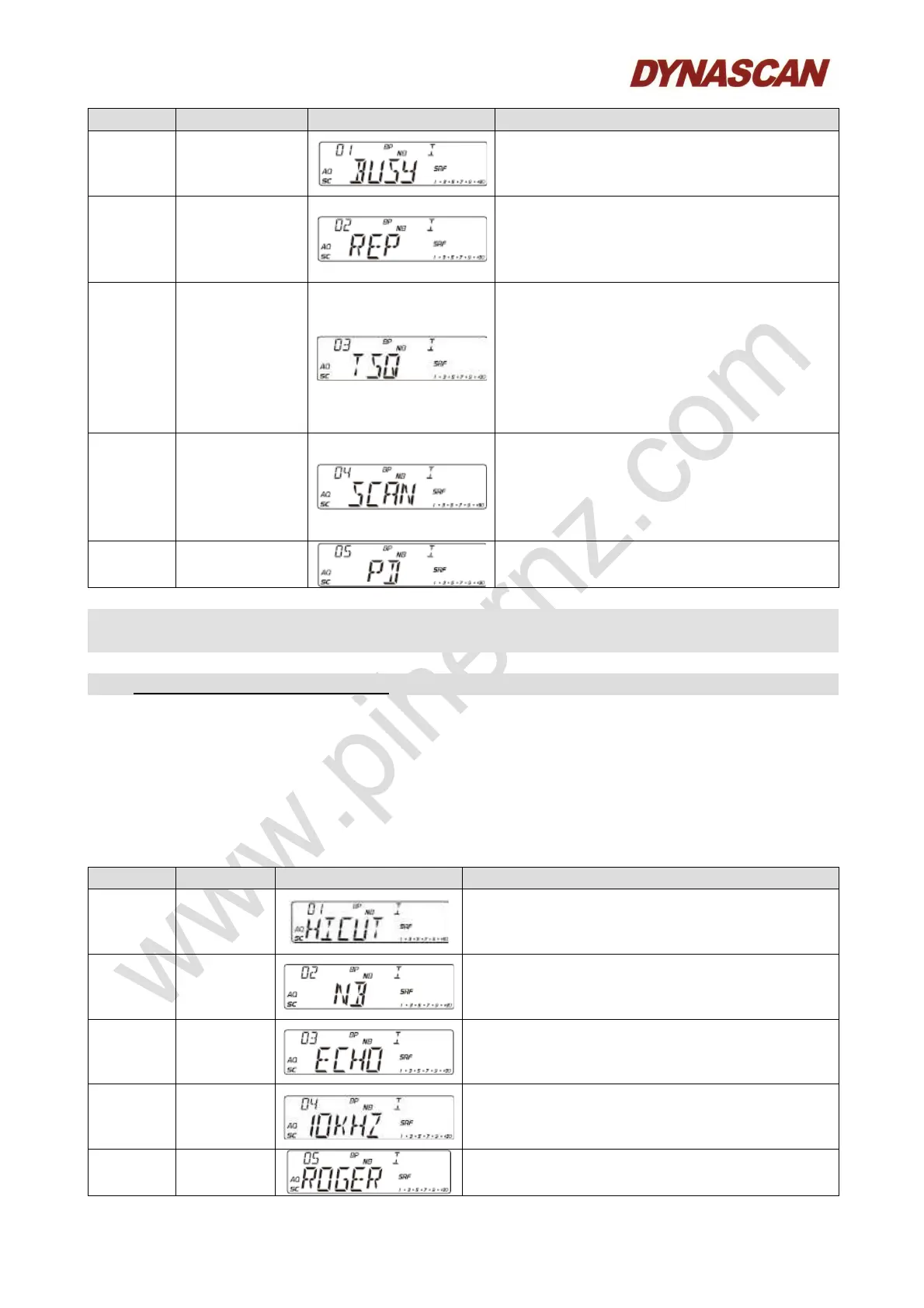
Busy cannel
lockout
OFF: Disable function.
ON: Enable function.
Default: OFF.
2
Offset
direction
REP+: TX frequency > RX frequency.
REP-: RX frequency > TX frequency.
OFF: Disable function.
Default: OFF.
3 CTCSS/DCS
CTCSS: 67.0 ~ 250.3 Hz, total 38
groups.
DCS: D023N ~ D754N, total 104
groups.
OFF: Disable function.
Note: This function is available only
when install the optional CTC board.
4
Add/delete
scan list
ADD: LCD display “SC” icon, present
cannel is added to scan list.
DEL: LCD does not display “SC” icon,
preset cannel is not added to scan list.
Default: OFF.
5
General
settings
You can select ON/OFF. When select
OFF will display the no. 6 to no. 11.
- Channel function menu is used to edit the setting for current channel.
1. Press and hold [PUSH] knob for 2 seconds to enter menu list.
2. Turn [CH] knob to find menu 1-6.
3. Press [PUSH] knob to choose the menu.
4. Turn [CH] knob to choose wanted value.
5. Press [PUSH] knob to return to previous menu, press any other key or wait 5
seconds, the setting will be stored and exit.
1 Hi-cut
OFF: Disable function.
ON: Enable function.
Default: OFF.
2 NB/ANL
OFF: Disable function.
ON: Enable function.
Default: ON.
3 ECHO
OFF: Disable function.
ON: Enable function.
Default: OFF.
4 +10 kHz
OFF: Disable +10 kHz function.
ON: Enable +10 kHz function.
Default: OFF.
5 ROGER
OFF-5, Total 6 groups.
Default: OFF, disable function.



 To Next Page