EasyManua.ls Logo

Dynascan P-72 - User Manual

Dynascan P-72
37 pages
Print Icon
To Next Page IconTo Next Page
Loading...
English
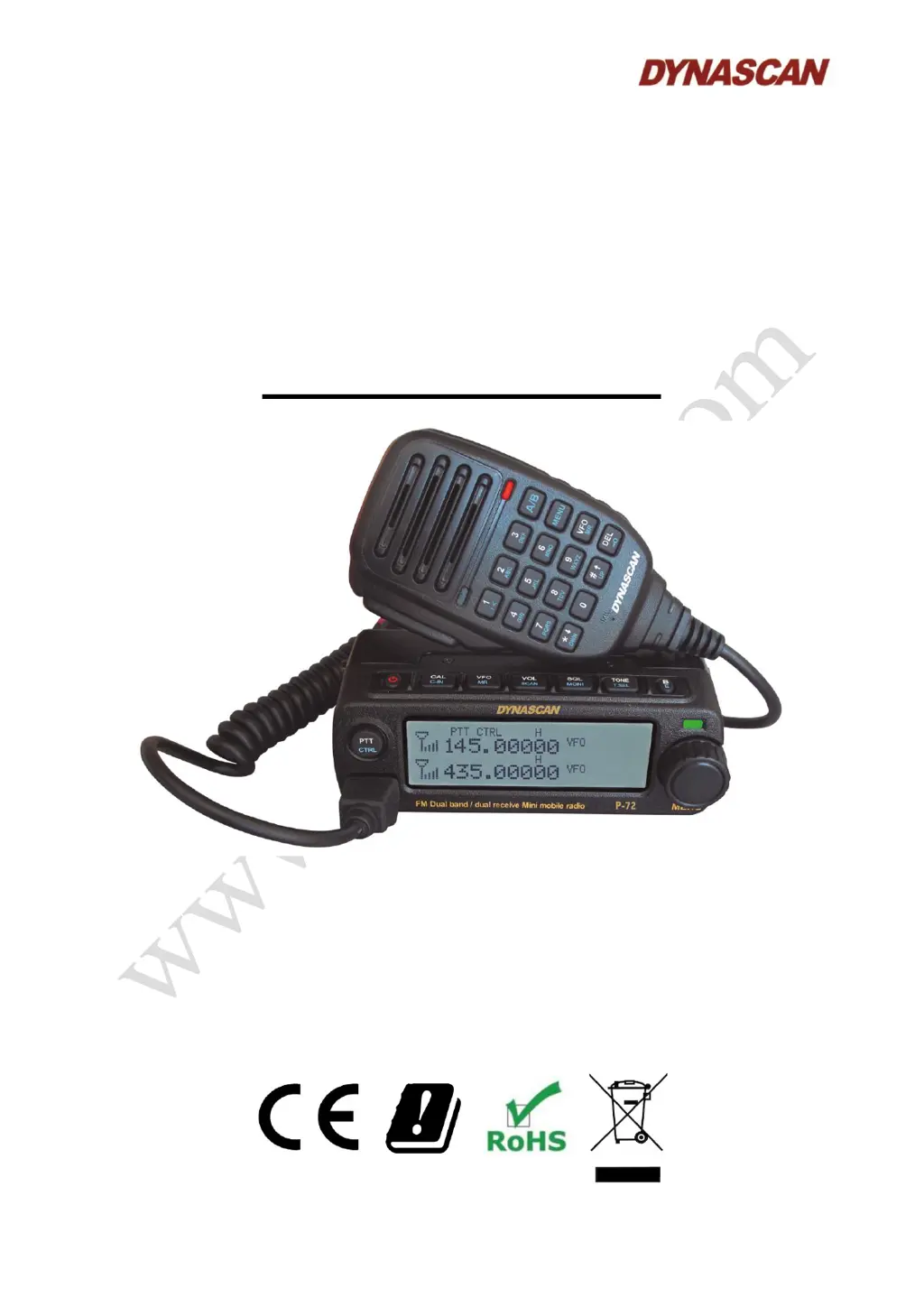
VHF/UHF DUAL BAND FM
RADIOAMATEUR MOBILE
TRANSCEIVER
USER´S MANUAL
D
D
Y
Y
N
N
A
A
S
S
C
C
A
A
N
N
P
P
-
-
7
7
2
2

Table of Contents

Questions and Answers

Summary

Definitions and Compliance

Introduction to the Transceiver

Safety Cautions

Maintenance Procedures

Installation Guide

5.1.- Mobile Installation

Guidance on installing the transceiver in a vehicle, including bracket mounting.

5.2.1.- Mobile DC Power Cable Connection

Instructions for connecting the DC power cable for mobile use, emphasizing correct polarity.

5.2.2.- Fixed Station Power Connection

Steps for connecting the transceiver to an external 13.8V DC power supply.

5.2.3.- Fuse Replacement

Procedure for replacing blown fuses and troubleshooting related issues.

5.3.- Antenna Installation

Proper antenna connection and adjustment for optimal transceiver performance.

5.4.- Accessories Installation

Guidance on installing various accessories like speakers and microphones.

5.4.1.- Speaker-Mic;Headset Installation

How to install external speakers or headsets with microphones.

5.4.2.- Microphone Connection

Connecting the supplied microphone to the transceiver's RJ45 jack.

5.4.3.- Keypad Operations

Explanation of basic keypad operations like pressing and holding keys.

Getting Acquainted with the Transceiver

6.1.- Front Panel Key Functions (Part 1)

Description of ON/OFF, CALL/C.IN, VFO/MR, and VOL/SCAN keys on the front panel.

6.1.- Front Panel Key Functions (Part 2)

Description of SQL/MONI, TONE/T.SEL, B/E, PTT/CRL keys, and LED indicator.

6.1.- Front Panel Jacks, Display & Knobs

Details on MIC/PC jack, LCD display, and rotary knob operations.

6.2.- LCD Display Icons

Explanation of icons displayed on the transceiver's LCD screen.

6.3.- Rear Panel Connections

Description of ANT terminal, heat sink, external power plug, and mounting screws.

6.3.- Side Panel Audio Jacks

Details on SP/MIC jacks for headsets and external speakers.

6.4.- Speaker-Microphone Components

Overview of speaker, PTT button, and keypad functions on the microphone.

6.4.- Microphone Features

Description of microphone, LED indicator, and PF keys (PF1-PF4) functionality.

6.5.- Definable Keys Programming

Procedure to program the four definable keys on the speaker-microphone.

6.6.- Select Operating Band

Procedure to switch between upper and lower operable bands using the PTT/CTRL key.

6.7.- Frequency Input Method

Methods for inputting desired frequencies using the microphone keypad.

Basic Operation Procedures

Speaker-microphone input mode

Direct frequency entry using the speaker-microphone keypad.

Shift input mode

Step-by-step frequency input using the menu and keypad.

7.1.- Switching Power On;Off

How to turn the transceiver on and off using the ON/OFF key.

7.2.- Volume Setting

Steps to adjust the transceiver's volume output level.

7.3.- Mute Mode

Activating and deactivating the mute function using the VOL/SCAN key.

7.4.- Squelch Level Setting

Adjusting the squelch level to filter out unwanted signals.

7.5.- Select Transmission Band

Procedure to select the active transmission band using the PTT/CLR key.

7.6.- Single;Dual Band Operation

How to operate the transceiver in single or dual band modes.

7.7.- Select Operating Band; Display Mode

Switching between memory channels and various display modes.

7.8.- Calling Channel Mode

Using the calling channel mode for quick access or emergency communication.

7.9.- Transmitting

Instructions for transmitting, including microphone technique and power levels.

Settings Menu Navigation

8.1.- Menu Access

Steps to enter and navigate the transceiver's settings menu.

8.2.- Settings Menu Table

Detailed table of menu options, selections, and defaults.

8.3.- Channel Naming

Procedure for naming memory channels with custom text.

8.4.- Character Input from Microphone Keypad

Guide to entering characters using the microphone keypad with a character map.

8.5.- Operation via Repeater

Procedures for operating the transceiver via repeaters.

8.5.1.- Offset Programming

Programming frequency offsets for repeater communication.

8.5.2.- Offset Direction

Setting the direction (positive/negative) for frequency offsets.

8.5.3.- Offset Step Range

Configuring the step value for frequency offsets.

Advanced Operation Features

9.1.- Keypad Operation and Description

Detailed explanation of individual keypad operations and their functions.

9.2.- Keypads Combined Operation

Functions resulting from combined key presses on the transceiver.

9.3.- Delete Memory Channel

Step-by-step guide to deleting stored memory channels.

9.4.- Turn CTCSS;DCS On;Off

How to enable or disable CTCSS/DCS tones for communication.

9.5.- Choose CTCSS Tone or DCS Code

Selecting specific CTCSS tones or DCS codes for transmission and reception.

9.6.- Reverse Function

Activating the reverse function to swap TX and RX frequencies for repeater use.

9.7.- Store Frequency on Memory Channel

Procedure for saving frequencies and parameters to memory channels.

9.8.- FM Radio Operation

Procedures for operating the FM radio function.

9.8.1.- Storing FM Radio Frequency

Steps to store a desired FM radio frequency.

9.8.2.- Stored FM Radio Frequencies

Accessing, deleting, or playing stored FM radio frequencies.

9.8.3.- FM Mode Manual;Auto

Selecting between manual frequency tuning and automatic scanning in FM mode.

9.8.4.- Audio Output Mode

Configuring the audio output source for the transceiver.

9.8.5.- FM Volume Setting

Adjusting the volume level for FM radio playback.

9.9.- Scan Function

Introduction to the scan functions for monitoring channels and frequencies.

9.9.1.- Scan ON;OFF

Turning the scan function on or off to monitor activity.

9.9.2.- VFO Scan

Scanning all frequencies within the current VFO band.

9.9.3.- Channel Scan List

Scanning through a predefined list of memory channels.

9.9.4.- Scan OFF

Turning off the scan function and returning to normal operation.

9.9.5.- Scan Mode

Selecting scan modes: Time (TO), Carrier (CO), or Search (SE).

9.9.6.- Scan List Management

Information on creating and managing scan lists for up to 255 channels.

9.9.7.- Scan List Operation

Checking and managing the contents of the current scan list.

Technical Specifications

10.1.- General Specifications

General technical specifications including frequency range, voltage, and dimensions.

10.2.- Transmitter Specifications

Technical specifications related to the transmitter's output power and modulation.

10.3.- Receiver Specifications

Technical specifications for the receiver, including sensitivity and selectivity.

Troubleshooting Common Issues

Dynascan P-72 Specifications

General IconGeneral
BrandDynascan
ModelP-72
CategoryTransceiver
LanguageEnglish

Related product manuals