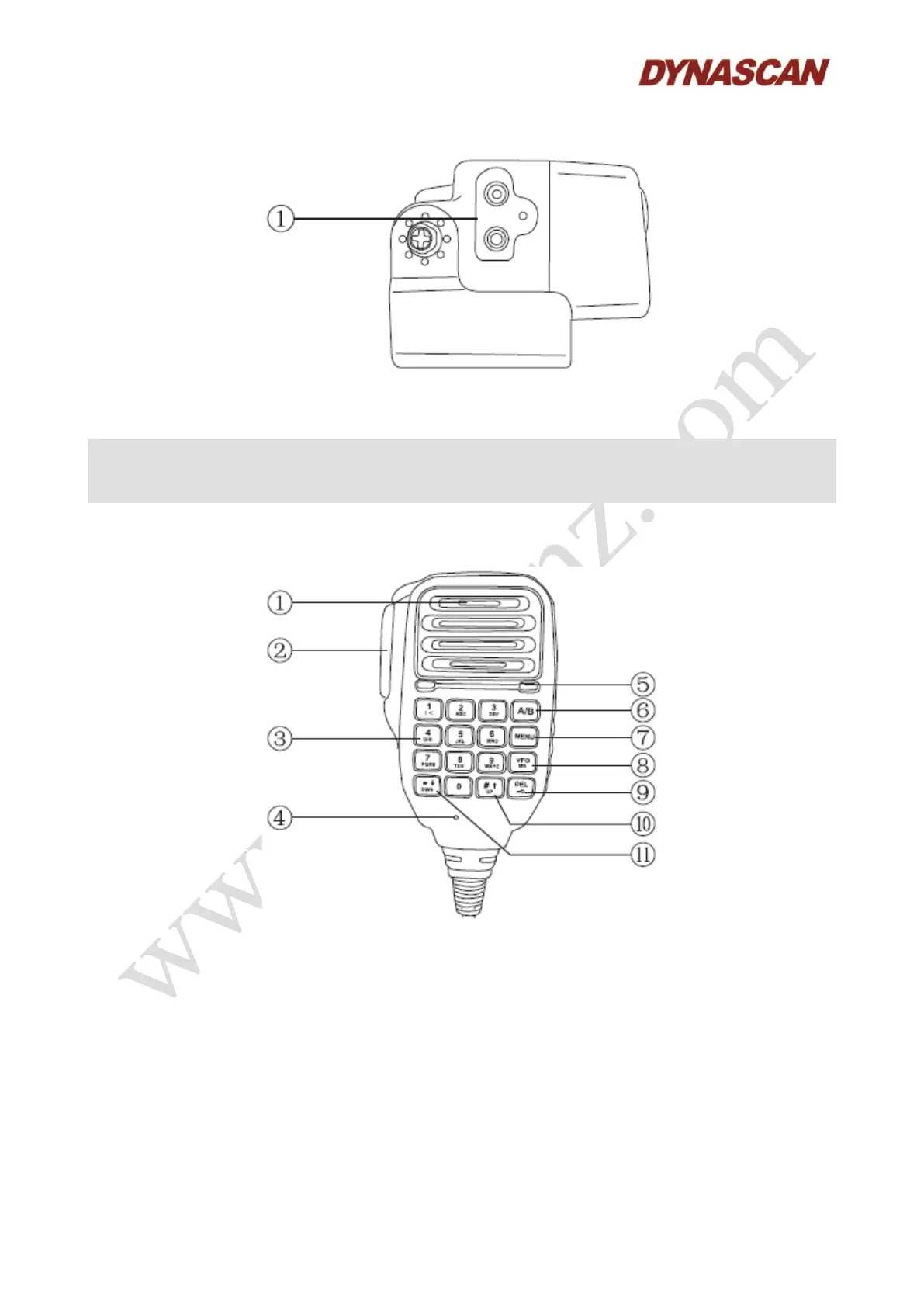
(1) Accessories installation jack:
● Insert the headset with standard K type connector to this jacks.
Note:
- There is no speaker assembled in the transceiver body, the accessories used must be
equipped with speaker and microphone.
6.4.- SPEAKER-MICROPHONE:
(1) Speaker:
● An audio is issued when a signal is received.
(2) PTT:
● Press and hold and speak into the microphone to transmit. Release it to receive.
(3) Keypad:
● Press these keys to input the frequency or characters.



 To Next Page