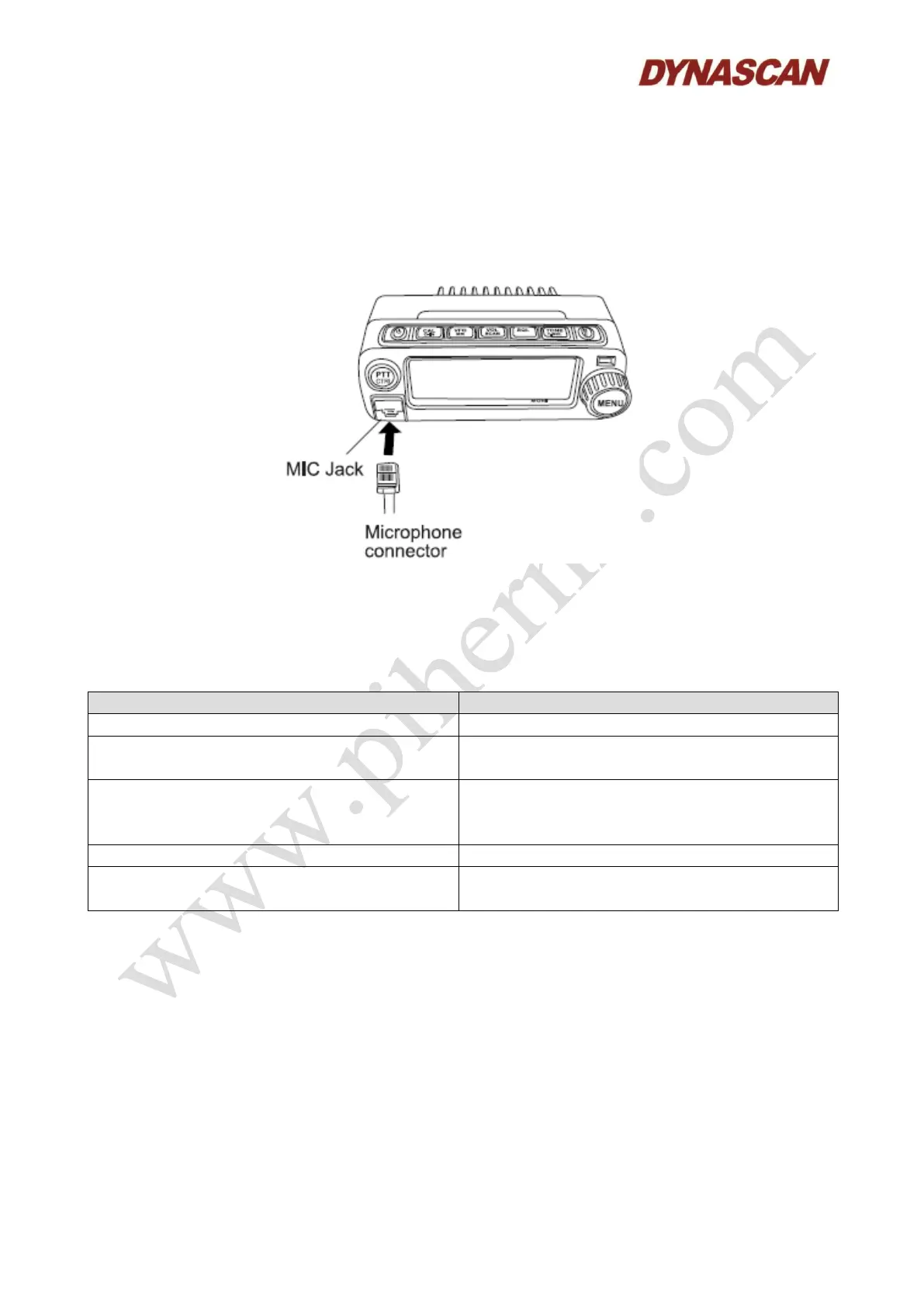
The left side of the transceiver incorporates two jacks for speaker and microphone. Consult the
instructions of the accessories for installation.
5.4.2.- Microphone:
Connect the supplied microphone (with built-in speaker) to the RJ45 jack on the left side of the
front panel of the transceiver. Press the connector until you hear a “click” sound.
5.4.3.- Keypad operations:
Follow the operation of the keys described below to simplify the instructions and avoid unnecessary
duplication.
Means briefly press the key.
Press and hold the [XXX] key.
Means press and hold the key for 3 seconds or
more.
Press the [MENU] tuning knob + the [XXX]
key.
Means briefly press the [MENU] knob, then
press and release the proper key to enter into
settings menu.
Press and hold the [POWER] key.
Press and hold the [POWER] key for 3 seconds
or more to turn ON/OFF the transceiver.



 To Next Page