(10) MIC and PC jack (RJ45):
● It is used for connecting the microphone + speaker.
● Connect the PC cable to this Jack to program on the computer.
(11) Front panel:
● It is made of ABS material.
(12) LCD display:
● For displaying the working channel or frequency, instructions status, menus and other related
visual information with the transceiver.
(13) Rotate knob (ENC):
● Rotate this knob to select the operating frequency or memory channel, change the scanning
direction mode, select the audio level, etc. When in menu mode operation, it can be used for
selecting the settings options.
(14) [MENU] knob:
● Press this knob to enter menu mode.
● Press the knob, and then press any other key to set function options quickly.
● After set, press the [MENU] knob to confirm.
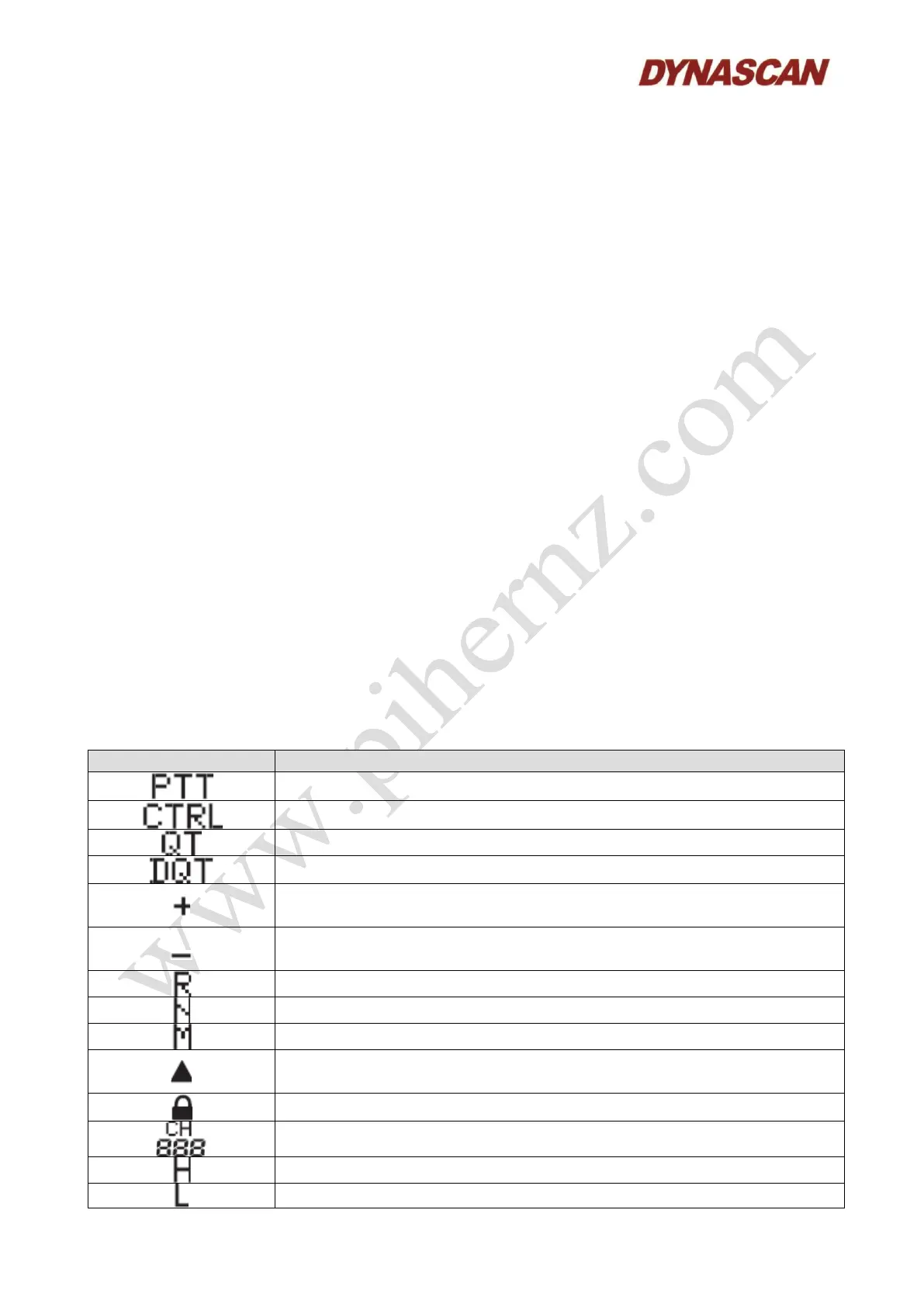
6.2.- LCD DISPLAY:
Icons descriptions displayed on the screen.
Indicating the band can be transmitting.
Indicating the band can be operated and set.
Transmission frequency upper that receiving frequency (Positive
“Offset”).
Transmission frequency lower that the receiving frequency (Negative
“Offset”).
Reverse function activated.
Displayed when the selected channel number is saved as memory
channel.
Displayed when the lock function for the memory channel is on.
Shows the channel memory number.



 To Next Page