DS471LT4 User Manual 17
Operating Instructions
Powering On/Off the Display
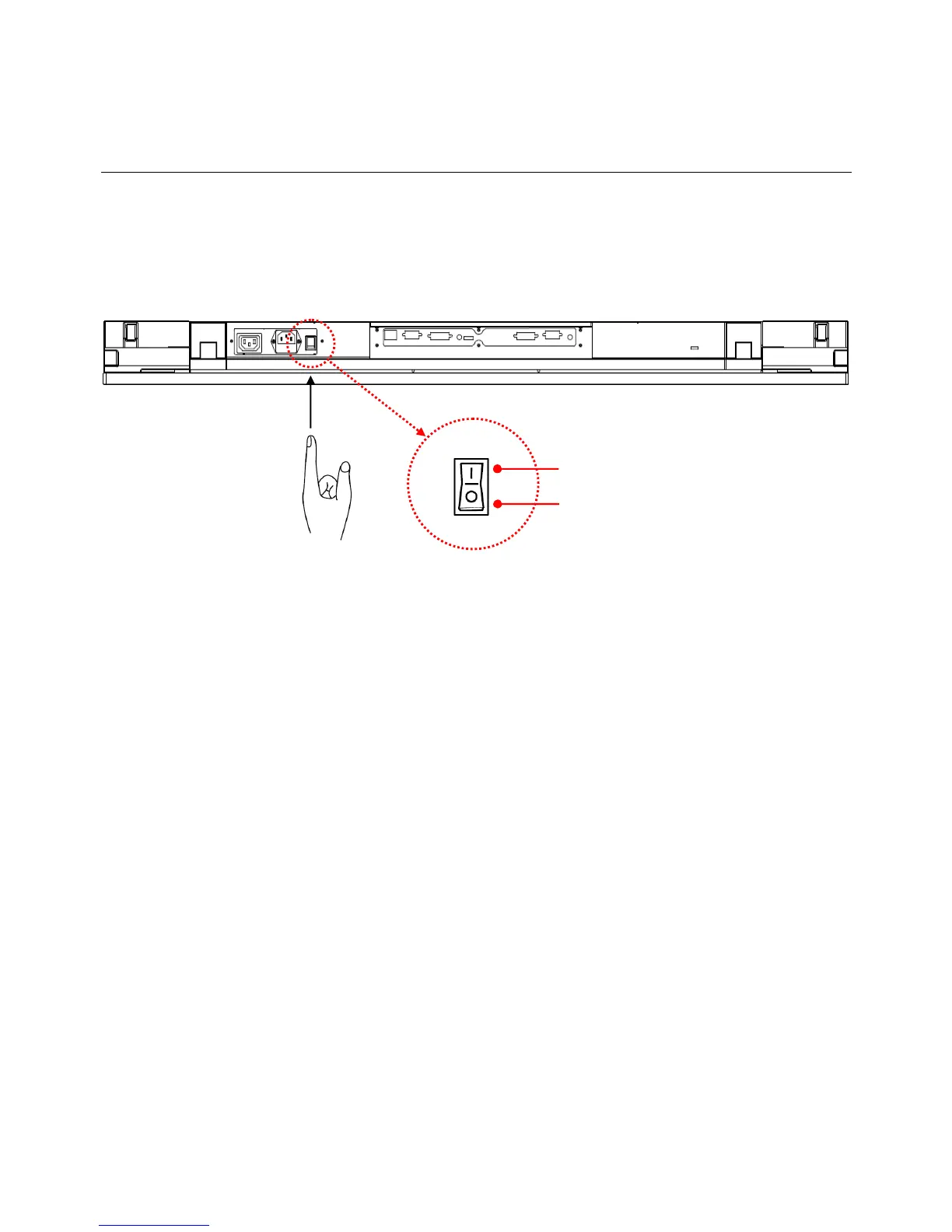
To turn on/off the display, press the power switch on the back of the display as shown in the diagram below.
Using the Remote Control
When using the remote control, aim the remote at the IR receiver on the display. The IR receiver on the DS471LT4
model is at the back of the display with a receiving angle of 100 degrees. The IR receiver configurations of the
model are shown in the figure below.
The operating range of the remote control is 2.5 meters (8 feet).
Ambient light may affect the performance of the remote control. Avoid fluorescent or neon lights in the vicinity.
NOTE: the remote control only works when
the main switch is in the ON position.
OFF
ON


 To Next Page